
As you build your first AI-powered product, it’s easy to focus on the model, the tools, or the latest breakthrough. But many AI products fail for a simpler reason: the team never asked the right questions before they started building.
Aloa helps leaders and operators answer those questions before the build begins. We build custom AI solutions end-to-end, from strategy through designing and building AI products and services. We start by figuring out what the AI must get right, what data it should rely on, and how the product fits into the user’s workflow. Then we test that early and build from there. That's how you get from idea to prototype to a system your teams can actually use.
This guide walks through the questions that matter most before you commit budget, scope, and time to AI product development.
TL;DR
- Building AI-first products starts with: "What part of the product actually needs AI?"
- Some jobs need AI because they involve messy language, judgment, or unstructured data. Other jobs are better handled with regular software and fixed rules.
- Good AI products also depend on the right data, clear user flows, and clear limits on what the LLM should and should not do.
- A proof of concept can show that an idea works. A production product also needs security, monitoring, permissions, fallback paths, and cost control.
- Privacy, bias, security, and compliance are product decisions from the start, not cleanup work after launch.
1. What Problem Are You Solving, and Does It Actually Need AI?
An AI-first product is designed with AI as the core value proposition for its users. If you remove the AI, the product either stops working or loses the main reason someone would use it. That’s what sets AI-first products apart from tools where AI is simply added later as a feature. If the core workflow still works without AI, it’s usually better handled with rules, automation, or traditional software.
For example, say a finance team needs invoices routed for approval. Under $5,000 goes to a manager. Over $5,000 goes to finance. International vendors need one more review. That doesn't need AI. A simple set of approval rules can handle it: if the amount is under a threshold, send it one way; if it’s over, send it another. It will be cheaper, more predictable, and easier to maintain. AWS makes the same point: you don't need machine learning when clear rules or fixed steps can do the job.
That's the first check for building AI-first products: what exactly do you need the AI to do? Generate an answer? Classify an input? Predict an outcome? Extract data from documents? Define the AI capabilities first.
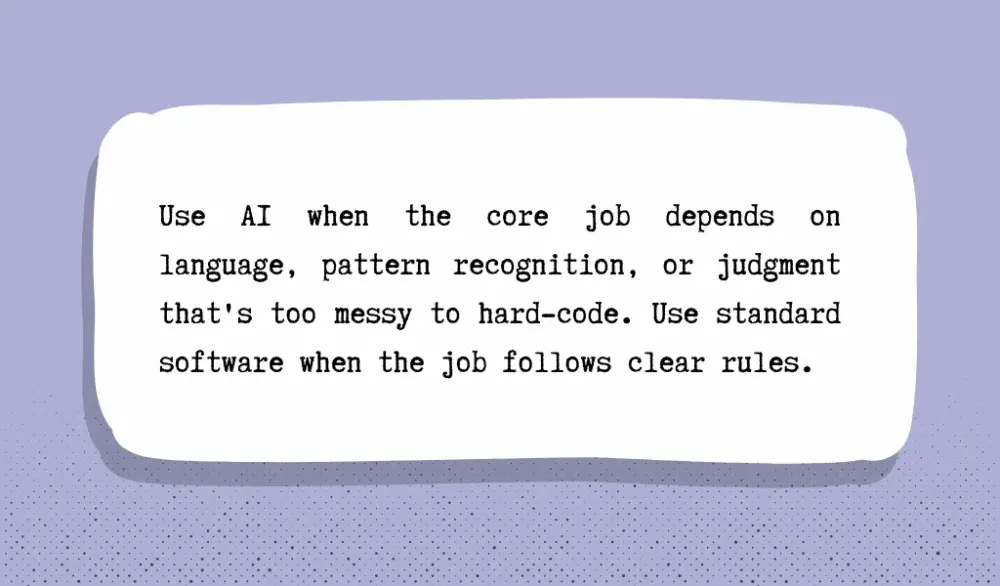
Put simply, use AI when the core job depends on language, pattern recognition, or judgment that's too messy to hard-code. Use standard software when the job follows clear rules. It also helps to understand when rules-based automation makes more sense than AI-driven systems before you lock in the first version. A strong AI-first product doesn't start with “how do we add AI?” but with “what part of this product breaks without it?”
At Aloa, this is usually one of the first conversations we have with clients. We help you decide whether the core problem actually demands AI, or whether a lean rules-based build gets you further, faster, with less risk. We can help your team build enough AI fluency to ask better product questions early.
2. Who Is Your User, and How Will They Experience AI?
Once you confirm the product truly needs AI, the next question is about your users. What will they feel when they use the interface?
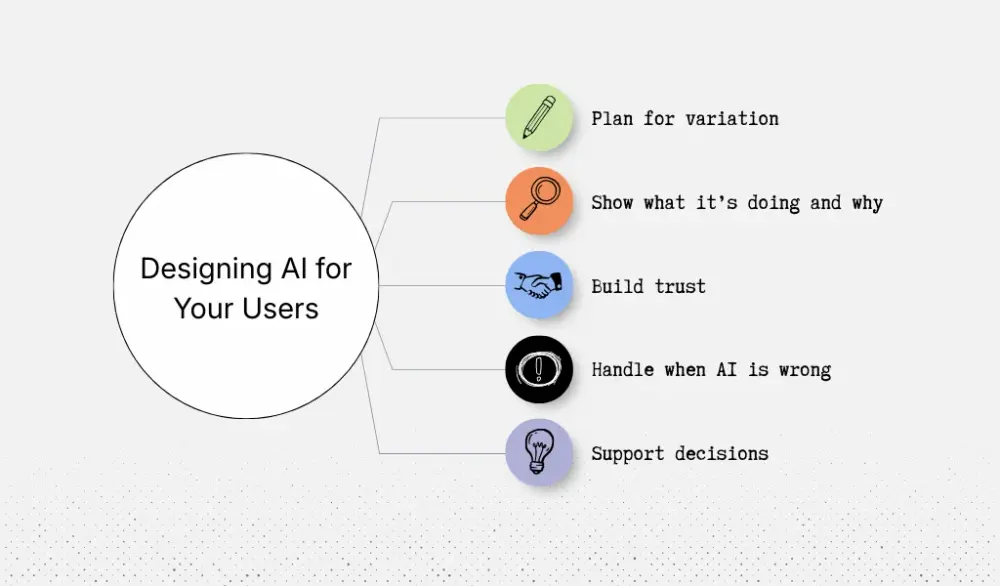
This question matters more in AI-first products because AI doesn't behave quite like normal software that we’ve come to know. In a standard app, the same input would typically give you the same result every time. As we’ve experienced, AI's output can vary significantly. This means you have to plan for the user experience to account for these variations from day one.
A good example is Microsoft 365 Copilot. The system pulls from large language models, Microsoft Graph content, and the apps people already use, then returns a response that the user can review and assess. Microsoft also says Copilot shows what it's doing and why, so users can adjust or steer the result. That's a very different UX philosophy from traditional software. The product assumes users need visibility and control, not just output.
The other big UX question is what happens when the AI is wrong. Let’s say an AI-assisted support assistant couldn't retrieve the information the customer needed. Can the user retry? Can they escalate? Or should they be directed to a help article?
That's why AI-first UX needs a different mindset. You're not just designing one certain outcome. You're designing for retaining user trust and retention. A strong AI product doesn't just give an answer. It helps the user decide whether that answer is good enough to use.
And if you want to get this right, see how GenAI adoption works in practice when trust and usability are part of the rollout.
3. Do You Have the Data Strategy to Support an AI-First Product?
Earlier, we talked about trust. Users begin to build trust for the AI that they interact with by verifying where AI gets its answers from. This means that the data source matters.
When AI is implemented in real systems at scale, that's when things get messy fast. One record could be missing fields. Another lives in a spreadsheet someone updates by hand every Friday. If the model doesn't know which source to pull from or when, it would start giving incorrect answers.
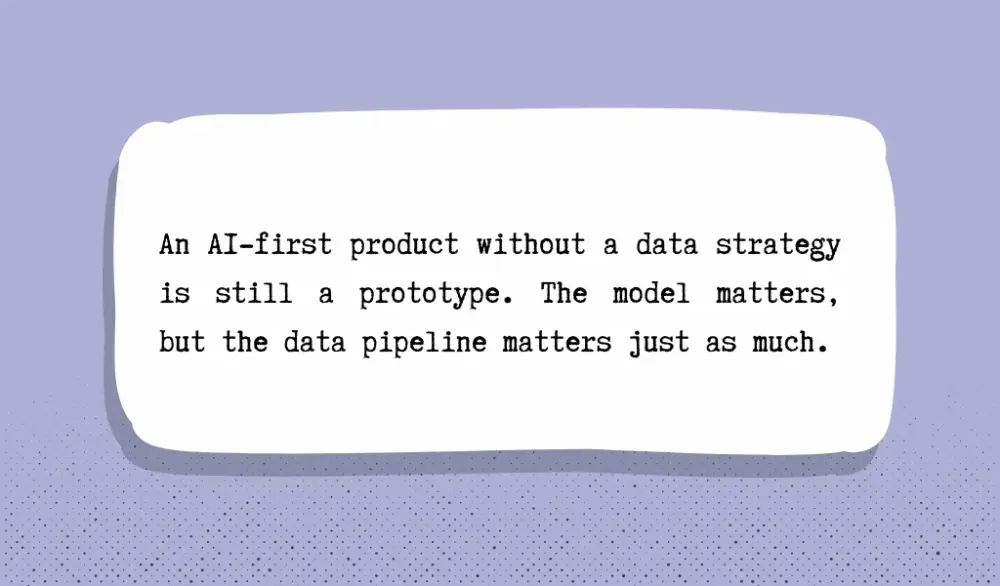
That's why an AI-first product without a data strategy is still a prototype. The model matters, but the data pipeline matters just as much.
Picture a support team at HubSpot using an AI assistant to answer merchant questions. On paper, the use case makes sense. The AI should read the question, look at the customer’s account, check recent tickets, and give a useful answer. But that only works when the underlying data is in good shape. If billing data updates in one system, shipping data lives in another, and help center articles are outdated, the assistant will give mixed answers. Not because the model is weak. Because the product is pulling from scattered, stale, or conflicting sources.
Now picture a hospital system using AI to help staff with admin-heavy work. The model may need access to scheduling data, patient intake forms, internal policies, and clinical documentation. In that kind of environment, data quality is only part of the problem. The bigger issue is permission handling. Who can access what? Which records can be used? What needs to be logged? In highly regulated industries like healthcare and finance, data governance is not a back-office task, but part of the product.
Many teams think the hard part about building AI-first products is choosing the AI model. But we found the harder part is building a system that keeps feeding the model reliable information over time.
We recommend answering a few questions early:
- What are the source systems?
- Which source counts as the source of truth?
- How often does that data change?
- Who fixes bad records?
- What happens when the AI can't find enough trustworthy information?
Those questions sound operational because they are. AI-first products need ongoing data operations. Documents change. Permissions change. Old records stay in the system long after they should have been cleaned up. These issues will find its way into your AI product and complicate your user experience.
For example, say a bank builds an AI tool to help internal teams answer policy questions. During testing, the system works well because it uses only the latest approved documents (from a sample documents folder). Six months later, the product goes live, and naturally starts pulling from old policy folders that are actually keeping the operations alive. There are duplicate files, draft versions saved in SharePoint, etc.
Now, the same question asked of AI can produce two different answers depending on which file is retrieved. This is a classic example of why “garbage in, garbage out” hits harder in AI products than in almost any other part of software.
There’s a way to plan for this. Strong product teams ask questions like the above from Day 1. They are constantly thinking about source priority, refresh cycles, permissions, monitoring, and fallback behavior before the product scales. They also think carefully about how to connect AI to existing systems and data they already rely on without breaking the core product experience.
This is something we are experienced in at Aloa. Our team helps companies map the right data sources, define governance and refresh cycles, and connect AI to the systems they already rely on. You can explore how we approach this in different AI industry applications where data quality, security, and system integration are critical.
4. Can Your Business Model Absorb the Cost of AI?
Many AI products fail for this reason: the technology works, but the unit economics break with real usage.
Traditional SaaS products are relatively cheaper to maintain. If someone searches a CRM or loads a dashboard, the system runs a few database queries. The cost of that action might be a fraction of a cent.
AI is different.
Every time a model reads a prompt, processes a document, or generates an answer, the system performs inference: the compute work required to produce an output. That work costs money every single time it happens.
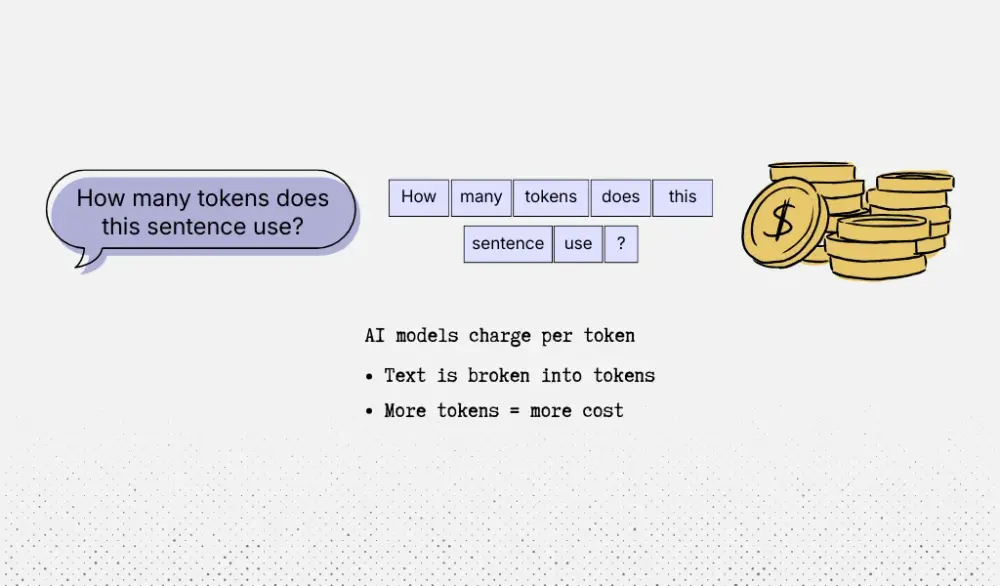
Most modern AI systems charge based on tokens, which are small chunks of text the model reads or generates. A short question may use a few hundred tokens. A long document analysis may use tens of thousands. The more tokens used, the more compute the system consumes.
That's where many product leaders underestimate the economics.
Imagine a legal research product similar to Thomson Reuters Westlaw that adds an AI feature. A lawyer uploads a 40-page contract and asks: “Summarize the risks in this contract and flag unusual clauses.” What looks like one simple request actually triggers several steps behind the scenes:
The system splits the document into smaller sections.
Each section gets converted into embeddings for retrieval.
The product sends multiple prompts to a language model.
The model generates a long, structured response.
A workflow like that can easily involve 10,000–30,000 tokens across prompts and responses.
Even modest token pricing can add up. Older GPT-4 pricing, for example, ran roughly $0.03 per 1,000 input tokens and $0.06 per 1,000 output tokens, which could push a single complex request close to $0.10 per query.
The cost challenge usually appears when usage scales. Many AI providers charge based on usage; often per token, though some models offer subscription or bundled pricing. Either way, the more users interact with the system, the harder it becomes to predict operating costs. A feature that looks inexpensive in a demo can become expensive once thousands of users rely on it every day.
That’s why AI-first products need guardrails from the start. Product teams have to think carefully about how often the model runs, what tasks actually require AI, and how to prevent users from triggering large or unnecessary requests.
Model Choice Changes the Economics
Your model strategy also changes the cost structure. Using a foundation model API such as GPT or Claude makes it easy to launch quickly. You pay for tokens, and the provider handles the infrastructure. But that also means your gross margin depends on someone else’s pricing.
The alternative is training or fine-tuning your own model. In the right use case, that can reduce inference costs. But it introduces new expenses: training runs, GPU clusters, data pipelines, and ongoing model maintenance. Training frontier-scale models can even cost tens or hundreds of millions of dollars in compute.
That's why product leaders need to understand how AI products differ from simple model wrappers. The business model changes with that choice.
Before committing to an AI architecture, you should answer:
- What does one user cost per month in AI compute?
- What does one interaction (search, summary, document review) cost?
- What happens to those costs if usage 10× increases?
If those numbers are unclear, the product is not ready to scale yet. Because in AI products, the real question is: “Can the business afford to run it every time a customer clicks the button?”
5. How Will You Validate Before You Build?
Once you know the cost might work, the next question is even more important: will the product actually bring real business outcomes?
This is where many companies get into trouble. They see a strong demo, get excited, and start building the full product too early. But a demo usually shows the best case. It doesn't show messy data, edge cases, staff pushback, or slow handoffs between systems.
You need a proof of concept first. IBM describes this stage as a real test with clear data, model choices, integration points, and performance measures. It's supposed to answer whether the idea works under actual business conditions.
This matters because many AI pilots stall before they become real products. McKinsey says one of the biggest reasons is that companies do not deal with risk, workflow friction, and cost early enough, so scaling becomes too expensive or too hard later.
A good proof of concept is not a slide deck nor a chatbot demo made for leadership. It's a small working prototype built to test one job that matters.
Think about a hospital system trying to use AI to draft prior authorization letters. On paper, the idea sounds great. A doctor enters notes, the AI reviews the chart, and the system drafts the request for the insurer. That sounds simple. But before building the full product, the hospital needs to answer a much narrower question: Can the AI turn real patient notes, lab results, and diagnosis details into a draft that a nurse or care coordinator can trust and fix quickly?
That's the proof-of-concept question.
A smart validation sprint might run for 6 to 8 weeks and includes a working prototype, technical feasibility report, and risk assessment. We always recommend spending about 10% of the total budget on the MVP for this focused proof of concept before committing to a full build.
In that sprint, the hospital would not try to solve everything. It would test one workflow using real historical cases. For example, it could take 150 prior auth cases from cardiology or oncology and measure a few things:
- How often is the draft factually correct?
- How often does it miss a key diagnosis code, medication, or test result?
- How many minutes does staff save per request?
- How much editing does each draft still need?
- Would nurses or care coordinators actually use it during a busy workday?
Those are the numbers that matter. Not “Does the demo look impressive?” but “Does this save time, reduce errors, and fit the way people already work?”
By the end of the validation phase, you should have: a working prototype, baseline results for speed and accuracy, a list of failure cases, user feedback from the people doing the job, and a clear call on what to do next. Either you move forward, narrow the scope, or stop. That's also why it helps to be clear about what belongs in a proof-of-concept stage versus a full production build.
6. What Governance and Compliance Risks Are You Taking On?
Once the system reads patient records or answers employee questions, it poses privacy, security, bias, and legal risks.
Many product leaders wait too long to deal with this. They build the assistant first, then bring in legal or security right before launch. By that point, the model may already have access to more data than it should. Logs might store sensitive information. The system may not explain how it produced an answer.
Fixing that late can mean cutting features, rebuilding data pipelines, or delaying launch by months.
Governance has to shape the product from the start.
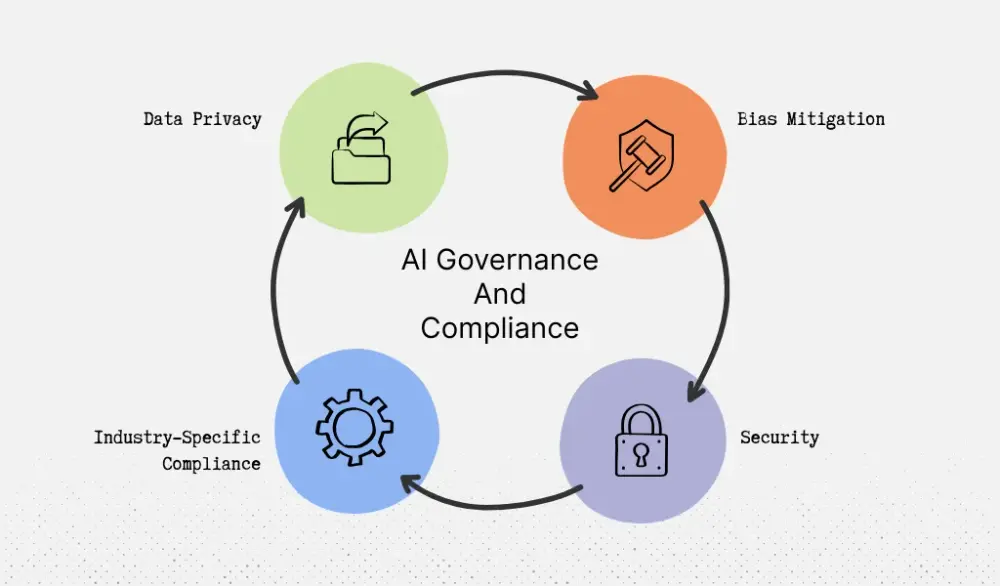
Data Privacy
Start with data privacy. Ask two direct questions: what data does the model actually need, and what data should never reach it?
Picture a patient intake assistant for a hospital network like HCA Healthcare. A patient enters their name, birth date, insurance ID, symptoms, and medications. That information cannot move through the product without strict controls. The system needs clear rules for where the data goes, who can access it, how long it's stored, and what appears in logs. Mishandling a single step could result in the system failing to be HIPAA-compliant.
Hospitals will need to work with vendors that can ask these questions. If the product cannot show how it protects patient data, it will not get approved for use. If you want a closer look at how AI systems handle those requirements, our guide on how to make AI systems safe under HIPAA requirements breaks down the practical steps.
Bias Mitigation
AI learns from past data, which often carries past decisions.
In 2024, University of Washington researchers found that large language models used for resume screening showed significant racial, gender, and intersectional bias when ranking candidates with real-world resumes.
The same applies in hiring, lending, and insurance products. A model trained on past decisions or tested without enough coverage across user groups can quietly repeat the same patterns.
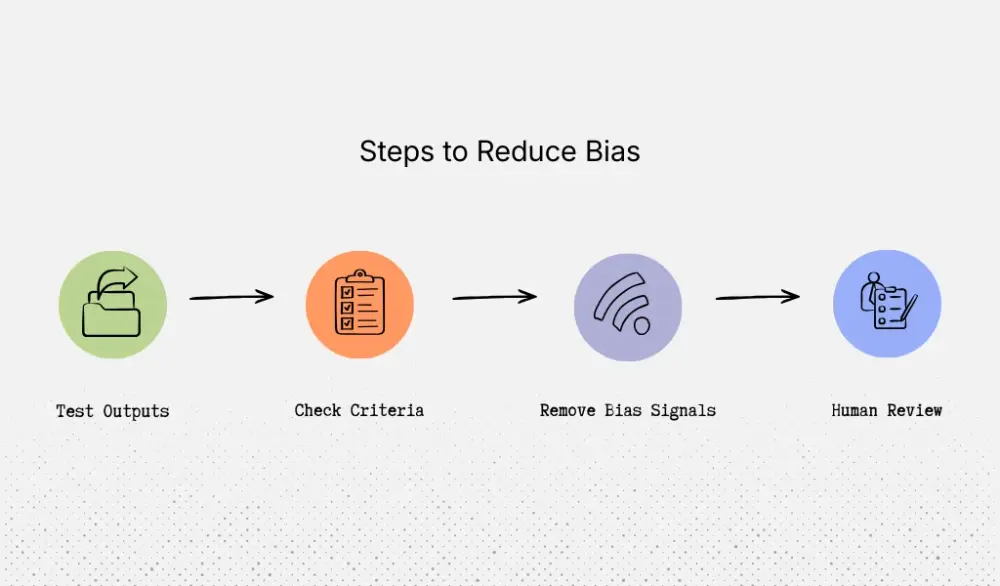
Preventing that requires deliberate checks. Test outputs across different applicant profiles. Review what fields influence the ranking. Remove signals that act as stand-ins for protected traits. Add human review before the product rejects an applicant, denies coverage, or flags a patient as high risk.
Security
AI systems accept open-ended input: typed questions, uploaded files, pasted emails, support tickets, clinical notes, and internal documents. That creates new ways to manipulate the system.
Picture an AI operations copilot used by a logistics company. A dispatcher uploads an email from a vendor. Hidden inside the message is a line that tries to override the system’s instructions and request the full customer list.
If the product has broad data access and weak guardrails, one message could expose sensitive records.
Good design prevents that. The model should only access specific tools with narrow permissions. Sensitive actions should trigger logs or approval steps. Every critical action should leave an audit trail.
Industry-Specific Compliance
Different industries ask different questions, but the concerns are familiar.
A hospital will ask where patient data is stored and who can access it. A bank will ask how the system records decisions tied to credit or fraud. An HR platform buyer will ask how the product avoids unfair screening and how a person can review the system’s decisions.
These questions shape the product itself.
A hospital may stop a rollout if patient data flows through the wrong vendor. A bank may reject a pilot if the system cannot explain why it flagged an account. A large employer may walk away if an AI hiring tool cannot be reviewed or challenged.
This is where Aloa comes in. We build AI products for companies operating in regulated industries, especially healthcare. That includes HIPAA-compliant AI applications, secure internal tools, and workflow systems designed to pass strict buyer reviews. Compliance is not something added after launch. It influences the architecture, data flow, access rules, and audit logs from the first build.
Governance doesn't slow AI products down. It determines whether they can launch, whether buyers approve them, and whether users trust them with sensitive work.
Key Takeaways
Building AI-first products is about asking better questions at every step. What problem should AI handle? What data should it see? When should a person step in? How will you know it’s actually helping?
Those questions give product leaders a practical way to make better product decisions before the build, during testing, and again when it’s time to scale. As AI keeps evolving, that habit matters even more.
If you’re still sorting through where AI fits, what to build first, or what could slow the project down later, Aloa can help. Our AI consulting work covers strategy, use case selection, data readiness, technology choices, implementation planning, and AI governance so you can make smart decisions before writing a lot of code. We’ve served 250+ clients over the past eight years, and 82% of our work comes from referrals, which reflects a hands-on, results-driven approach.
Talk with Aloa to evaluate your AI product idea before you commit to building it.
FAQs About AI Product Development
What makes a product "AI-first" versus just having AI features?
An AI-first product depends on AI to do the main job. If you remove the model, the product loses most of its value.
Take JPMorgan’s COiN system that reviews commercial credit agreements. The hard part is reading long, messy legal documents and pulling out key terms. That's work AI handles well. By contrast, routing invoices over or under a certain dollar amount is just rule-based logic. That's normal software, not an AI-first product.
How do I know if my problem actually needs AI or if traditional software would work better?
Look at the type of work involved.
If the task follows clear rules, traditional software is usually better than forcing generative AI into the workflow. If the task involves messy documents, loose language, judgment calls, or pattern recognition, AI may help.
For example, routing invoices above $5,000 to finance doesn't need AI. But reviewing shipping documents, insurance forms, and vendor emails to understand what happened in a logistics claim is much harder to code with rules. That's closer to the type of work companies like Loadsure use AI to handle.
How much does it cost to build and operate an AI-first product?
Cost depends on the stage of the project and how complex the product is.
At Aloa, AI consulting starts around $3K. A proof of concept often ranges from $20K to $30K. Production-ready builds typically land between $50K and $150K, while enterprise-scale systems can reach $150K to $300K or more.
Operating cost is separate. Every time a user sends a prompt, uploads a document, or triggers a workflow, the system may call the model multiple times. For a document-heavy tool like a legal contract assistant or claims review system, that can add up quickly at scale.
What's the difference between a proof of concept and a production AI product?
A proof of concept answers one question: can this idea work?
A production product has to work every day with real users, real data, and real edge cases. That means permissions, monitoring, logging, security controls, and reliable fallbacks when the model fails.
A chatbot demo may summarize one contract well. A production legal tool needs to handle thousands of contracts and still deliver consistent results.
How do I validate an AI product idea before investing in full development?
Start with one narrow use case and test it with the same inputs your users already deal with.
If you're building for a hospital network like HCA Healthcare, test with real intake forms and patient messages. If you're building for a logistics workflow like C.H. Robinson, test with messy vendor emails and shipment documents.
This is where Aloa’s AI consulting can help. Our team works through use case selection, data readiness, architecture decisions, implementation planning, and AI governance before a full build begins. That helps companies avoid spending months developing something that was never the right AI problem to solve.