
Most non-technical founders have probably built a rules-based system without realizing it. If your product does something like “send a reminder when a user misses an appointment” or “flag a request when it crosses a threshold,” that’s rules-based logic.
If you’re tasked with “adding AI” to xyz, it’s easy to dismiss rules-based automation as outdated or less ambitious. Pitting them against one another, rules-based automation vs AI seems to suggest that AI is smarter, more modern, and almost always the right answer. But in reality, the right tool depends on your use case, your data, your people, and how much risk you can take on while building your first product vision.
At Aloa, we help teams choose the simplest system that delivers value first, then layer in AI only when it makes sense. Sometimes that means a very down-to-earth rules engine. Other times, it could mean a heavy AI layer.
In this guide, we'll define both approaches, compare them across cost and complexity, and give you a simple decision framework. By the end, you'll know where rules make sense for an MVP, where AI can shine later, and how to plan a roadmap that your team and your budget can live with.
TL;DR
- Rule-based automation is traditional automation that follows clear if/then rules and constraints, which makes outputs predictable and easy to audit.
- AI-powered automation learns from data and adapts, which helps with messy, complex tasks but adds complexity and monitoring needs.
- For a first product version, rule-based logic often works best for precise, high-stakes flows, like generating production-ready drawings.
- AI can layer on later to interpret sketches, suggest layouts, or automate reviews once you prove value and gather data.
- Your decision should reflect process complexity, data readiness, risk tolerance, and how quickly you need something reliable in users’ hands.
Understanding Rule-Based Automation: The Foundation of Digital Workflows
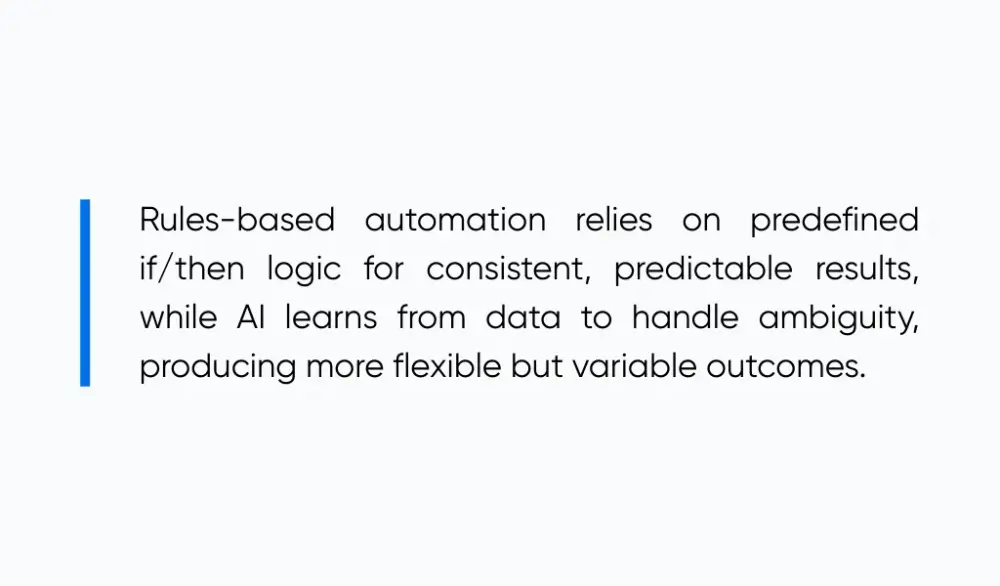
When comparing rules-based automation vs AI, rules-based automation uses predefined “if/then” logic and constraints to produce consistent, predictable outputs. AI uses models that learn patterns from data to make decisions, which can handle ambiguity but may vary in outputs and confidence.
Let’s use IKEA’s home design tool as an example. When you design a room with this online tool, different pieces of furniture snap into place based on the room’s dimensions. If an item needs to be secured to a wall, the tool keeps it flush against the wall. When pieces don’t fit together, the tool simply blocks that connection.
That’s rules-based automation in action. The system follows clear instructions every time so people get a stable, user friendly result.
Core Characteristics
Rule-based automation runs on simple cause and effect. The same instruction always produces the same result. That’s what makes it reliable. If you lay out a 10-foot kitchen in a design tool, it will always export as a 10-foot drawing, with cabinets, appliances, and spacing exactly where you placed them. Nothing shifts or changes unless you update the rules yourself.
You can think of it like a set of written instructions that the software follows every time. If this area is a door, show a door. If something touches a wall, put it up against the wall.
Once these rules are put in place, you’ll be able to divide up the work among designers, builders, and engineers while making sure that everyone follows the same rules.
Real-World Applications
Many first versions of digital products rely almost entirely on rules-based automation. The goal early on isn’t optimization or prediction. It’s making sure the core workflow is reliable and aligned with your broader IT management solutions.
A good example is Stripe. Stripe’s early product followed simple cause-and-effect rules: if a valid card was submitted, process the payment; if it failed, return an error. There was no smart routing or advanced fraud detection at the start. That rules-based foundation made the product usable immediately and created the stability Stripe needed to layer in AI and optimization later.
For non-technical founders, that kind of rules-based application is often the smartest first product version. Later, you can partner with Aloa for workflow automation to build on that stable base. Then we can layer in AI once you know where it will really help.
Strengths and Limitations
The biggest strength of rule-based automation is clarity and transparency. Anyone on your team can read a rule and say, “Yes, that's correct.” You can audit it and adjust it, which reduces human error.
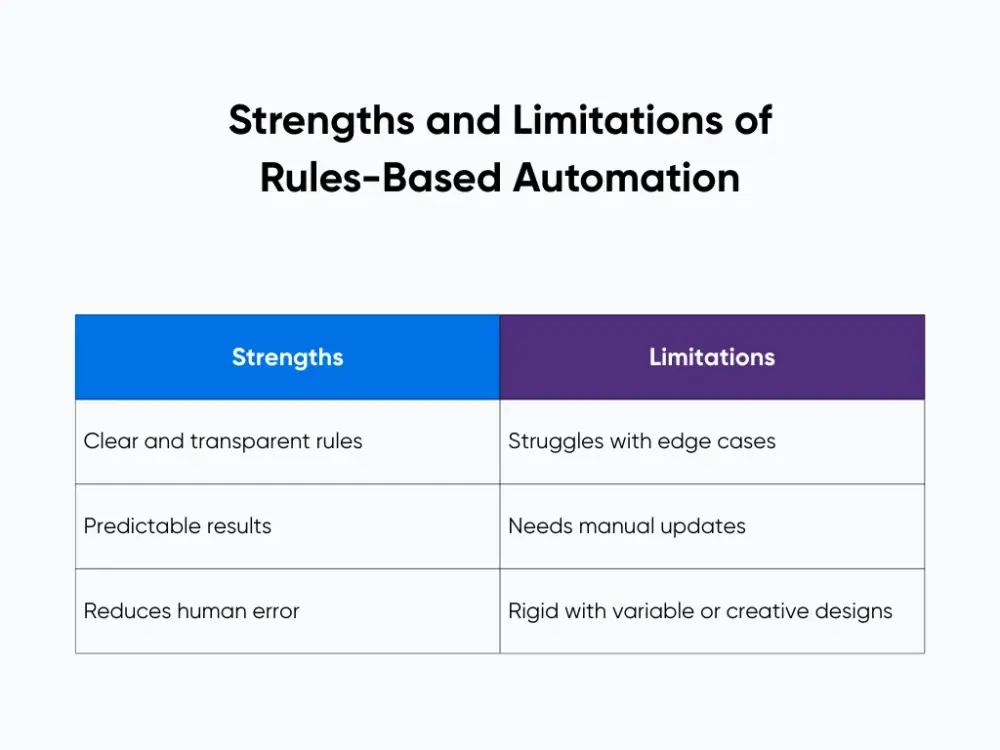
Rules shine when you have structured inputs. They will start to feel rigid when you have highly variable spaces or want the tool to be more “intuitive.” Rules tend to struggle with edge cases because the system doesn't adapt to new information on its own.
Because manual intervention and rule writing can be time-consuming, this limitation makes AI a great opportunity to take existing rules to the next level.
AI-Powered Automation: Intelligence That Adapts and Learns
AI-powered automation can add an additional layer on top of your workflows. Instead of only following fixed rules, artificial intelligence looks at many examples, learns patterns, and then predicts what should happen next.
This is powerful, but it behaves very differently from a deterministic rules engine. It doesn't “know” your standards the way a rule does. It makes educated guesses based on training data, which means the output can vary without guardrails.
For a v1 product, this can be pretty risky. An AI system might produce outputs that look polished but are subtly incorrect. Imagine using IKEA’s planning tools that weren’t built on strict dimensions. The furniture may all fit together perfectly on the screen, and when you finally get the furniture home, you realize that none of it actually fits. This could quickly erode trust and hurt retention.
Types of AI in Automation
When people say “AI,” they’re often talking about very different tools that solve very different problems. Understanding these distinctions matters because choosing the wrong type of AI can add unnecessary complexity.
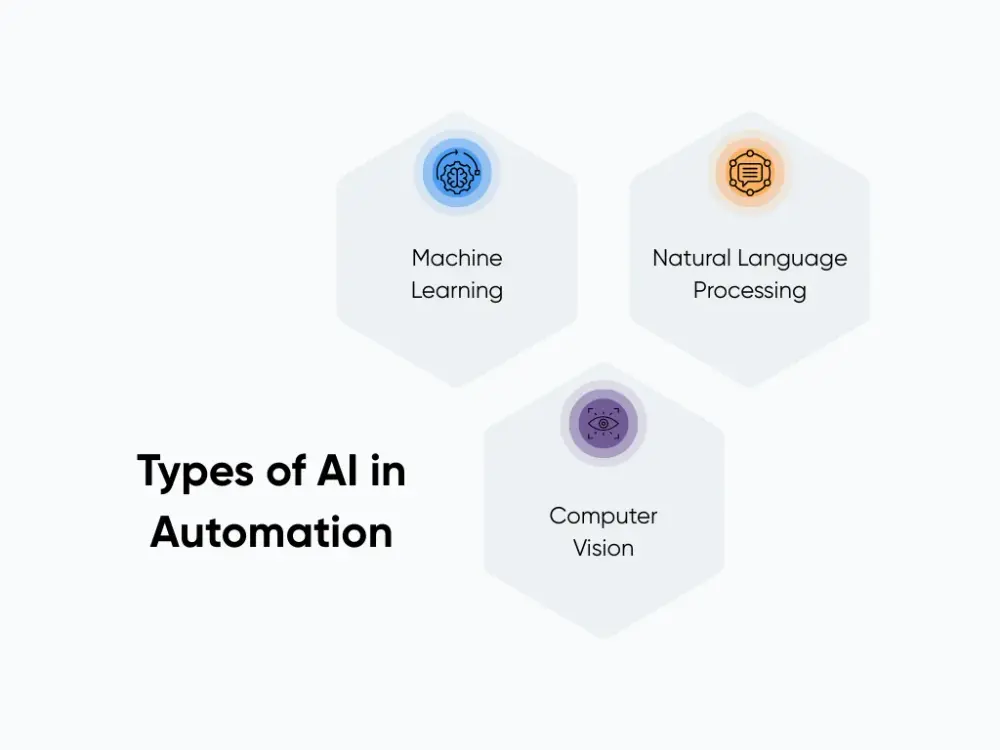
- Machine learning is a type of AI that looks for patterns in data, often called ML. In our context, it could learn how cabinet lines usually look in elevations and spot them in new sketches.
- Natural language processing, or NLP, deals with text and human language. It can read notes like “drawer bank under cooktop” and attach the right blocks.
- Computer vision works on images and is often powered by deep learning models. It can detect walls, openings, and fixtures from photos of hand-drawn plans.
Each of these tools can add value, but only when applied deliberately. For most products, especially early versions, the question isn’t “Can we use AI?” but “Which type of AI actually improves this workflow?” Getting that answer right often requires expert guidance, because how AI is implemented has far more impact than simply using AI at all. If you want help sorting options, our AI consulting can pressure-test your ideas and shape a practical plan.
Learning and Adaptation Mechanisms
Unlike rules-based automation, AI systems can change their behavior over time. This ability to learn is what makes AI powerful, but it’s also what makes it more unpredictable.
In a digital product, you usually have two paths:
- In supervised learning, you feed the model many pairs of “input sketch” and “correct elevation.” It slowly builds an internal map between the two.
- In reinforcement learning, you might reward outputs that match human-reviewed drawings and penalize bad ones. Over time, the model shifts toward patterns that earn more rewards.
For early products, the upside is adaptability and scalability. Learning systems require monitoring, testing, and guardrails to ensure improvements don’t introduce new problems. That’s why many teams start with fixed rules to establish a stable baseline, then introduce learning and adaptation only after they understand their users, data, and risks.
Head-to-Head Comparison: Rules-Based Automation vs AI
Now let's put both options side by side for a first product version:
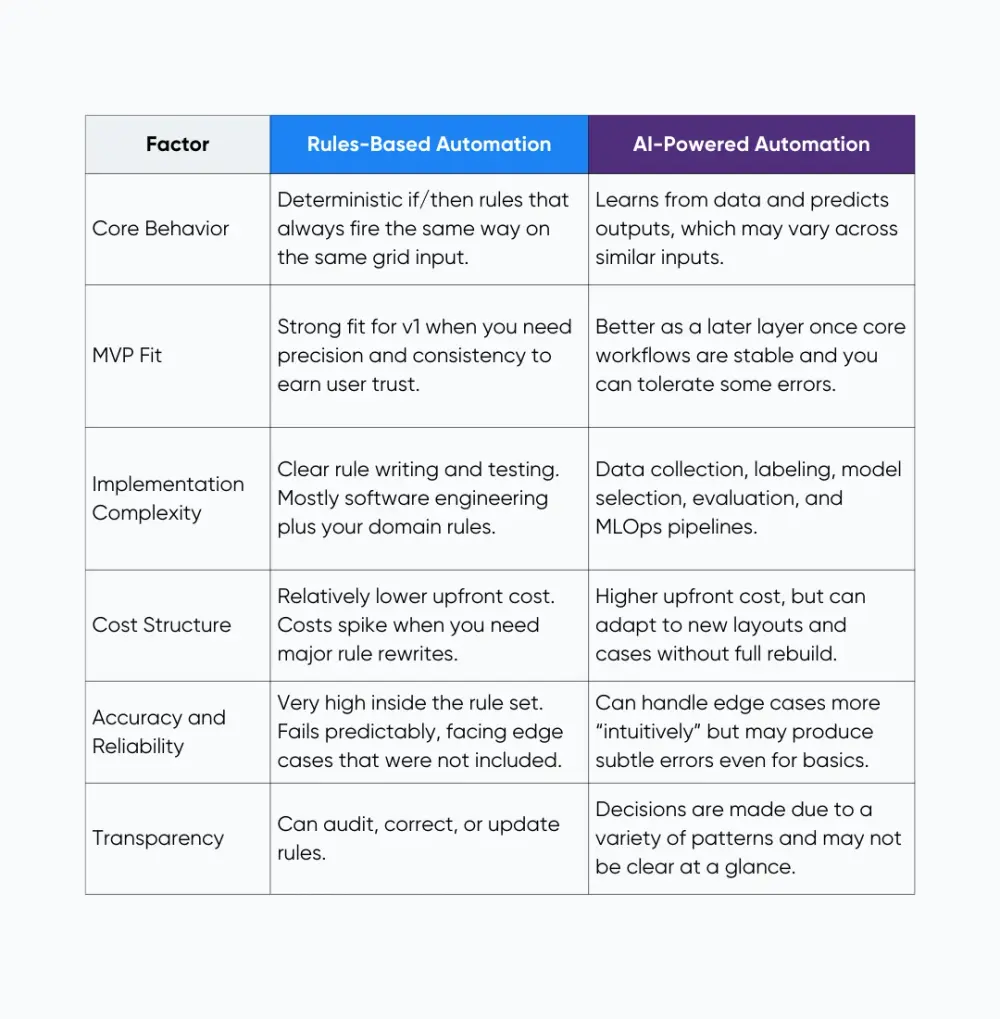
When you think about rules-based automation vs AI, you're really choosing where you want uncertainty to live:
- With rules, you invest effort upfront to encode your interior design knowledge. Once tested, you can trust that every exported elevation respects grids, dimensions, and clearances.
- With AI, you invest effort in data and monitoring. The system may handle messy inputs, but you need checks to catch off drawings before they leave the app.
For a first version, that tradeoff really matters. Most teams land on a mix. Rules cover the parts that cannot fail, while AI helps with suggestions, ranking, and pattern spotting. At Aloa, we help you choose which parts go where so your first version stays reliable and still has room to get smarter later.
When to Choose Each Approach: Decision Framework for Business Leaders
By now, you can see that both approaches can deliver value. The hard part is translating that into an actual choice for your product roadmap. Let’s turn this into a simple framework you can use with your team.
Process Complexity Assessment
Start with one clear workflow. In the IKEA room planner, that means turning a rough idea for a room into a layout that fits the real space.
Ask yourself:
- Do people follow mostly the same steps every time, like picking a room size, then placing furniture, then checking for fit?
- Can you write simple rules, such as “don’t block a door” or “keep walking space around the bed”?
- Right now, is it more important that every layout follows the rules than that it feels clever or “creative”?
If you mostly say yes, rules are a strong fit. You can use the same quick test when you think about when to use RPA vs AI in other flows, like routing tickets or approving invoices.
When your process involves many ambiguous inputs, heavy text, or lots of exceptions, then AI may add real value. Just remember that for an MVP, AI should support, not replace, the deterministic parts that generate production files.
Organizational Readiness Factors
Next, look at your team, data, and budget. Many leaders jump to AI without checking if they're ready. Research on AI failures often ties problems to poor data, weak governance, and lack of AI literacy.
Use this quick checklist:
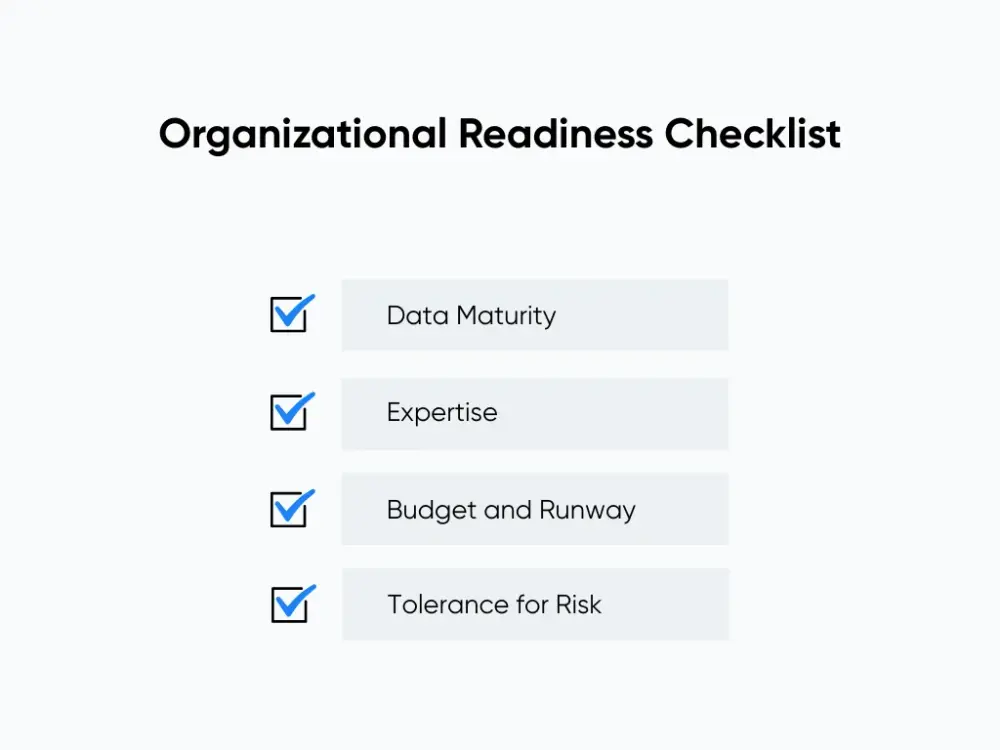
- Data Maturity: Do you have past examples in one place, or are they scattered across tools?
- Expertise: Do people on your team understand machine learning, or mainly traditional software work?
- Budget and Runway: Can you afford ongoing model work, or do you need a simple build with light updates?
- Tolerance for Risk: How bad is it if AI sends something to the wrong person or changes a key field?
If many of these lean low, start with rules. You can always add AI once you have more examples and more capacity.
This is also where working with the right people makes all the difference. Aloa’s workflow automation services focus on capturing your existing process first. Then we layer AI only where it clearly improves your operational efficiency.
Strategic Decision Matrix
Finally, connect everything to your business goals. You can sketch a simple decision matrix with three columns: process needs, organizational capabilities, and business objectives.
For a first product, your matrix might look like this:
- Process Needs: Make one key workflow faster, keep data clean, and give your team a clear audit trail.
- Capabilities: Strong knowledge of how the work happens today, a small product team, and limited labeled data for AI.
- Objectives: Ship an MVP in six months, cut manual steps, and avoid adding a heavy support burden.
That mix points to rules as your core type of automation for v1. AI can come later to suggest next steps, rank options, or spot patterns once the basics run smoothly.
If you want help formalizing this across your whole organization, our AI consulting services break down similar decisions for healthcare, finance, retail, and more. The patterns are the same, even if the “grid” is different.
Start Implementing with Aloa
Once you know your direction, the next question is how to build without getting lost in scope creep.
A simple path is to start with a 30- to 90-day pilot. For a rules-heavy MVP, that might include:
- A narrow focus, such as only kitchen elevations, so you can ship a real MVP with fewer resources.
- A small but complete rule set for grids, cabinet types, and dimensioning.
- An export pipeline that produces SVG and PDF files ready for quoting or fabrication.
You define the clear success criteria: “How long does it take a designer to go from sketch to export now?” “How many revisions does the fabricator need after using our files?”
At Aloa, we like to stick around. We help you ship the first rules based version, then decide where AI really belongs. When you’re ready to run a 30 to 90-day pilot, we can build and plug in the right machine learning models with your team.
If you also want your team to get smarter about AI, we point them to a clear AI learning path for leaders. It shows what to learn, in what order, so people can follow along while we build.
Key Takeaways
By now, you can see that rules and AI are not enemies. They solve different parts of the same workflow. For a first product version, you often start with clear rules around the critical steps. That keeps behavior steady while you learn how people actually use the system.
Once that base is solid, AI can boost it. It can route edge cases, clean up messy inputs, and spot patterns your team would miss. The safest way to handle rules-based automation vs AI is to plan how they work together. You, not just your engineers, decide where you can live with flexible AI outputs and where you still need hard rules.
If you want help mapping that out, book a consultation with Aloa. We'll help you scope a focused pilot, decide where rules end and AI begins, and then design a roadmap that gets you to production without turning your first version into an experiment you cannot ship.
FAQs
What is the main difference between rule-based and AI-driven automation?
Rule-based automation follows fixed if/then rules and always behaves the same on the same input. AI-driven automation learns patterns from data and makes predictions, so outputs can change as the model updates. For something like kitchen elevations, rules protect dimensional accuracy, while AI is better for suggestions and messy inputs.
How much more expensive is AI automation compared to rule-based automation?
AI usually costs more upfront. You pay for data work, model training, and ongoing monitoring. Rule-based systems lean more on traditional development, which is easier to scope. Over time, AI might handle new layouts with fewer rule changes, but only if you keep investing in it. Many teams start with rules, then add AI once the value is clear.
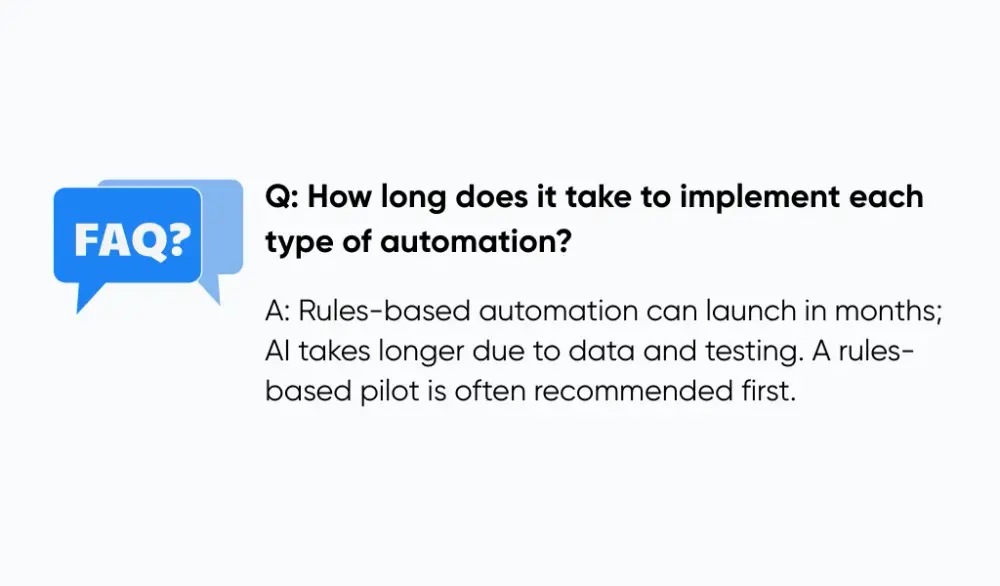
How long does it take to implement each type of automation?
A focused rules-based MVP can often land in a few months, especially when the process is well understood and constrained, like grid-based kitchen elevations. AI projects take longer because you need good training data, evaluation, and safety checks. At Aloa, we often suggest a short rules-based pilot first, then a separate AI proof of concept.
Can I start with rule-based automation and migrate to AI later?
Yes, and that's usually the smart move. You start by encoding your standards as rules, then introduce AI where it clearly helps, such as reading sketches or tagging elements. Our workflow automation services are set up to support this path, so you can keep your core logic stable while experimenting with AI in safe, narrow spots.
Can rule-based and AI automation work together in the same system?
They work very well together. You can let AI handle fuzzy tasks, like cleaning up a sketch, then let the rules engine snap everything to the grid, apply clearances, and format the final drawing. Think of AI as the assistant and rules as the final checker that ensures outputs are production-safe before export.
How should I decide between rule-based and AI automation for my specific use case?
Start with three questions. How predictable is your process? How clean is your data? How much risk can you accept in early versions? If you need predictable, production-safe outputs and you can describe your workflow in clear steps, start with rules. If you're curious about AI and want a deeper guide, explore our AI development learning resources and then talk with us about a scoped AI pilot that fits your team.