
Healthcare organizations want to use AI to save time, cut admin work, and support better care. But healthcare leaves less room for error than most industries. The moment an AI tool touches patient data, HIPAA applies. One mistake can lead to audits, fines, lost trust, and even a data breach review. That leaves health systems and digital health builders with a hard job: move fast enough to keep up, but carefully enough to protect patient data.
At Aloa, we design and build custom AI solutions end to end, with HIPAA compliant software development built in from the start. Much of that work happens in regulated environments, where patient data, security, and compliance shape every technical decision. We build practical tools like AI workflow automation and HIPAA-aware applications that fit into existing healthcare operations.
Most AI guides focus on models and speed. Most HIPAA guides focus on legal rules. Few show how to design a workflow that does both well. This guide is about designing HIPAA compliant AI workflows with both goals in mind: useful product design and HIPAA compliance for software development.
TL;DR
- AI workflows create more PHI exposure points. Patient data can appear in transcripts, prompts, model outputs, logs, and test environments. Map these touchpoints early.
- Start with one narrow workflow. Examples include drafting after-visit summaries or clinical notes with a human review step before anything enters the EHR.
- Limit the data the model sees. Remove identifiers when possible and send only the minimum information needed for the task.
- Use the right vendor safeguards. If a vendor handles PHI, you likely need a BAA and clear data-handling rules.
- Build guardrails from day one. Separate AI processing, log access, and require human review.
- Validate before scaling. A small proof-of-concept helps confirm the workflow works safely before expanding.
What HIPAA Requires From AI Systems
Designing HIPAA-compliant AI workflows means building AI for healthcare in accordance with the HIPAA Privacy Rule, Security Rule, and Breach Notification Rule. In plain terms, you must control who can use patient data, protect that data in transit and at rest, and respond quickly if unsecured data gets exposed.
In a normal healthcare workflow, for example, a patient sends a message through a clinic portal: “I started a new diabetes medication and now I feel dizzy.” Before a nurse sees this message, the system may route it through intake software, a prompt template, an AI model, and a logging system before saving the result to the electronic health record (EHR).
HIPAA applies to that entire path.
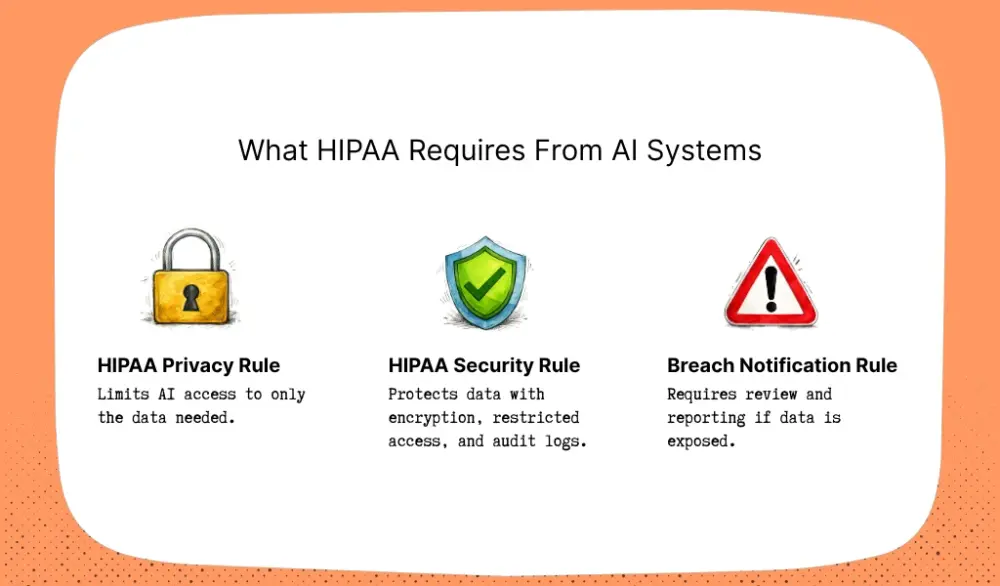
The HIPAA Privacy Rule limits how patient data gets used. The AI system should only access the information needed for the task. In this example, the model may need the message text to route the case. It doesn't need the patient’s full chart or insurance history.
The HIPAA Security Rule focuses on protecting that data. The message should stay encrypted while it moves through the system. Access to prompts, logs, and outputs should be restricted. The system should also record who accessed the data and when through audit logging.
The Breach Notification Rule applies when something goes wrong. For example, a developer might accidentally send real patient prompts to an unapproved AI tool while testing a feature. That mistake may trigger a breach review and notification duties.
AI introduces a new challenge here.
Older healthcare software usually reads from one database and writes back to one database. AI workflows move the same data through more steps. Patient data may appear in prompts, model responses, logs, retry queues, or evaluation datasets.
Each step creates another place where PHI might appear.
That's why AI in healthcare compliance starts with the workflow map, not the model. You have to trace patient data from the moment it enters the system to the moment it gets deleted.
PHI in the Context of AI Processing
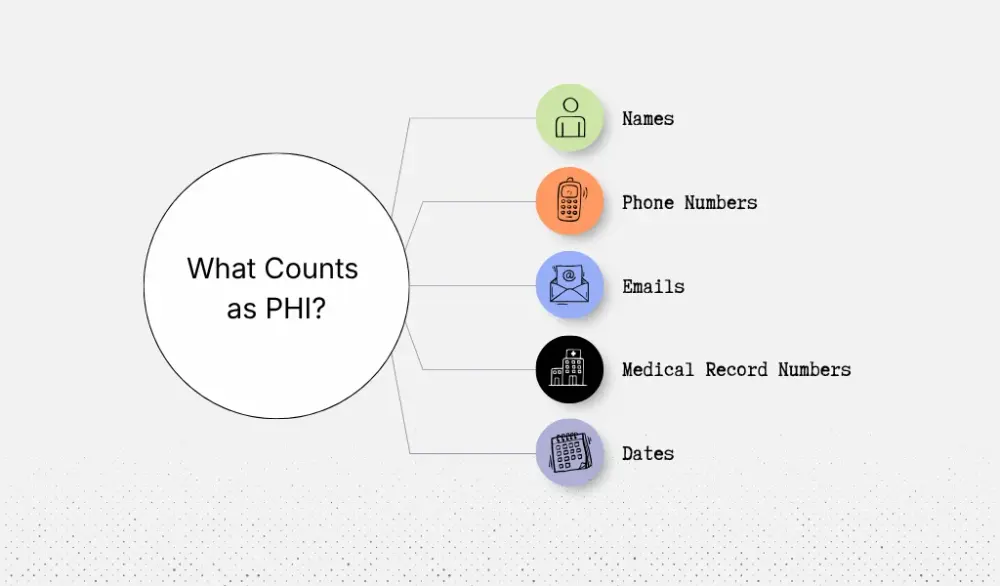
Protected health information, or PHI, includes health data that can identify a patient. HIPAA lists 18 identifiers that fall into this category, including names, phone numbers, email addresses, medical record numbers, and many dates tied to a patient.
In AI systems, PHI often shows up in places developers don't expect, which creates security risks.
For example, an AI note-taking tool is used during a telehealth visit. The audio recording contains the patient’s voice. The transcript may include their name, symptoms, medications, and family history. The prompt sent to the model may repeat that information. The system may also store the prompt in logs or retry queues.
One visit can leave sensitive data in several parts of the system.
De-identified data can also cause problems. You might remove names from a dataset but leave age, ZIP code, diagnosis, and visit date. In a small clinic, that combination may still point back to one person. That's why HIPAA treats de-identification as a formal process.
Business Associate Agreements for AI Vendors
The legal role of each company also matters.
A hospital, clinic, or health plan usually acts as the covered entity. A vendor that processes patient data for them acts as a business associate. Once an AI vendor handles PHI, HIPAA requires a contract called a Business Associate Agreement, or BAA.
Consider a digital health startup building an AI assistant that drafts after-visit summaries. The system may use one vendor to transcribe audio and another vendor to generate the summary. Because patient transcripts pass through those services, the organization must have BAAs with both vendors.
Major cloud providers support this setup. Microsoft allows Azure OpenAI to operate under its enterprise BAA terms for eligible services. AWS lists Amazon Bedrock as HIPAA-eligible. Google Cloud also supports healthcare workloads under a BAA for approved services.
That last point is the one many healthcare teams miss.
A BAA alone doesn't turn your workflow into compliant software. The platform may cover the service. You still have to decide what data enters the model, what gets logged, who can see outputs, and what security measures protect each step.
In practice, compliance depends less on the model you choose and more on how you design the workflow around it.
Map Your AI Workflow's Data Flows and PHI Touchpoints
Before you write code, pick a model, or test prompts, stop and map the workflow as part of your software architecture..
This is your first job.
You need to document every place your system will create, read, change, send, or store patient data. That includes the obvious places, like the EHR and the final output. It also includes the easy-to-miss places, like prompt logs, retry queues, cached results, and third-party API payloads. If you skip this step, you end up protecting the screen people see while missing the systems behind it.
The best way to do this is to start with one real workflow.
Let's say you want to build an ambient documentation tool. Trace that workflow like an engineer and a compliance lead at the same time.
The visit starts. Audio gets captured. That audio contains the patient’s voice, symptoms, medication names, and often family or work details. The speech-to-text service turns that audio into a transcript. The transcript goes into a prompt. The model creates a draft note. The note gets saved for review. The final version lands in the chart. Along the way, the system may also create logs, failed-request records, analytics events, and temporary storage. Every one of those steps is a PHI touchpoint.
This is where many teams miss risk.
The model output is not the only thing that matters. The prompt may contain more patient detail than the final note. An error log may store the full failed request. A cache may keep an old summary longer than you planned. A training or evaluation dataset may copy sample visits so the product team can test quality later. Those are often the places that create the compliance problem, not the main workflow.
Once you map each touchpoint, classify it by risk.
Start with direct PHI. This is the clearest case: name, phone number, medical record number, exact dates, voice recording, and other patient identifiers. HHS says de-identification under HIPAA must meet a formal standard, either Safe Harbor or Expert Determination.
Then look for derived PHI. This is information the model creates from patient data, like a summary that says a patient started chemotherapy last Tuesday or missed a prenatal follow-up.
Then flag potentially re-identifiable data. This is where healthcare teams get too casual. A dataset without names can still point back to one person when it includes age, ZIP code, visit date, rare diagnosis, or specialty clinic details. HHS makes clear that data is not de-identified just because it “looks anonymous.”
Do this work early, and your next decisions get easier.
You'll know where you need tighter access controls, shorter retention rules, stronger security features, or a different workflow altogether. That's how you keep HIPAA from becoming a cleanup job halfway through the build.
Design Privacy-First Data Pipelines
Once you know where PHI shows up in your workflow, decide how that data should move through your system.
This is where a lot of healthcare AI projects go sideways. A team connects a model to the product, gets a demo working, and only later realizes patient data is passing through places it shouldn’t. That might be logs, analytics tools, or a model service that was never set up to handle PHI.
A better approach is to design the pipeline before you scale the AI feature.
Start with what the AI product actually needs to do. Per HIPAA’s minimum necessary standard, you should limit PHI to what's reasonably needed for the task. That means if your model is sorting portal messages, it probably doesn't need the full chart, insurance details, or a home address. It may only need the message text, age range, and the reason for the last visit.
That one choice makes the rest of the system easier to secure. You move less data, expose less PHI, and create fewer places where something can go wrong.
De-Identification and Anonymization Strategies
If the model doesn't need to know who the patient is, strip identity out before the data reaches the model.
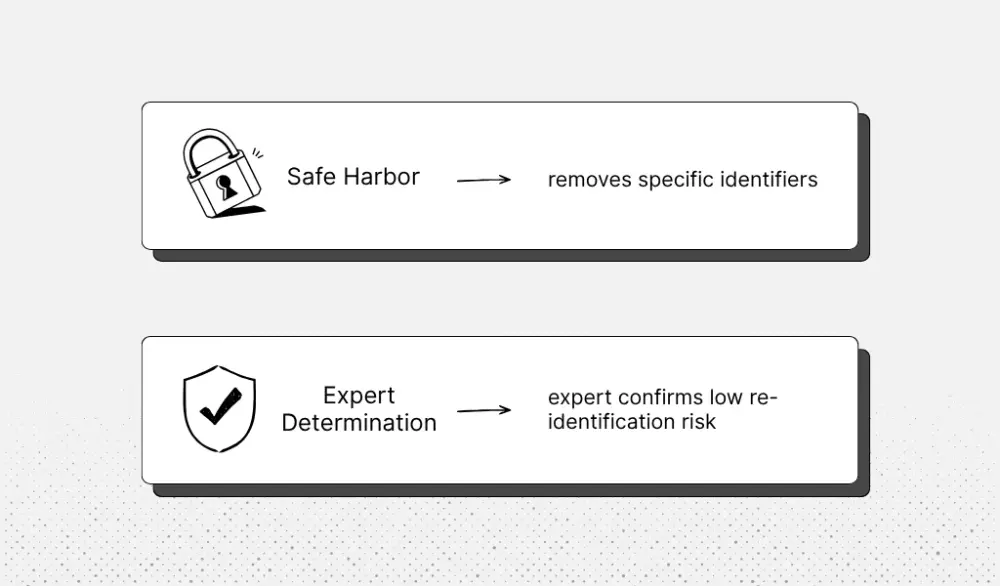
HIPAA gives you two ways to do that. Safe Harbor removes specific identifiers. Expert Determination lets a qualified expert confirm that the risk of re-identifying a person is very small. Both are recognized paths for de-identification under HIPAA.
In practice, this often means tokenization or pseudonymization.
Let's say you're building an AI tool that reviews visit notes for follow-up care gaps. Instead of sending “Jane Smith, MRN 55291, DOB 04/12/1978,” your pipeline swaps those details for something like “Patient TKN-2048, age 47.” The note still has the clinical facts the model needs, but the model doesn't see the patient’s identity. The lookup table that connects TKN-2048 back to the real patient stays in a separate secure store.
That approach works well when the task is pattern finding, classification, or summarizing de-identified records. It works less well when the AI has to write back into the chart, route a case to a named patient, or draft patient-specific content. In those cases, full de-identification is usually not practical. You still need strong controls, but now you're designing a PHI-handling workflow, not an anonymous one.
Separating AI Processing From Clinical Systems
Even when PHI must be part of the workflow, your AI system should not sit inside your core clinical systems.
A safer pattern is to keep AI processing in a separate environment and pass data through a controlled interface. Your EHR or app sends a small encrypted payload to the AI service. The AI service does its job in its own compute environment. Then it sends back a limited result. The model doesn't get direct access to your production database. That matches the Security Rule’s focus on technical safeguards for electronic protected health information.
Think about an AI triage feature for patient messages. The system sends only the message text, age range, and last visit reason. The model returns “refill request,” “routine,” and “route to pharmacy.” Your application attaches that result inside the EHR. The AI service never touches the full chart.
That's the mindset to keep: small payloads, encrypted handoffs, separate compute, and clear boundaries between AI and clinical data systems.
Build Access Controls and Audit Trails
Once your AI workflow touches PHI, you need to control two things very clearly: who can use the system and what happens inside it.
Access control answers the first question. Audit trails answer the second.
If you're building AI tools for healthcare, both need to be designed early. Without clear access rules, too many people can reach sensitive patient data. Without detailed logging, you can't prove how your system handled PHI if something goes wrong.
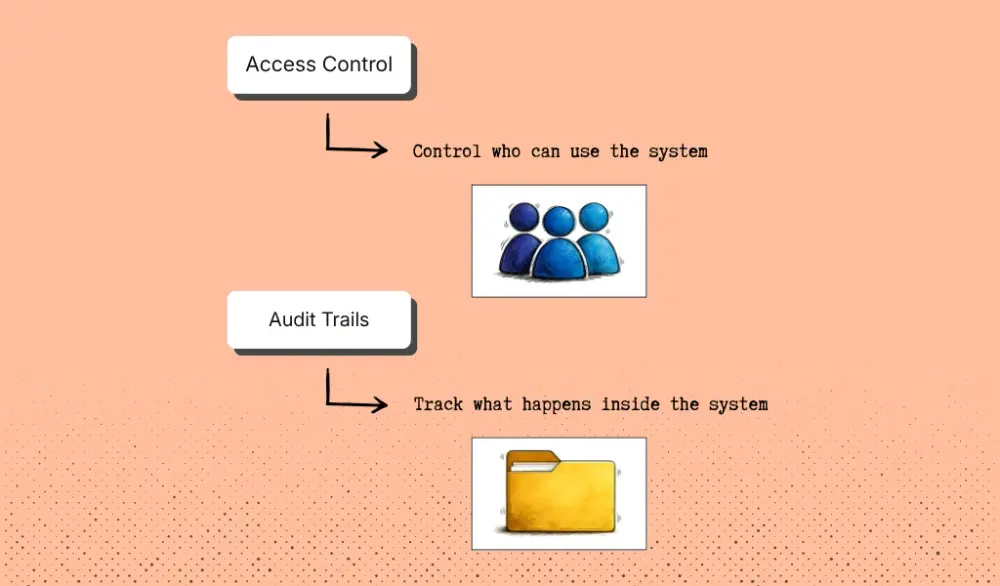
Start with access control.
In many healthcare apps, permissions only control who can view or edit a patient chart. AI systems are more complicated because more people interact with them behind the scenes.
Think about everyone involved in an AI feature. Someone prepares the training data. Someone deploys the model. Clinicians run the tool during patient care. Security or compliance teams review activity logs.
Each of those actions should have its own permission based on specific job functions.
Imagine you're building an AI assistant that helps a care management team review incoming patient referrals. A data engineer might prepare the dataset used to evaluate the model, but they shouldn't be able to open patient referrals in the live system. A machine learning engineer might update the model version, but they shouldn't see patient identities. Care coordinators only need to see the triage result inside their dashboard. Compliance staff may only need access to logs.
This is the idea behind role-based access control (RBAC). Each role gets only the permissions it needs. Nothing more.
Healthcare systems already use this approach inside EHRs. A billing specialist doesn't see the same information as a clinician, and a nurse doesn't have the same permissions as a system administrator. AI systems need the same structure because they often process large volumes of PHI at once.
Administrative actions should have stronger protection as well. If someone is uploading training data, changing model settings, or accessing raw PHI, the system should require multi-factor authentication.
But access control alone is not enough. You also need a clear record of what actually happened inside the system.
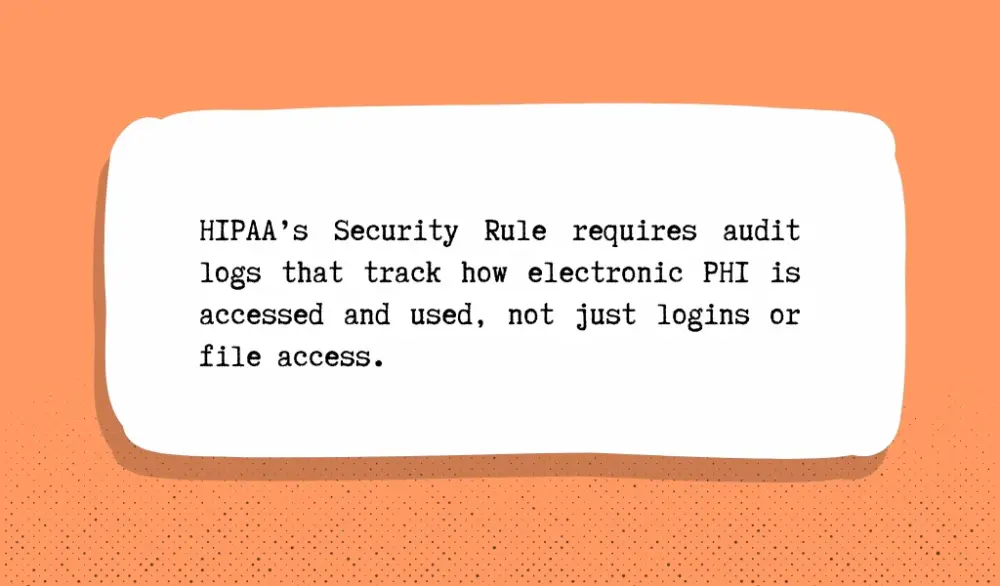
HIPAA’s Security Rule requires organizations to maintain audit controls that track how electronic PHI is accessed and used. That means logging more than just logins or file access. The logs should show how the AI system was used.
Consider a health system using AI to help draft clinical visit summaries from transcripts. A useful audit trail would record when the model was triggered, which clinician initiated the request, what data was sent into the model, and what output it generated. It should also record whether the clinician edited or approved that output before it became part of the patient record.
Many healthcare AI platforms now log every model request along with metadata that shows what the system processed and how the result was used. This makes it possible to reconstruct the full workflow later if needed.
Those logs also need to be tamper-resistant to protect data integrity.
In healthcare investigations or compliance audits, logs are often the main source of evidence. If someone can edit or delete entries, you may not be able to prove what happened.
That's why many healthcare platforms store logs in centralized monitoring systems or write-once storage where entries cannot be changed.
Your goal here is that if a compliance officer or security team asks how your AI system handled PHI, you should be able to show the full chain of events. Who accessed the system, what data the model processed, what it produced, and how that result moved through the workflow should all be visible in the logs.
Establish Human-in-the-Loop Governance
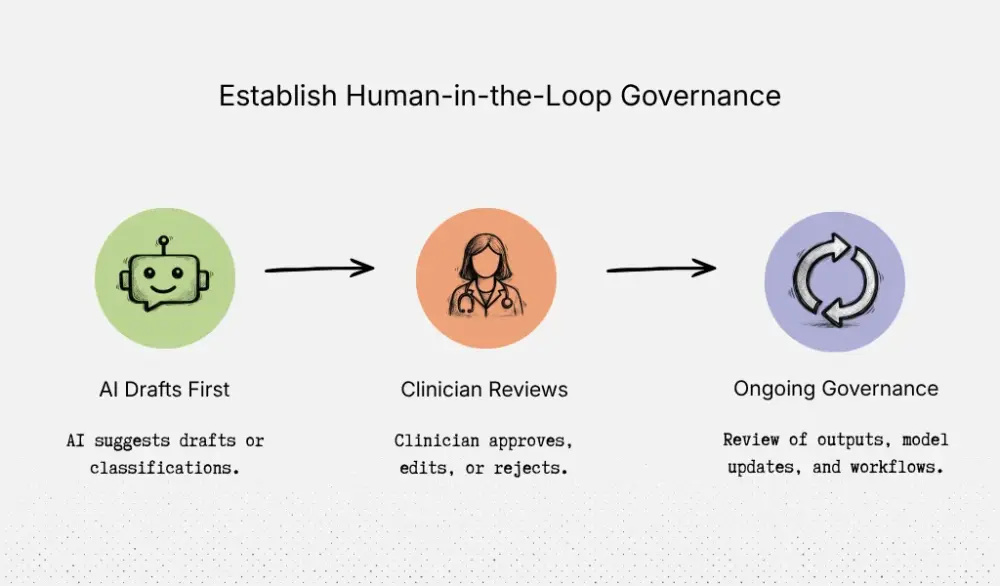
In healthcare, AI should do the first draft, not make the final call.
That's the safest way to use it, and it's already how many health systems handle ambient documentation. At Stanford Health Care, the tool creates a draft note, but the clinician still reviews and finalizes it before it becomes part of the chart.
That same pattern should guide your own workflow design.
Let's say you're building an AI feature for a multi-site clinic group. The tool reads incoming referral notes and suggests where the case should go next. It might label one case as routine cardiology, another as urgent pulmonology, and a third as incomplete because key documents are missing.
That first pass can save staff time. But the referral should not move on its own. A nurse navigator or clinician should review the suggestion inside the same referral queue they already use, then approve, edit, or reject it.
That review step has to feel natural.
If you make people leave the EHR, open a second dashboard, and click through five extra screens, they'll stop using it correctly. But if the AI output appears in the same place they already work, with a simple approve or edit action, oversight becomes part of the workflow instead of extra admin work.
The same rule applies to note drafts, patient instructions, chart summaries, and message replies. If the output could affect diagnosis, treatment, patient communication, or the medical record, a clinician should review it before it is used.
FDA points out that the software should support a healthcare professional’s judgment, not replace it. And the clinician should be able to independently review the basis for the recommendation.
You also need to plan for what happens after launch.
Governance is not a one-time setup task. Models drift. Input data changes. Prompts change. Clinical policy changes. A workflow that looked safe in testing can become less reliable a few months later. Health systems are building formal AI governance frameworks to address this, with ongoing oversight of performance, updates, and operational risk.
For your team, set a review owner. Decide who approves model updates. Check a sample of outputs regularly. Reassess the workflow when you change prompts, data sources, or vendors.
If you set this up well, clinicians catch bad outputs before they reach patients. AI speeds up drafting and sorting work without silently changing care decisions. Model updates go through review instead of slipping into production unnoticed. And when compliance or clinical leaders ask who approved what, when the model changed, or how the system is being watched, you have a clear answer.
Validate Compliance and Prepare for Audits
Before you launch, you need to prove more than “the workflow works.”
You need to prove that the workflow handles PHI safely, fails safely, and leaves behind enough evidence to explain what happened later. That's what compliance review, security review, and audits will all ask for.
For an AI workflow, a normal app security review is not enough. You still need to check basics like access control, encryption, and vendor agreements. But you also need to test AI-specific risks. Ask questions like:
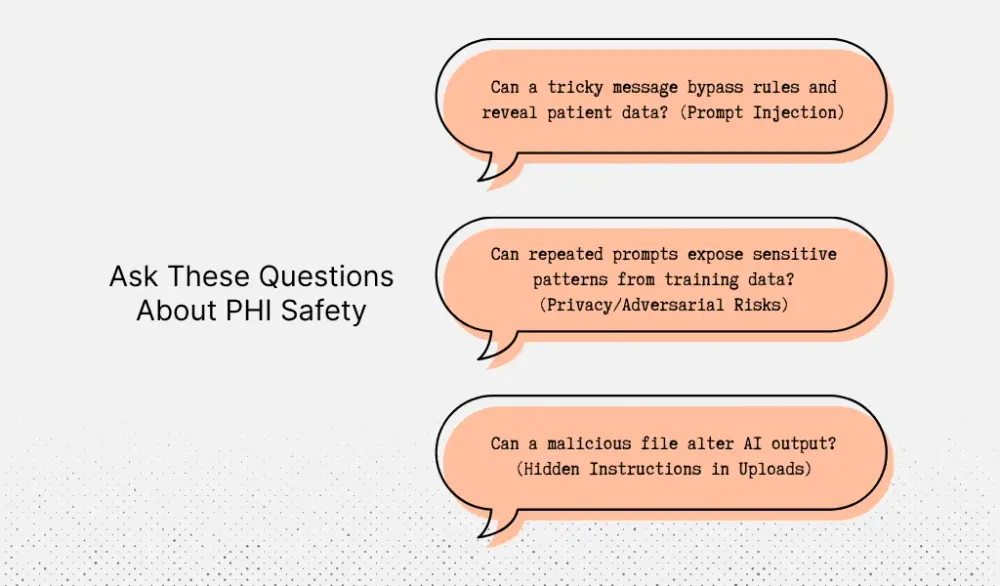
- Can a user paste a tricky message that makes the model ignore your rules and reveal patient data? OWASP calls this prompt injection.
- Can repeated prompts pull sensitive patterns back out of the model or expose something it saw during training? NIST includes privacy attacks and adversarial machine learning threats in its guide because these risks go beyond standard web app testing.
- Can a bad file, like a referral PDF or intake form, carry hidden instructions that change the output? This matters if your workflow reads uploaded documents before sending content to a model.
Do this in your proof-of-concept stage, not at the end..
If you wait until full build, you usually find expensive problems too late. For example, maybe your prototype stores raw prompts with patient names in logs. Maybe your retry queue keeps failed jobs longer than policy allows. Maybe the model can draft a message that looks final even though your process requires staff review first. Those are much easier to fix when the workflow is still small.
At Aloa, we separate early validation from production work. Our proof-of-concept package includes a working prototype, technical feasibility report, and risk assessment in a 6–8 week window. We also recommend using a focused early build to validate the hardest assumptions before a full investment.
Your penetration test should reflect how the workflow is actually used.
If you're building an AI intake assistant, don't just test the login page and API endpoints. Test whether a patient message can override the system prompt. Test whether a scanned document can poison the output. Test whether the model can call a tool it shouldn't reach. Test whether your staff can see more transcripts than their role requires. Risk analysis should cover all electronic PHI you create, receive, maintain, or transmit across your software solutions.
Then build your audit trail as you go.
Keep one living document that maps each HIPAA requirement to the control that covers it in your workflow. Not broad policy language. Specific controls.
For example:
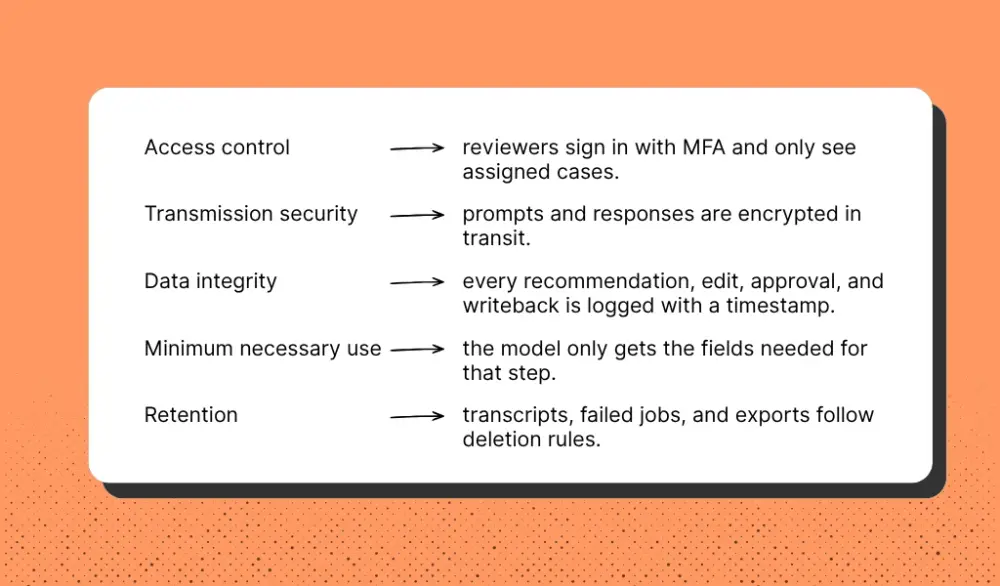
Next to each control, list the owner, where it lives, how you tested it, and what evidence you saved. That gives you something useful in an audit. You're not scrambling to explain the system after launch. You already have the record.
This is also where Aloa can help. Our healthcare AI work focuses on HIPAA-aware builds, secure EMR integrations, and validation of healthcare workflows before production. This is exactly the kind of support many health systems need when a prototype starts becoming a real product.
Real-World HIPAA-Compliant AI Workflow Examples
This is already happening.
Health systems are already using AI inside HIPAA-sensitive workflows. What makes these deployments work is not blind trust in a model. The workflow stays narrow, PHI is protected at each step, and a person still reviews the output before it affects the medical record or a care decision.
A clear example is ambient clinical documentation.
At Johns Hopkins, clinicians use Abridge to capture the patient-doctor conversation during a visit. The system transcribes the discussion and generates a draft clinical note. But that draft never goes straight into the medical record. The clinician reviews it, edits it, and decides what becomes part of the chart. The AI helps with the first draft, but the clinician remains responsible for the final documentation.
This is also how we approach documentation workflows at Aloa.
In one project, we built a HIPAA-compliant medical transcription tool that converts clinical dictation into structured documentation. The goal was not to replace the transcription team. Instead, we built a system that produces the first pass of the transcript so a human reviewer can edit and finalize it. The workflow moves from audio → transcript → structured note → human review before anything reaches the EHR. That approach speeds up documentation while keeping clinical control where it belongs.
Diagnostic AI is a different category.
The potential impact is larger, but the oversight has to be tighter because these tools can influence clinical decisions.
Stroke triage is a good example. Platforms like Viz.ai analyze CT scans and flag cases that may indicate a stroke. The software alerts specialists earlier so they can review the scan quickly. That can help care teams act faster, which matters when minutes affect brain injury outcomes. But the system doesn't make the diagnosis. A neurologist or radiologist still reviews the imaging and decides the next step.
That's the right way to use diagnostic AI. Let it surface urgent cases faster. Let it shorten the time to expert review. But keep the clinical decision with the physician.
Administrative workflows are another common starting point, especially for practical NLP use cases in healthcare.
Prior authorization, coding support, scheduling, and intake automation all fall into this category. Many health systems are exploring AI here because the operational gains are easier to see. These workflows reduce manual review, shorten turnaround times, and remove repetitive administrative work.
But they still process PHI and other sensitive information.
So even when the risk to patient care is lower, the compliance rules stay the same. You still need a BAA with any vendor handling PHI. You still need encryption, access controls, and logs that record who reviewed what and when.
That's the common thread across all three examples.
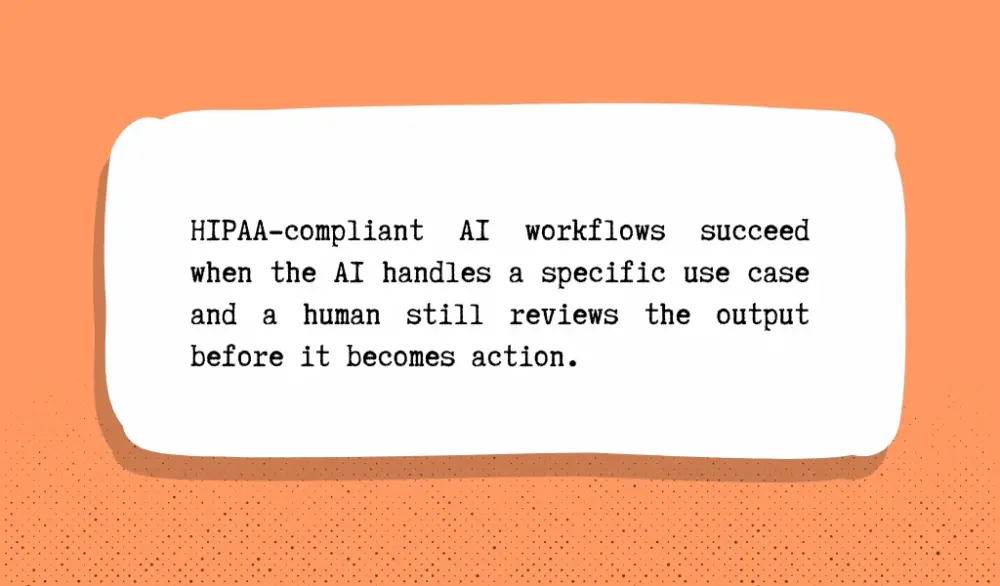
HIPAA-compliant AI workflows succeed when the AI handles a specific use case and a human still reviews the output before it becomes action.
Key Takeaways
HIPAA-compliant AI starts with how you build the workflow. You set the rules early so privacy, human review, and audit trails stay inside the product from day one.
The safest way to start is with a focused proof of concept. Use that stage to test the hard parts early: decide what data the model should see, define where a person needs to review the output, set up logs and access controls, and see how the workflow holds up with real users.
We follow that approach at Aloa. Our proof-of-concept package gives you 6–8 weeks to build a working prototype, review technical feasibility, and assess risk before committing to a full build.
That's where we do our best work. Our engineers build custom healthcare AI systems in-house, including HIPAA compliant software for documentation, automation, and secure EMR-connected workflows. We shape the workflow first, lock down the risky parts early, and help you scale with confidence.
If you need a thoughtful team to help you move from idea to production, talk with us about designing HIPAA-compliant AI workflows.
FAQs
What makes AI workflows different from traditional software when it comes to HIPAA compliance?
Traditional software follows fixed rules. It pulls data from one place, processes it, and sends it somewhere else. AI workflows create more places where patient data can appear.
An ambient scribe, for example, records a visit. The audio becomes a transcript. The transcript goes into a model. The model drafts a note. That draft is reviewed, edited, and then added to the EHR. Patient data can show up in the audio file, transcript, prompt, output, logs, and test environment.
That’s why AI workflows need closer design review. Aloa’s healthcare AI solutions focus on this type of build: HIPAA-aware AI tools, secure EHR integrations, and medical transcription systems designed around where PHI enters, moves, and gets stored.
Do I need a Business Associate Agreement (BAA) with my AI vendor?
In most cases, yes. If a vendor touches PHI, you likely need a BAA. That includes tools that store transcripts, process prompts, generate summaries, or host the system.
Consider an after-visit summary tool. One vendor handles speech-to-text. Another generates the summary. If both receive patient data, both may need a BAA.
A BAA alone doesn’t make the workflow compliant. But if a vendor handles PHI and you don’t have one, that’s a clear compliance gap.
How do I de-identify PHI before using it in AI systems?
Start with: does the model need to know who the patient is? If not, remove identifiers before the data reaches the model. Replace names, record numbers, birth dates, phone numbers, and addresses with tokens.
For example, “Jane Smith, MRN 55291, DOB 04/12/1978 came in for follow-up” becomes “Patient TKN-2048 came in for follow-up.” Store the re-identification key in a separate secure system with limited access.
Also watch indirect clues. A rare condition, exact visit date, age, and ZIP code together can still identify one person.
What are the consequences of HIPAA violations in AI systems?
The damage usually goes beyond a fine. You may need to investigate the incident, notify patients, report the breach, retrain staff, and rebuild parts of the system under pressure. You can also lose time, trust, and customer contracts.
A common example is a developer testing prompts with real patient data in an unapproved tool. It may seem harmless during development, but it can trigger a formal breach response.
How can I build HIPAA-compliant AI workflows without slowing down development?
Start with one narrow workflow, not a full platform.
For example, begin with draft generation for after-visit summaries instead of fully automated documentation. Map where PHI enters the system, what the model sees, where outputs go, and who reviews them. Then add guardrails early: minimum-necessary data, separate AI processing from core systems, access controls, logs, and human review before anything reaches the chart.
This keeps the scope tight and speeds up testing. Aloa’s 6–8 week proof-of-concept path follows this approach: validate the risky parts first, then scale with confidence. If you want help shaping the right starting workflow, talk with Aloa.