
Your morning starts with another flagged report. Patient messages jumped overnight. The access center is short-staffed again, and a backlog of “quick questions” keeps pulling clinicians away from care.
This is when AI chatbots in healthcare start to look useful. Not old FAQ bots. Purpose-built, HIPAA-compliant virtual assistants that live inside your workflows. They help patients book visits, complete pre-visit intake, and handle common questions without bouncing between portals or phone trees. They follow your protocols, know when to escalate for urgent care, and leave a clean audit trail.
At Aloa, we design custom healthcare chatbots through a consultative, end-to-end process. We start with your goals, constraints, and risk limits, then shape the AI around real workflows. This guide breaks down how to do it right, where chatbots actually help, and how to move forward without setting off alarms.
TL;DR
- AI chatbots in healthcare can handle high-volume routine tasks like scheduling, intake, reminders, and FAQs.
- Teams report ~30% less admin load when chatbots manage routine patient questions and inbox traffic.
- Patient access improves with 24/7 answers, fewer no-shows, and clearer visit prep.
- Risk stays manageable when chatbots support patient care with strict scope rules, escalation paths, and clinical oversight.
- HIPAA compliance requires BAAs, encryption, audit logs, and tight data controls.
- Successful teams treat chatbots as ongoing workflows, not one-time launches.
What Are the Most Famous Use Cases of AI Chatbots in Healthcare?
Use cases of AI chatbots in healthcare focus on giving patients quick answers and clear next steps without adding work to your staff. These tools schedule appointments, send medication reminders, answer billing or symptom questions, support short mental health check-ins, and guide patients before and after care while staying tied into your systems.
Clinical Support Applications
A clinical support chatbot follows a script your clinicians approve. It asks about symptoms, timing, medications, and warning signs in a set order, then sends that data collection straight into your system. A patient with knee pain, for example, can answer a short series of questions about swelling, weight bearing, and pain level before a nurse ever sees the message. The chatbot sends a follow-up later that day asking, “Did the ice help?” or “Is the swelling worse?”
In our HIPAA-aligned “ChatGPT doctors are allowed to use” build, physicians drop a visit note into the tool. The system, running inside a compliant setup, turns it into a patient summary and follow-up draft. Doctors edit instead of writing from scratch.
The video walks through how we keep PHI inside a locked environment while still letting physicians update reports through chat.
Administrative Efficiency Applications
An admin-focused chatbot for healthcare handles the first round of patient interactions. A new patient might type “I need a skin check,” and the bot collects basic details, offers dermatology slots that match the visit type, and sends parking instructions. If someone needs to reschedule a scan, the bot handles the date change and sends prep reminders like “arrive fasting for blood work.”
Your access center then focuses on the cases that need human help instead of routine calendar changes.
Patient Education and Engagement
Healthcare chatbots support patient engagement and help people stay on track between visits. A patient starting a new blood pressure medication might receive short messages explaining what the drug does, when to take it, and which side effects require a call. Someone managing asthma or other chronic conditions can log breathing issues each morning. Those logs flow into your system so clinicians see patterns, not scattered notes.
Over time, patients arrive prepared, understand their plan, and ask clearer questions, which helps your team work faster and with fewer surprises.
3 Core Benefits of AI Chatbots in Healthcare
Now that we’ve talked about what these chatbots can do, let’s break down why they're worth your investment.
It comes down to three main things your team probably already tracks every quarter: costs, patient experience, and clinical outcomes.
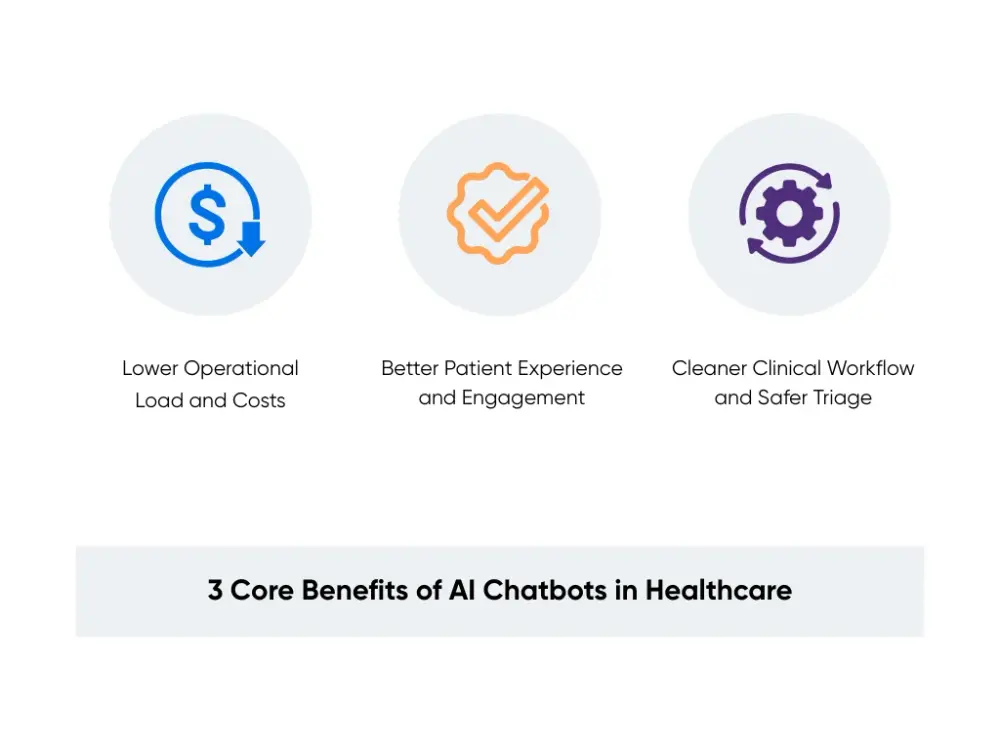
1. Lower Operational Load and Costs
A good AI chatbot for healthcare takes repetitive work off your staff. It reduces calls about reschedules, directions, prep steps, and basic questions that slow your days down.
Reports on AI automation in healthcare show admin overhead drops when chatbots handle routine scheduling, intake, and simple questions about common health issues. Studies on nursing and clinical admin work estimate AI can offload around 30% of administrative tasks, which today eat a large share of staff time.
For you, that means fewer overtime hours, less pressure to add FTEs for phones and portal work, and more room to shift resources toward clinical roles or key digital projects.
2. Better Patient Experience and Engagement
From the patient side, the big win is access. An AI healthcare chatbot answers at any hour, in seconds, with clear next steps. No waiting on hold. No bouncing through phone menus.
Healthcare providers using 24/7 chat support report higher satisfaction and fewer complaints about slow responses, because patients can solve simple tasks themselves. When chatbots send personalized reminders and follow-ups, teams also see better follow-through on screenings, vaccines, and planned visits.
This gives you a direct story to tell around patient experience scores, online reviews, and lower no-show rates.
3. Cleaner Clinical Workflow and Safer Triage
Chatbots help you control message flow. They collect symptom details in a structured format, tag urgency based on rules your clinicians approve, and answer low-risk questions immediately.
Studies on AI triage tools show they can handle a large share of routine healthcare queries, which shortens wait times and frees clinicians to focus on complex cases. One large system, Cedars-Sinai, rolled out an AI chat platform to more than 42,000 patients and found the AI’s guidance was often more aligned with clinical guidelines than physician responses, while also reducing admin burden.
It’s widely assumed that implementing similar platforms can lead to fewer urgent messages being buried, faster routing, and more clinician time spent on direct care.
What are the Risks and Implementation Challenges of Healthcare Chatbots?
Healthcare chatbots can introduce real risk if they give advice they shouldn’t, mishandle PHI, or fail to escalate urgent cases to a human. When it comes to implementation, the hardest parts are setting clear guardrails to enable monitoring, ensuring it meets HIPAA requirements, and integrating with your EHRs.
This section lays out the risks and how to prevent them.
Medical and Legal Risk Management
A chatbot can confidently give incomplete or incorrect guidance, and in healthcare, that can turn into real clinical and legal risk. Since most medical teams aren’t set up to evaluate AI models, prompts, etc., it’s important to consult an experienced AI/ML team to help you design the guardrails and safety checks from day one.
The key to managing risks here is to draw hard boundaries around what the chatbot can and cannot do. When anything gets clinical, the bot should have a clear escalation path and hand off to a human. In practice, that means the chatbot should never be able to engage in a diagnosis or modify critical information without human supervision.
Just as important is building the chatbot on a HIPAA-compliant foundation. Any system that touches PHI needs a secure infrastructure, encryption in transit and at rest, access controls, audit logs, and vendors willing to sign a BAA.
Ongoing oversight keeps everything aligned as the bot evolves. You will need clinical owners who review changes, check conversations, and sign off on escalations. Business research on AI rollouts shows safer outcomes when tools are assigned to defined roles and subject to consistent review cycles.
Make sure the expectations for the chatbot are clear to everyone who interacts with it. Update patient terms and staff training so everyone understands the chatbot supports licensed care and does not replace it.
Privacy and Security Compliance
HIPAA is usually the first step and the hardest part of creating a healthcare chatbot. Your chatbot stack must meet HIPAA requirements from the start.
Starting with your infrastructure: PHI should be encrypted both in transit and at rest, and every interaction should be logged for audit purposes. This includes not just the chatbot UI, but the databases, model endpoints, analytics tools, and any third-party services in the pipeline.
For data handling and model behavior, you’ll need to decide exactly what PHI the chatbot is allowed to see, store, or reference. Many teams limit the chatbot to short-lived context windows, avoid long-term storage of conversations, or redact sensitive fields before they ever reach a model.
Aloa specializes in the complexity of HIPAA design. We designed healthcare chatbots on HIPAA-aware architectures. In our guide on keeping AI models HIPAA-safe, we outline private networking, logging, monitoring, and vendor controls that keep PHI contained. In our resource on healthcare AI compliance, we show how those controls link to your governance program, audits, and internal reviews.
Reach out to us today, and we’ll walk you through the process.
Implementation and Adoption Challenges
Now we are talking implementation and adoption. A chatbot can meet every requirement on paper and still fail if healthcare professionals don't trust it enough to use it.
Clinicians want safety, clarity, and not extra work. You earn that trust by starting with small workflows they already want fixed, such as refill questions or visit prep for a single clinic. Bring a few respected clinicians in early and let them shape the flows before rollout. Research on AI adoption in other fields shows stronger adoption when the people doing the work help define how AI fits into their day.
Technical fit matters too. Plan how the chatbot connects to your EHR, call center platforms, and analytics. Define handoff points, routing rules, owners for tuning, and how change requests get approved.
Then monitor the rollout. Track deflected contacts, escalations, response times, and safety flags. Review transcripts weekly and adjust scripts and routing. Over time, the chatbot shifts from a risky pilot to a stable, managed part of your access and care operations.
Best Practices for Successful Implementation of AI Chatbots for Healthcare
Treat your chatbot like a new front door to your clinic. People will use it at odd hours. They will type messy questions. They will expect clear answers. So you need clear rules, clear owners, and a rollout plan that holds up on a busy Monday.
Here’s the playbook we use:
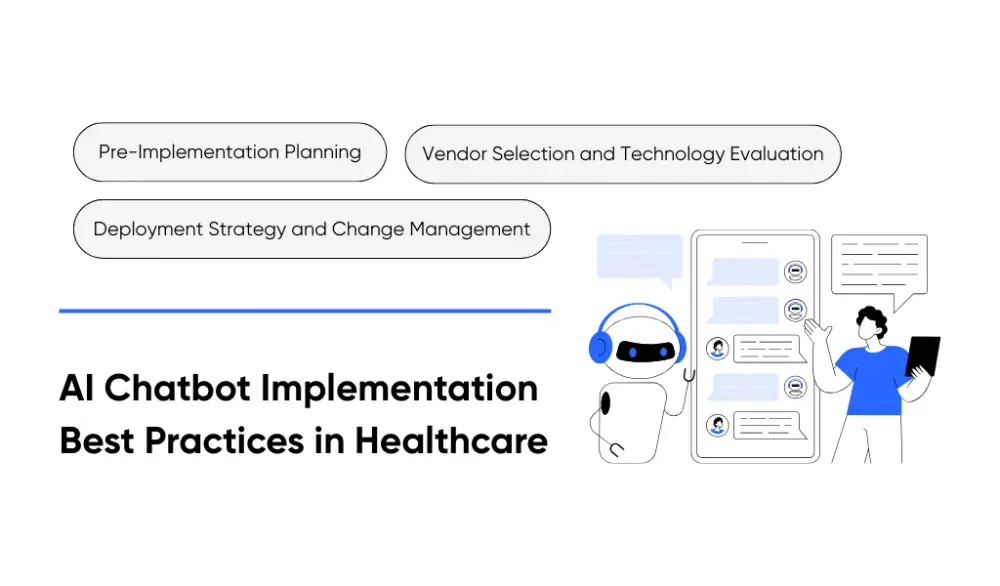
Pre-Implementation Planning
Start by picking one problem you want to remove from your team’s day. Pick something high-volume and low-risk. Scheduling, visit prep, directions, billing questions. These reduce call load without touching clinical decisions.
Name three owners on day one:
- Clinical: Approves content and escalation rules.
- Operations: Owns workflow changes and staffing impact.
- Security: Owns access controls, logging, and data handling.
Now check readiness. Answer these before you build:
- Can the chatbot connect to the electronic medical record for scheduling or basic status checks?
- Can you log every session and keep a full audit trail?
- Can the chat route to a person the moment a patient needs help?
Run this planning step in 2 to 4 weeks. Keep it tight. End the planning step with a one-page scope and a short success scorecard. Track deflected calls, response time, escalation rate, and staff minutes saved. Set targets now so you don't argue later.
Vendor Selection and Technology Evaluation
Treat vendor calls like a safety review. Ask questions that force specifics.
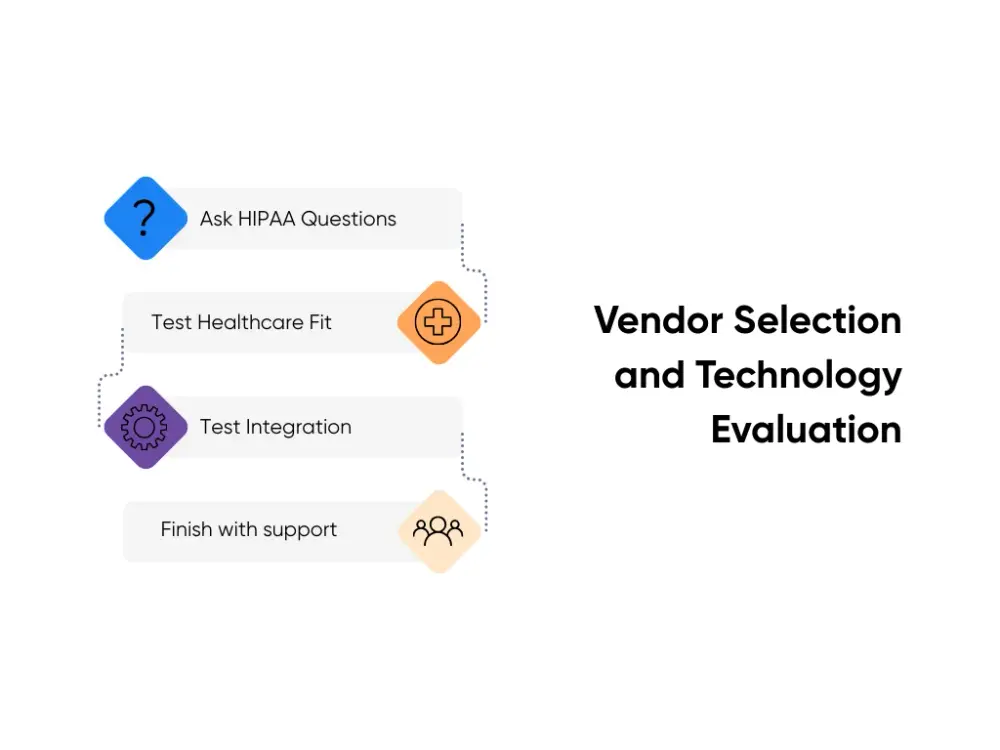
Start with HIPAA. Ask these out loud and listen for direct answers:
- Will you sign a Business Associate Agreement?
- How do you encrypt data in transit and at rest?
- Who can access patient data, and how do you enforce role-based access?
- How do you produce audit logs for every access and change?
- Do you use patient data to train shared models? (If yes, walk away.)
Next, test healthcare fit:
- Show us a healthcare chatbot you shipped.
- Tell us what failed after launch.
- Explain how you fixed it and how long it took.
Then test integration:
- Which EMR systems have you integrated with?
- Who builds the integration, and who tests it?
- How do you handle downtime and retries?
Finish with support:
- Who reviews transcripts?
- Who updates content?
- Who handles incidents at 2 a.m.?
At Aloa, we built our process around these exact questions because healthcare teams cannot afford vague answers. Our healthcare projects reflect this focus across workflow design, integration, and compliance. This is one of the reasons why Aloa has a great agency review.
Deployment Strategy and Change Management
It goes without saying that you should conduct the roll-out in phases. Start with admin functions. Keep the first release “boring” on purpose.
Here’s a sample sequence:
- Phase 1: Launch scheduling, visit prep, directions, billing FAQs, and appointment reminders.
- Phase 2: Add a structured intake that collects symptoms and routes to staff with firm escalation rules.
- Phase 3: Add follow-ups like post-visit check-ins and medication reminders using approved scripts.
Before going live, train your staff on how the chatbot might escalate issues to them and how to correct incorrect answers.
On the other hand, you should also set expectations with patients who will interact with the chatbot. Explain what the chatbot can help with, and be explicit about when a person steps in. This can be addressed through UI design.
Once the chatbot is live, run weekly reviews. Pull conversation transcripts, count escalations, and flag errors.
Key Takeaways
Healthcare chatbots can give your team the breathing room it needs by helping patients get quicker answers. But if you implement it incorrectly, you may be creating new problems.
Here’s a short checklist to guide your first rollout:
- Start small: Choose one busy, low-risk task like scheduling or visit prep.
- Set the rules: Write what the chatbot answers and when it hands off to a person.
- Name three owners: Clinical, operations, security. One role each.
- Watch the numbers: Track deflection, escalations, response time, and time saved.
- Run a readiness check: In two weeks, confirm integrations, logs, and handoffs.
And if you want help, this is exactly what Aloa’s consultation service is built for: AI office hours with senior builders who can sanity-check your plan, help you choose the first use case, and map out the safest way to handle PHI, handoffs, and integrations. No big “6-week audit” unless you want it. We give practical guidance you can use immediately.
Reach out to us at Aloa and connect AI chatbots in healthcare to the systems you already use!
FAQs About AI Chatbots in Healthcare
1. Are AI chatbots in healthcare HIPAA compliant and secure?
They can be, but only when you build and run them for healthcare. A compliant chatbot operates under a signed Business Associate Agreement. It encrypts data in transit and at rest, limits access by role, and keeps audit logs for every interaction. It also follows strict data rules on what it collects, how long it stores it, and keeps PHI out of shared training systems. Without this setup, it is not safe for patient use.
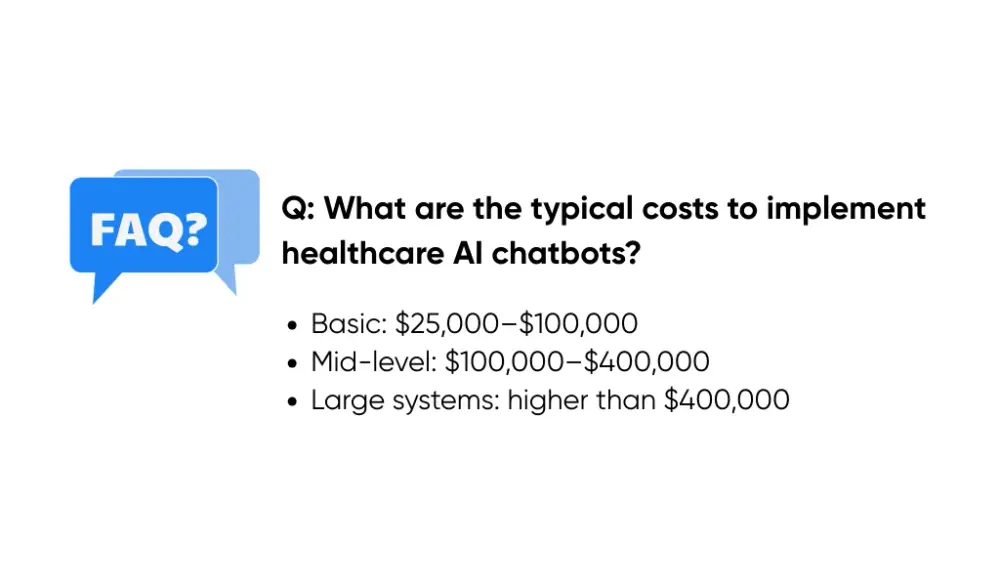
2. What are the typical costs to implement healthcare AI chatbots?
Costs depend on scope and integration depth. Basic chatbots for scheduling, reminders, and FAQs often cost $25,000 to $100,000. Mid-level rollouts for multiple clinics or small hospital systems usually range from $100,000 to $400,000, with deeper EMR work, clinical review, and security checks. Large health systems can exceed that range. Plan for ongoing costs too, like content updates, monitoring, and compliance reviews, often 10% to 15% of the initial build each year.
3. What healthcare functions can AI chatbots safely handle without human oversight?
Chatbots handle rule-based tasks best. That includes scheduling and rescheduling, visit prep instructions, directions, billing and insurance questions, reminders, and basic education. They can collect structured intake and pass it to staff. They should never diagnose, change treatment, adjust medications, or handle urgent symptoms. Those must route to a person right away.
4. How long does it take to implement a healthcare AI chatbot?
A healthcare AI chatbot typically takes between 4 and 8 weeks to build as an MVP (minimum viable product). To ensure you can deploy safely, you may need around 4 months to bring it to production-grade with strong HIPAA controls and real EHR/EMR integrations. If you only need a simple proof-of-concept with limited PHI and no integrations, it can even be done in 1–2 weeks.
5. What should healthcare organizations look for when selecting a chatbot vendor?
Ask for healthcare deployments that match your size and workflows, and what issues surfaced after launch. Review how the vendor designs conversation flows, trains models on your content, integrates with existing systems, and supports ongoing updates.
Confirm they will sign a Business Associate Agreement, explain security controls clearly, and outline total ongoing costs. At Aloa, we build chatbots and AI agents that support continuous patient interactions and handle complex workflows at scale.