
AI adoption in healthcare grew notably this past year. There’s been an increase in the use of AI for documentation support, chart summaries, and custom internal tools across hospitals and clinics. Survey data showed more physicians using AI during routine visits, which signals wider use across standard tasks.
Despite greater access to AI tools, many organizations still struggle to gain clarity on which tools deliver steady results and how to efficiently incorporate them into daily workflows.
At Aloa, we help you design AI systems that work for clinical and operational routines. We start with proof-of-concept projects and consulting, so you quickly get a small working prototype, a simple view of the risks, and clear next steps. Our hybrid model pairs a US-based strategy lead with a global build team, so you get expert guidance plus the engineering power to actually ship.
This guide covers:
- Benchmarks for current adoption of AI
- Examples with timelines and outcomes
- What works and what holds teams back
- Five strategies for the next step
AI use in healthcare continues to rise steadily. The main question now is how it will be applied.
TL;DR
- A clear AI readiness check helps you spot gaps in data, systems, and workflows before you start.
- Early, low-risk AI tools, like documentation automation and scheduling optimization, bring fast wins without disrupting care.
- Strong vendor partnerships matter as much as the tools themselves, especially when connecting AI to your EHR.
- Training and change management shape whether your staff trust and actually use AI in daily work.
- Clean data, solid security, and clear compliance rules keep AI safe to use and easier to scale across your organization.
What is the Rate of AI Adoption in Healthcare?
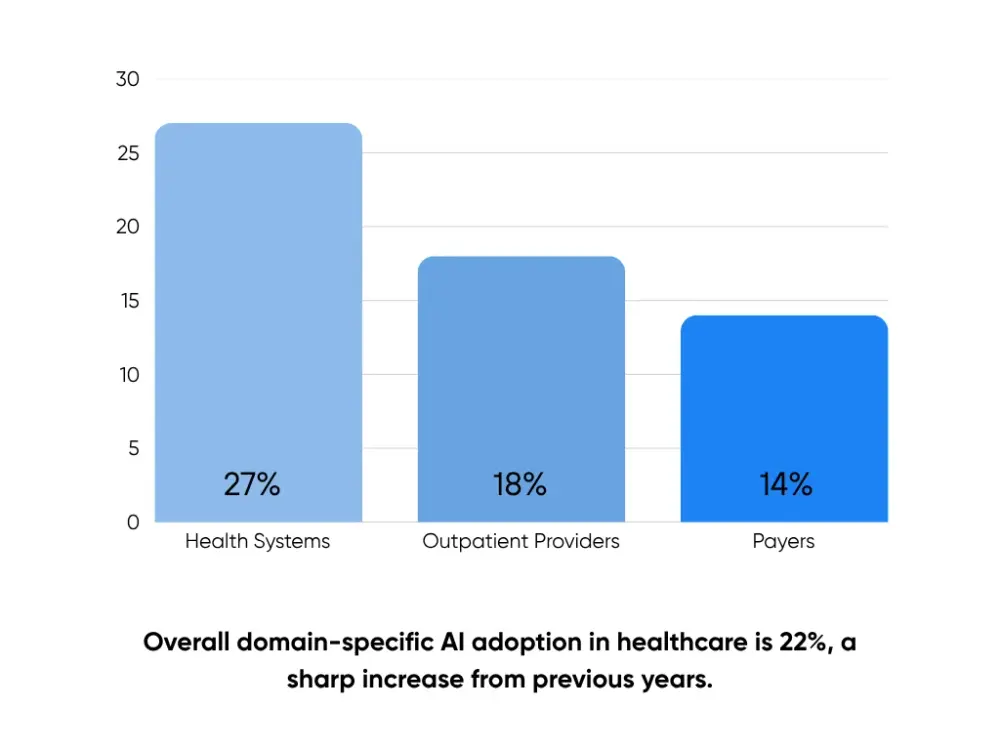
AI adoption in healthcare is rising across hospitals, clinics, and payers as the use of AI shifts from experiments to everyday clinical practice. Reports show that around 22% of organizations now use domain-specific AI tools. The jump over the past two years shows that AI has transformed the healthcare industry and that it is fast becoming part of everyday work.
We can measure AI adoption in different ways. Some count the number of AI tools in use. Others look at how often staff use AI for tasks like documentation, chart review, or coding. In clinical settings, we can also assess how well AI integrates with electronic health records and supports existing workflows.
As we’ve seen in our guide on AI adoption by industry trends, AI adoption in healthcare is rising across many care settings. The next five strategies give you a clear starting point for steady progress within your organization.
Strategy 1 - Conduct a Comprehensive AI Readiness Assessment
A readiness assessment helps you see how prepared your organization is for AI. You look at your data, systems, workflows, and people. This gives you a real sense of where AI support is needed. The point is simple. You want a roadmap that reflects where you are now and where you want to go next.
This mirrors the approach we use in our own consulting work. We study your data infrastructure, technical setup, culture, and processes so you can spot strengths, gaps, and early risks. Without this step, AI pilots can be stalled by messy data, unstable systems, or confused staff.
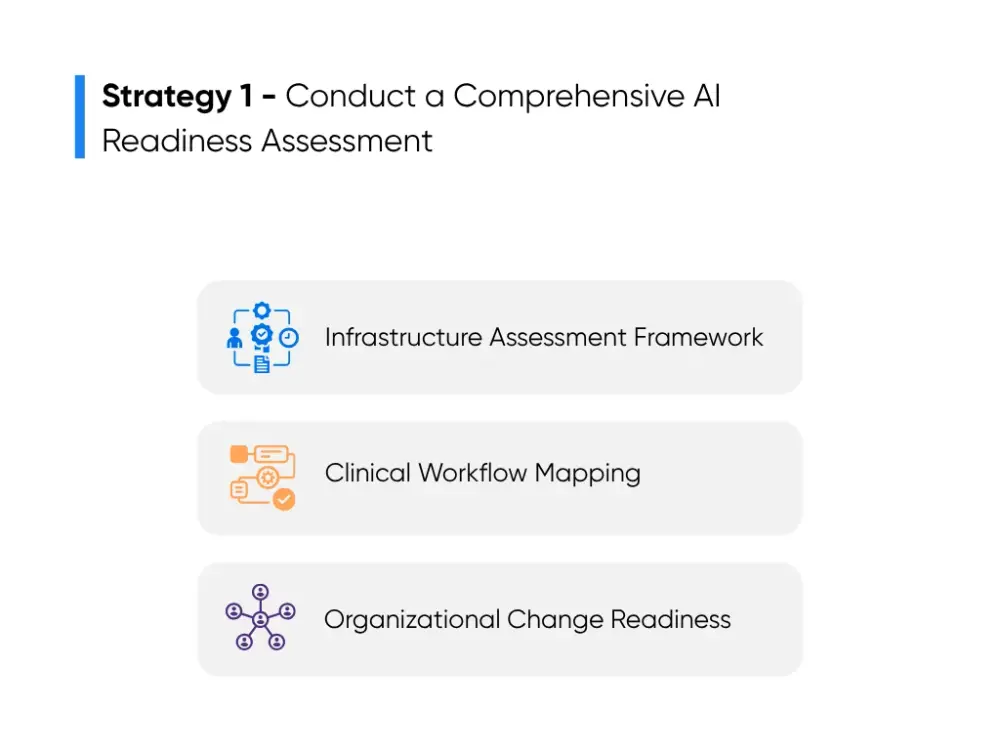
Infrastructure Assessment Framework
Infrastructure covers the core systems your teams use every day. This includes your EHR, storage, integrations, and privacy controls. Since AI depends on these systems, you want to know exactly how solid their foundations are.
Here are key areas to review:
- Data Structure: Check how clean and consistent your patient and medical records are. If data is formatted differently across clinics, models that summarize charts or track trends lose accuracy. A note written in a template reads differently to an AI model than a note typed in free text.
- System Connections: Look at how your EHR, lab system, imaging system, scheduling tools, and reporting platforms share information. Broken links can result in extra clicks, repeated entries, or missing values. Any AI model that relies on lab values or past imaging quickly runs into blind spots when these connections lag.
- Technical Capacity: Review your storage, compute power, and database performance. AI tools that pull long patient histories or process medical images need steady performance. If your system already slows down during peak hours, the load from an AI model will make it worse.
- Security: Make sure access rules and audit logs are reliable. AI tools touch sensitive health data, so your privacy safeguards must already be in good shape before you test anything.
Teams often bring in Aloa during this stage. Through our Strategic Assessment, we walk through your environment and flag what is ready, what needs support, and what matters most for your timeline. When your systems need updates, our Transformation Consulting helps plan those changes. And as you move through upgrades, our Advisory Retainer provides steady guidance so your roadmap stays consistent.
Clinical Workflow Mapping
Workflow mapping helps you understand how and where you can use AI to get the most out of your investment in AI. This way, you can stay grounded in real routines instead of guessing where it might help.
Here’s how you can approach the mapping:
- Choose a workflow: Pick a routine task like intake, radiology review, discharge planning, care coordination, or prior authorization.
- List each step: Write out what your staff actually do. For discharge planning, that may include reviewing vitals, checking pending labs, updating instructions, scheduling follow-ups, and completing documentation.
- Tag each step: Mark each step as judgment, data entry, review, or communication. Data entry and review steps are where AI fits best. Judgment always stays with clinicians.
- Match use cases: Examples include:
- Drafting visit notes from intake data
- Pre-reading routine imaging and flagging possible abnormalities
- Surfacing risk signals for heart failure patients
- Filling common fields in prior authorization forms
- Preloading billing codes based on chart data
- Flagging missing documentation before discharge
This process helps teams see how AI removes work instead of adding it. It also helps avoid forcing AI into steps that vary across units or rely heavily on clinical judgment.
Organizational Change Readiness
This part focuses on your people. You want to know how your staff feel about new tools, where they want support, and how aligned your leaders are before any pilot begins.
Common ways to gather insight:
- Short Surveys: Ask where your staff lose time, what slows them down, and how comfortable they are trying new digital tools.
- Listening Sessions: Small groups help surface concerns like trust in AI recommendations, fears of extra clicks, or confusion about how a tool reaches its answers.
- Leadership Alignment: Your clinical and operational leaders should share one message and one set of goals. Mixed direction slows rollout and creates uncertainty for your staff.
These checks help you plan training, communication, and pilot steps that feel realistic to the people doing the work each day.
A readiness assessment brings all three areas together. You leave with a clear starting point shaped by your systems, your workflows, and your people. That clarity helps you pick stronger use cases, avoid common missteps, and move into AI adoption with a plan that fits how your organization actually works.
Strategy 2 - Start with High-Impact, Low-Risk AI Applications
Once you know your starting point, the next step is choosing AI tools that bring real value without putting pressure on your teams. These early wins lower workload, improve accuracy and patient experience, and show your staff and leaders that AI technology can help their day run smoother without disrupting care.
These tools fit well because they work inside the workflows you already use. They follow predictable steps, rely on structured data, and deliver improvements without long setup times. Many hospitals highlighted by Forbes and Health Affairs Scholar begin with these same categories because the results appear quickly.
Here are three strong places to start:
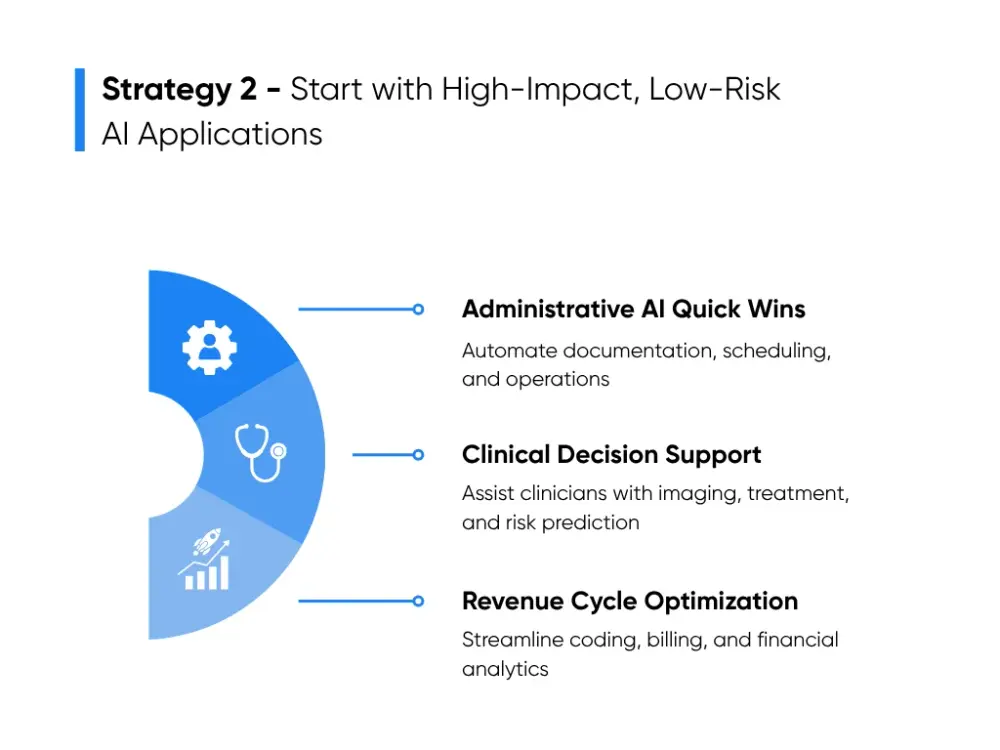
Administrative AI Quick Wins
Administrative AI tools handle routine tasks that take time but do not require clinical judgment. They help your teams focus on patients instead of paperwork.
Hospitals often begin with:
Documentation Automation
These tools use natural language processing to listen during visits or read notes to draft clean documentation for clinicians. They organize symptoms, histories, and orders so your staff spend less time typing after hours. A four to eight-week pilot in one service line is enough to see the difference. Hospitals often turn to Augmedix or Suki for ambulatory settings and Nuance for inpatient teams. For organizations that want custom or HIPAA-safe options, our own HIPAA-compliant medical transcription tool shows how this type of solution works in daily practice.
Scheduling Optimization
Scheduling tools review patterns in no-shows, appointment lengths, and provider availability to improve slot use and shorten wait times. They work well in areas like primary care and behavioral health, where visit patterns stay steady. Teams usually see improvements within one or two months.
Operational Efficiency Tools
These tools use data analysis on trends like bed flow, staffing, and consult delays. They highlight friction points like long transport times or late consults. Hospitals use these insights to adjust staffing before peak hours or reduce bottlenecks. Because they pull from existing EHR and bed board data, teams can run pilots in four to six weeks.
These early wins help your staff trust the process and build momentum for clinical tools.
Clinical Decision Support Priorities
Clinical decision support tools help clinicians review information, run predictive analytics, spot risk patterns, and consider treatment paths. They follow medical research and guidelines while keeping all judgment in the hands of clinicians.
To choose the right tools:
Understand the clinical need
Each department faces different challenges. Radiology teams manage imaging queues. Cardiology focuses on risk scoring. Emergency teams watch for early warning signs. Start in areas that use structured data or follow consistent workflows.
Check your systems
Diagnostic tools need strong PACS connections. Treatment support tools need structured notes, labs, and vitals. Population health tools need clean registries. If your systems are uneven, choose tools that rely on smaller or simpler data sets.
Define clear use cases
Examples include AI use cases that support early detection and better health outcomes, such as:
- Imaging tools using deep learning to highlight possible findings
- Tools that show guideline-based treatment options
- Risk models for heart failure or sepsis
- Population health tools that point out who needs outreach
Hospitals often begin with imaging because the workflow is stable and data connections are clear. Others start with chronic disease management, where data stays consistent across visits. Reports from McKinsey show that these tools improve care coordination and help teams manage larger patient loads without raising workload.
Revenue Cycle Optimization
Revenue cycle tasks follow rules and patterns, making them a strong match for AI and machine learning, especially where cost savings and fewer errors matter. These tools improve accuracy, reduce rework, and bring clear financial returns.
Common starting points include:
- Coding Support: AI reads clinical notes, orders, and procedures, then suggests accurate codes for your staff to review. This lowers missed charges and reduces pressure on coding teams. Many hospitals test these tools quietly in the background for a few weeks before rollout.
- Billing Automation: AI checks claims for missing information or common human errors before they reach payers. This lowers denials and cuts rework. Most teams begin with one payer or specialty to tune accuracy.
- Financial Analytics: These tools examine trends in denials, authorizations, and reimbursement patterns. Leaders use the insights to fix delays and improve documentation. Since the tools rely on existing financial data, teams often see results within one quarter.
These revenue cycle tools deliver fast ROI while helping your staff learn how to work with AI in a predictable, low-risk setting.
Early wins make AI feel practical instead of overwhelming. They give your teams proof that the technology helps, not complicates. Once that trust sets in, expanding into deeper clinical work becomes much smoother.
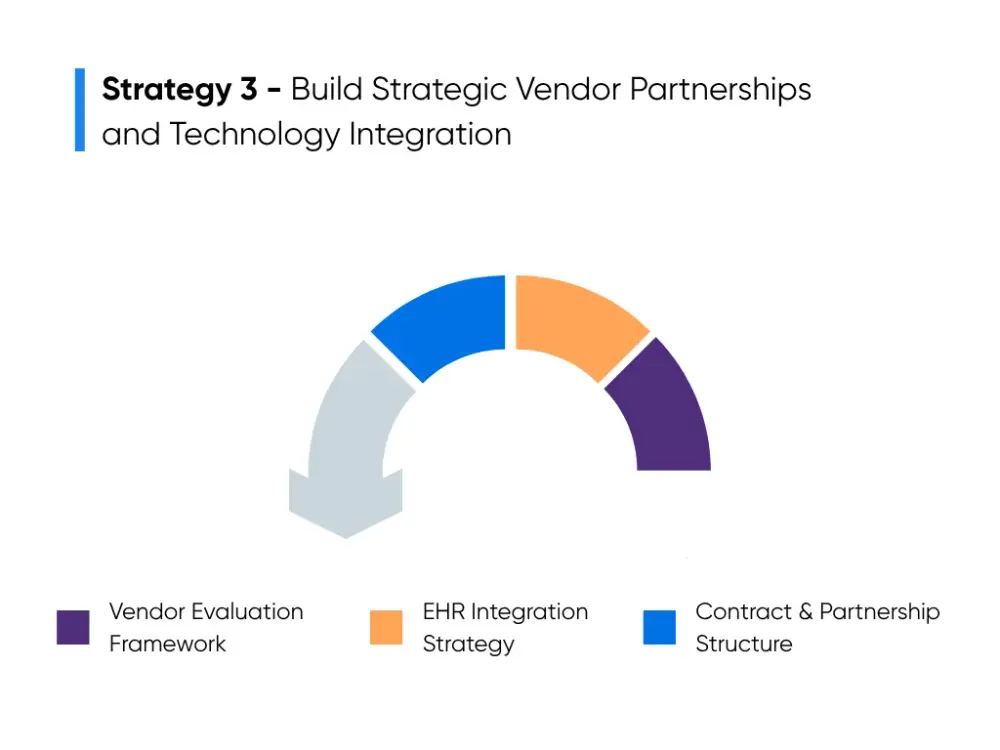
Strategy 3 - Build Strategic Vendor Partnerships and Technology Integration
After you pick your first AI projects, you need the right partner to help you bring them to life. AI algorithms interact with patient data, sit inside your EHR, and shape everyday tasks, so the partner you pick affects how smooth the rollout will be. Health systems with steady, informed vendor relationships tend to move faster and hit fewer roadblocks.
Vendor Evaluation Framework
A clear review process helps you separate vendors who understand healthcare from those still trying to learn it. Three areas matter most:
Healthcare Experience
The strongest vendors know how clinical documentation varies across units, why certain fields keep missing values, and how workflows shift between departments. They have seen medication lists recorded in five different formats. They know why some clinics rely on templates while others rely heavily on free text. This experience helps them plan around issues that often slow down integration.
Clinical Safety and FDA Expectations
For diagnostic or treatment support tools, ask vendors to walk you through how they test model accuracy. They should explain how they track errors, how often they review performance, and what guardrails they put in place before exposing suggestions to clinicians. Vendors who work in regulated areas should also understand FDA expectations for clinical AI, even when the tool is used only for support and not final decisions.
EHR Interoperability
You want partners who have already integrated tools with Epic, Cerner, Meditech, or Allscripts. Ask them to explain how they map data fields, which APIs they use, and where their tool’s output appears on the screen. A model that forces your team to switch windows or copy and paste information becomes a burden. A tool that appears inside chart review, order entry, or note-writing fits naturally into care delivery.
Many teams prefer partners who adapt to their existing systems instead of pushing them into new workflows. Our team at Aloa follows this approach by building custom healthcare AI that matches the environment you already use.
EHR Integration Strategy
Most integration challenges start with the EHR. AI can only be useful if it can see the right data and return information in a place your teams trust.
It helps to understand the difference between EMR and EHR:
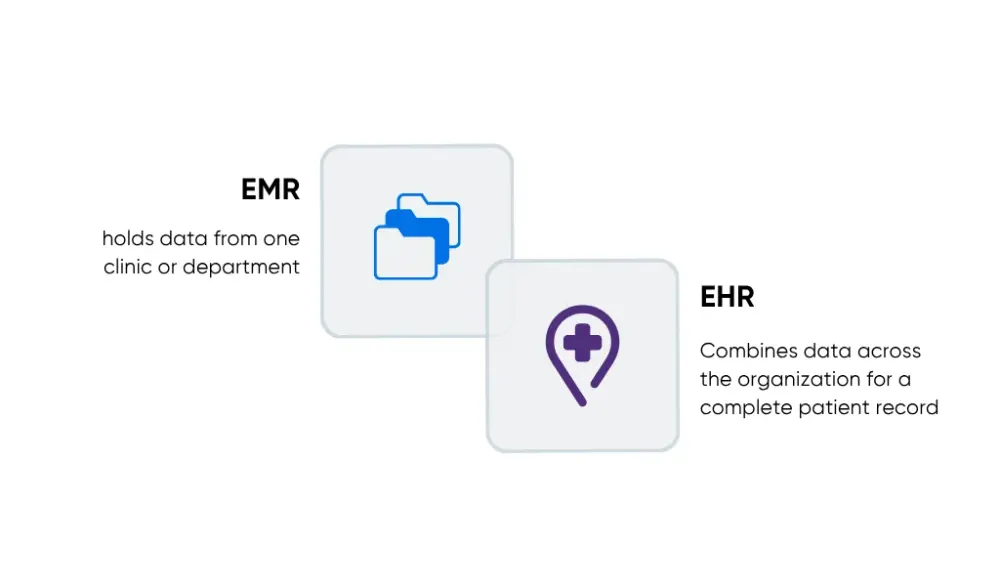
- EMR holds data from one clinic or department.
- EHR combines data from across your organization so you get a full patient record.
If an EMR is a single file folder, the EHR is the full cabinet. AI works best when it can read the full cabinet, not just one drawer.
Before connecting any tool, technical teams usually check four areas:
- Secure API access to protect data and keep audit logs clean
- Consistent data fields across sites so the model reads information correctly
- System load to make sure the EHR can handle extra traffic from AI tasks
- Placement inside existing workflows so the tool appears in the same screens staff already use
Even something as small as placing a suggestion on the wrong tab can slow adoption because it forces healthcare providers to change their habits.
Contract and Partnership Structure
The structure of your partnership affects how reliable your AI program will be a year from now. Healthcare teams have many options, so simple guardrails help you make decisions without losing time.
Most teams look at:
- Who maintains the tool and who manages ongoing updates
- How fast the vendor responds when something breaks
- What happens with your data, including model outputs and logs
- Whether the partner supports future phases, not only the initial build
Some vendors step back after go-live and expect your team to maintain everything. Others stay connected, help refine use cases, and support new additions to your AI roadmap. Aloa follows the long-term model by guiding organizations through upgrades, new workflows, and steady improvements as their AI needs expand.
Strategy 4 - Implement Comprehensive Staff Training and Change Management
AI only works well when people understand what the tool does, what it doesn’t do, and how it fits into their day. Adoption rises when healthcare professionals can clearly see where the tool helps and how it supports their work, not when they’re simply told to switch to something new.
This strategy focuses on training, communication, and support systems that help your teams feel confident instead of stressed.
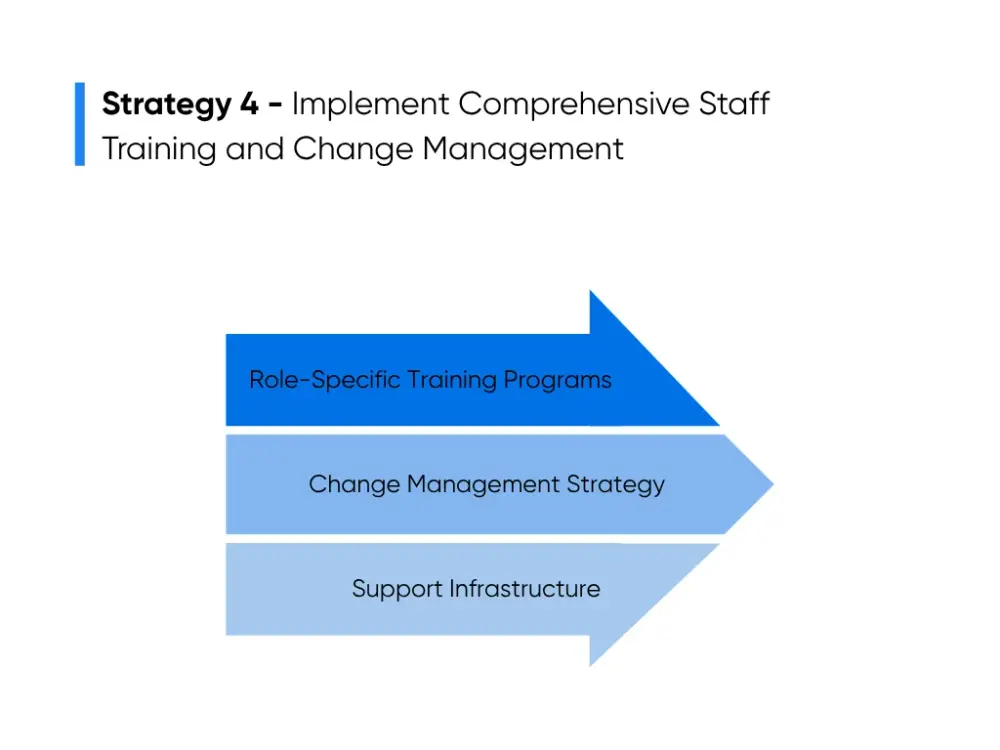
Role-Specific Training Programs
Training lands best when it matches the daily tasks of the people using the tool. Nurses, physicians, medical assistants, coders, and schedulers all use AI in different ways, so each group needs training that speaks to their reality. The first step is giving a simple explanation of what the tool does. For example:
- Documentation automation drafts visit notes from voice input or chart data.
- Decision support tools highlight possible risks based on vitals, labs, or guideline checks.
- Coding tools read documentation and suggest possible codes for review.
These tools lighten the workload, but clinical judgment always stays with the clinician.
Teams also need to see exactly where the tool appears in their workflow. A drafted note might show up right after intake. A risk flag might appear during chart review. Coding suggestions may show up once documentation is complete. When your staff see the tool appear in familiar screens, training feels easier and less abstract.
It also helps to explain what your should double-check. Reviewing a drafted note before signing, checking flagged labs against the chart, or confirming suggested codes all reinforce that the clinician or staff member stays in control. People feel more comfortable with AI when they know what to verify and how to do it.
Short sessions, hands-on practice, and real examples make the learning stick. These formats give your staff a chance to practice without pulling them away from patient care for long training blocks.
Change Management Strategy
Strong change management keeps teams aligned as the new tool rolls out. AI projects succeed more often when people feel involved and informed, not when change arrives without context.
A helpful starting point is choosing a few clinical champions. These are frontline staff who understand the workflow problem the tool is meant to solve and are willing to try early versions. Champions give honest feedback, help refine the process, and show their peers how the tool fits into daily work. Seeing a trusted colleague use the tool goes a long way in easing concerns.
Clear communication is just as important. Your team wants straightforward explanations of what the tool is meant to help with and what it is not designed to do:
- A documentation tool can draft standard note sections but can’t write clinical reasoning.
- A risk tool can point out possible patient safety concerns but doesn’t diagnose conditions.
- A coding tool can suggest codes, but your staff still reviews and confirms them.
Simple clarity reduces uncertainty and helps your team feel anchored.
Feedback channels keep the rollout moving smoothly. Weekly check-ins, a shared inbox for questions, or quick mentions during staff meetings give people a place to speak up early if something feels off. When they know their input shapes how the tool is used, they stay more engaged and open to change.
Support Infrastructure
Once the tool is live, a strong support system keeps momentum from fading. Many hospitals find that what really makes adoption stick is not the tool itself, but the support surrounding it.
A technical help desk or designated superuser gives your staff a quick way to get answers. Simple questions like “Where did the draft note go?” or “Why didn’t the alert show up?” can be handled fast and keep frustration from building.
Teams also benefit from small workflow adjustments after rollout. For example:
- A documentation tool may reduce after-hours charting, but they might need updated templates.
- A new risk flag might prompt earlier lab reviews, which could shift scheduling.
- Coding suggestions may require a new review step to keep documentation accurate.
These small tweaks help the tool feel like a natural part of the day.
Performance monitoring ties everything together. Tracking documentation time, seeing how often your staff accept or reject suggestions, or checking system performance during busy times helps you refine the tool and plan the next phase. Monitoring supports steady improvement instead of one-time gains.
When your team knows how the tool works, where it fits, and who to ask for help, the stress drops. The technology feels more like a backup than a disruption. That confidence is what carries your team into the next stage of AI work.
Strategy 5 - Establish Robust Data Governance and Security Frameworks
AI depends on clean, well-managed, and well-protected data. If the data is messy or handled without clear rules, AI tools make mistakes or stop working the way they should. Hospitals that set strong data and security policies see smoother AI rollouts because everyone knows the information feeding the system is safe and reliable.
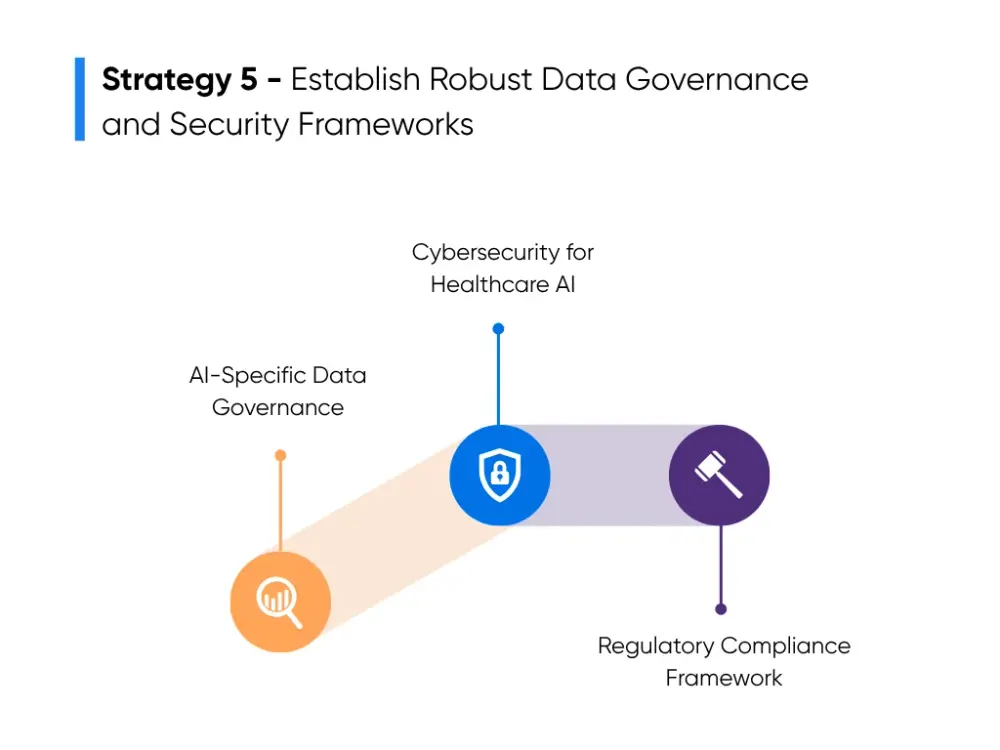
AI-Specific Data Governance
Data governance sets the rules for how your organization collects, stores, cleans, and uses data for AI. These rules help keep patient information consistent and safe while giving AI tools the accurate data they need.
AI tools work best with structured data. This means common fields like vitals, medications, and problem lists should follow the same format across clinics. When one team types everything as free text and another uses templates, the AI tool struggles to read it. Setting clear standards keeps the data steady and prevents uneven results.
Governance also decides where data is stored and who is allowed to see it. Since many AI tools train on past patient records, you need rules for removing personal details, limiting access, and deciding how long the data stays in storage. These steps protect privacy and support safe model training.
Teams also run regular quality checks to look for missing fields, unusual patterns, or inconsistent entries. Fixing issues early keeps data clean and helps the AI tool stay reliable during rollout and long after.
Cybersecurity for Healthcare AI
AI tools move data between systems and often run in the background, which creates new security needs. HIPAA explains how patient information and data privacy must be protected. Cybersecurity is how you follow those rules with technology and monitoring. For a clearer view of how to handle this, we put together a guide on keeping AI models aligned with HIPAA requirements.
Strong security starts with controlling access. Only approved staff should see specific data. Encryption, role-based permissions, and clear audit logs help keep sensitive information safe as it moves through AI workflows. Continuous monitoring helps your team catch issues like unusual login attempts, broken data connections, or suspicious file activity.
AI tools also depend on real-time data. If a data feed stops working, the model may return weak or incomplete results. A clear response plan helps your team act fast to protect patient data and restore the system without interrupting care.
Routine system tests help you find risks like attempts to alter the model or feed it bad data. These checks keep your AI tools safe as your program grows.
Regulatory Compliance Framework
Healthcare AI is now operating under clearer rules and expectations. A good compliance plan helps your tools stay aligned with privacy laws, FDA expectations, and quality standards.
The first step is learning which AI tools need closer oversight. Some tools that support diagnosis, review imaging, or predict risk may fall under FDA rules, depending on how they influence care. Even tools that don’t require formal approval benefit from FDA-style testing because it strengthens safety and trust.
Privacy policies also matter. These policies should explain how patient data is used for AI, how consent is collected, and how information is shared with vendors. They must follow HIPAA and any state-level privacy laws.
Quality assurance ties everything together. Your team should check how accurate the AI tool is, whether it performs well across patient groups, and whether its results shift over time. These steps help prevent model drift and keep the tool fair and reliable as your population changes.
When the basics stay in good shape, your teams feel more comfortable relying on AI. Clean data, strong protection, and clear rules make the technology feel dependable, which makes every future AI project easier to launch and easier for your staff to adopt.
Key Takeaways
The teams making real progress with AI all follow the same rhythm. They check where they stand, start with simple wins, choose partners who get healthcare delivery, train their people well, and keep their data in good shape. These habits shape steady AI adoption healthcare efforts and help the technology feel more manageable and useful in day-to-day work.
If you want help shaping your next step, we’re always open to a conversation. You can talk with our team when you’re ready to explore talent or build something custom. And if you want to share the challenge on your mind, you can join the community or grab updates through our newsletter.
AI moves faster when you don’t try to figure it out alone. If you're exploring ideas or testing early projects, we’d be glad to talk it through with you.
FAQs About AI Adoption in Healthcare
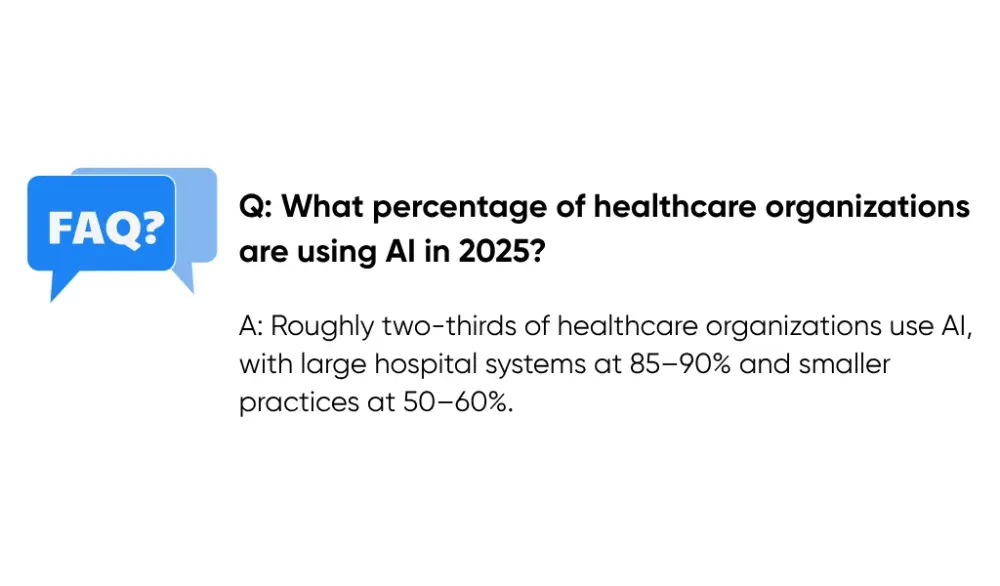
What percentage of healthcare organizations are using AI in 2025?
Roughly two-thirds of healthcare organizations use AI in some part of their work. Large hospital systems are closer to 85–90%, while smaller hospitals and independent practices are around 50–60%. Only about one-third have expanded AI into multiple departments. The most common tools are documentation automation, imaging support, risk prediction, scheduling help, and prior authorization tools.
How long does it take to implement AI in a healthcare organization?
Simple tools, like appointment reminders or basic chatbots, take about 6–12 weeks. Mid-level tools like documentation assistants or coding support usually need 4–6 months. Larger, multi-department programs take 12–24 months because they involve more integration and training. Many organizations start with a small 90-day pilot before rolling out more broadly.
What are the biggest challenges healthcare organizations face when adopting AI?
The main issues are workflow disruption, clinician hesitation about the role of AI in care, and poor data quality. Organizations also face privacy and regulatory concerns, tight budgets, legacy IT systems, and limited time for staff training. Involving clinicians early, improving data quality, and working with skilled AI partners like Aloa helps reduce these problems.
What types of AI applications provide the most value in healthcare?
The biggest wins come from tools that cut down repetitive administrative tasks. Documentation automation often saves clinicians 1–2 hours a day. Imaging tools help teams read studies faster and catch issues earlier. Risk prediction tools flag problems sooner. Revenue cycle tools reduce denials and improve reimbursement. Many organizations start where pain points are highest: documentation, access, or financial pressure.
How do healthcare organizations make sure AI tools meet regulatory requirements?
Organizations check whether a tool needs FDA oversight, confirm the vendor has proper testing and documentation, and make sure HIPAA protections (encryption, access controls, audit logs) are in place. They test accuracy before rollout and keep monitoring it over time. Partnering with experienced healthcare AI vendors helps ensure compliance from day one.