

While analysts expect AI to add around $15.7 trillion to the global economy by 2030, about 95% of AI pilots fail to reach production. Whether you run a five-person engineering team or guide a large org, the expectation in 2026 is the same. You need to explain how AI changes cost curves, cycle time, engineering velocity, reliability, and risk. Your company is not asking for cool demos; it wants numbers it can trust.
CTOs come to Aloa because they need more than a strategy or a deck. They want a partner who can move from idea to working system. Our approach starts with deep technical and business discovery so we understand your data quality, team bandwidth, compliance needs, architecture, and the KPIs your leaders care about.
This guide will give you clear ways to link AI projects to revenue gains, with data points and examples from sectors like healthcare, finance, retail, and software development. Let’s dive in!
TL;DR
- Unfortunately, around 95% of AI pilots fail to demonstrate clear financial value, even though AI is expected to add trillions to the global economy.
- The 5% that can handle real workloads tend to succeed.
- Each industry has a certain set of AI use cases that are likely to return the strongest ROI.
Quantified Business Impact: What ROI Data CTOs Need to Know?
Artificial intelligence helps companies talk to customers in a more personal way, support employees with better tools, and cut busywork from daily tasks. As these changes spread through your org, AI business impact becomes clear in numbers: higher customer satisfaction, lower service costs, and new revenue tied to everyday work.
In 2026, CTOs are expected to show how AI moves these operational metrics. This section breaks down the ROI signals that you already watch: engineering velocity, service reliability, and the cost of running AI systems.
Cost Reduction Metrics
Once you have a baseline, cost metrics tell you if artificial intelligence is paying its way. You want numbers that link automation and AI agents to very specific savings, not vague “efficiency.”
For customer service automation, these are the core metrics to track:
- Cost per Contact: Take your total support spend for a period and divide it by total contacts. After AI chatbots or virtual assistants go live, you want this number to fall for the queues that AI now handles, with many AI customer programs reporting 30–50% reductions in support costs.
- Average Handle Time (AHT): Measure the time from when an agent or bot picks up a ticket to when it closes. When AI drafts replies, summarizes history, or routes tickets, AHT should drop for common issues, which means less labor per ticket.
- Tickets per Agent per Day: Count how many tickets a human clears in a single shift. As AI takes over repetitive tasks, this number can rise by 20–30% without pushing your team to burnout.
For predictive maintenance and back office work, you also want:
- Unplanned Downtime Hours: Log how many hours lines, machines, or systems stay down each month. AI-based predictive maintenance can reduce downtime and lower maintenance costs by double-digit percentages, according to industry studies in manufacturing and industrial settings.
- Cycle Time for Admin Processes: Measure how long it takes to process an invoice, close a claim, or complete an HR request. Track hours or days per item before and after automation so you can see how much time AI removes from the process.
The key is to benchmark these numbers for a few months before AI, then review them every quarter after deployment. That gives you a clear story you can share on where costs dropped, where they held steady, and where your AI design still needs work.
Revenue Generation Data
Cost savings help, but your company also cares a lot about the top line. Here, you want metrics that show how AI-driven personalization, recommendations, and better timing change revenue.
Start with these core data points:
- Revenue per User (RPU or ARPU): Take total revenue in a period and divide it by active users. This metric combines conversion rate, average order value, and retention, so a steady climb after AI launches is a strong signal that your new models add value across the full journey.
- Trial-to-Paid or Lead-to-Customer Conversion Rate: Divide the number of new paying customers by the number of trials or qualified leads in the same period. When you use AI to score leads, route them, or personalize onboarding, this rate should improve for the segments that see AI-powered flows.
- Average Order Value and Cross-Sell Rate: Average order value is total revenue divided by the number of orders. Cross-sell or attach rate tells you how often customers add recommended items or upgrades. AI models that study consumer behavior and social media signals can raise both, especially for ecommerce and retail.
- Time from Idea to Live Experiment: Count the days from when a team captures a new idea, such as a pricing test or creative variation, to when that experiment reaches users. When AI helps with content creation and experiment setup, that cycle should shorten, which lets your team run more tests in the same time window.
When you roll out AI across marketing campaigns, product flows, or pricing models, track these metrics by cohort and by channel. Over six to twelve months, you can point to specific AI use cases and say, “This feature moved RPU, that model moved conversion, that agent sped up experiments.”
Implementation Investment Analysis
To make a serious business case, you also need a clear view of the full investment side. That means hard costs, soft costs, and the cost of projects that never reach scale.
On the cost line, most AI initiatives fall into these buckets:
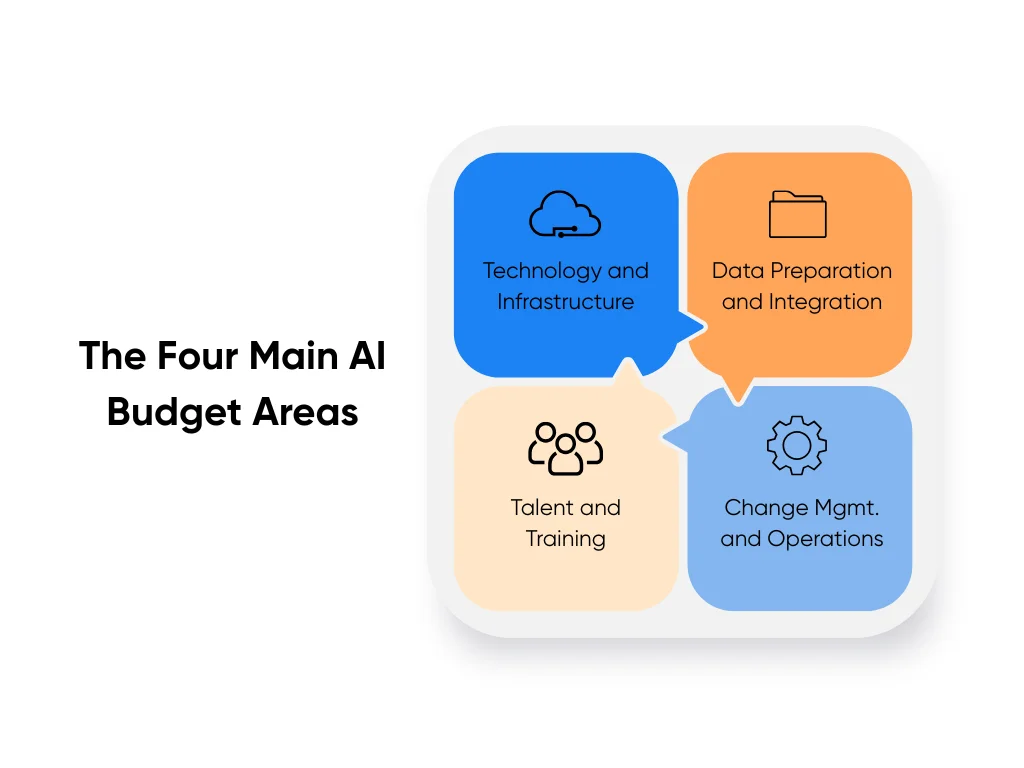
- Technology and Infrastructure: Cloud usage, model APIs, data platforms, vector databases, and monitoring tools.
- Data Preparation and Integration: Cleaning historical data sets, labeling where needed, and connecting data to systems such as customer relationship management tools, supply chain platforms, or electronic health records.
- Talent and Training: Time from your internal engineers and data scientists, external partners, and training for the teams who will work with the new tools each day.
- Change Management and Ongoing Operations: Process redesign, documentation, human oversight, and regular model checks so quality does not drift over time.
McKinsey’s surveys show that while many companies using AI report revenue gains and 44% report lower costs, a large share still struggle to scale beyond pilots. That gap is a reminder to include pilot write-offs, data prep, and refactor work as part of the investment, not as a vague “misc” line item.
A practical move is to map payback periods by project type using the cost and revenue metrics above. When you align those payback estimates with your budget and risk appetite, you give your company a clearer view of which AI projects deserve another round of funding.
What Separates Winners from the 95% That Fail?
Most companies now run AI pilots, but MIT’s 2025 study shows that about 95% of generative AI pilots fail to create financial value. Only around 5% show clear gains. McKinsey’s global survey tells the same story. Many teams run small AI tests, but only a smaller group scales AI across the business and sees a strong impact.
The winners often look closely at three areas: data, people, and stack.
Data Foundation Assessment
Your data shapes every result the model gives. You should look at where your data is stored, how clean it is, and who owns it.
Three signs your data is in good shape and follows best practices:
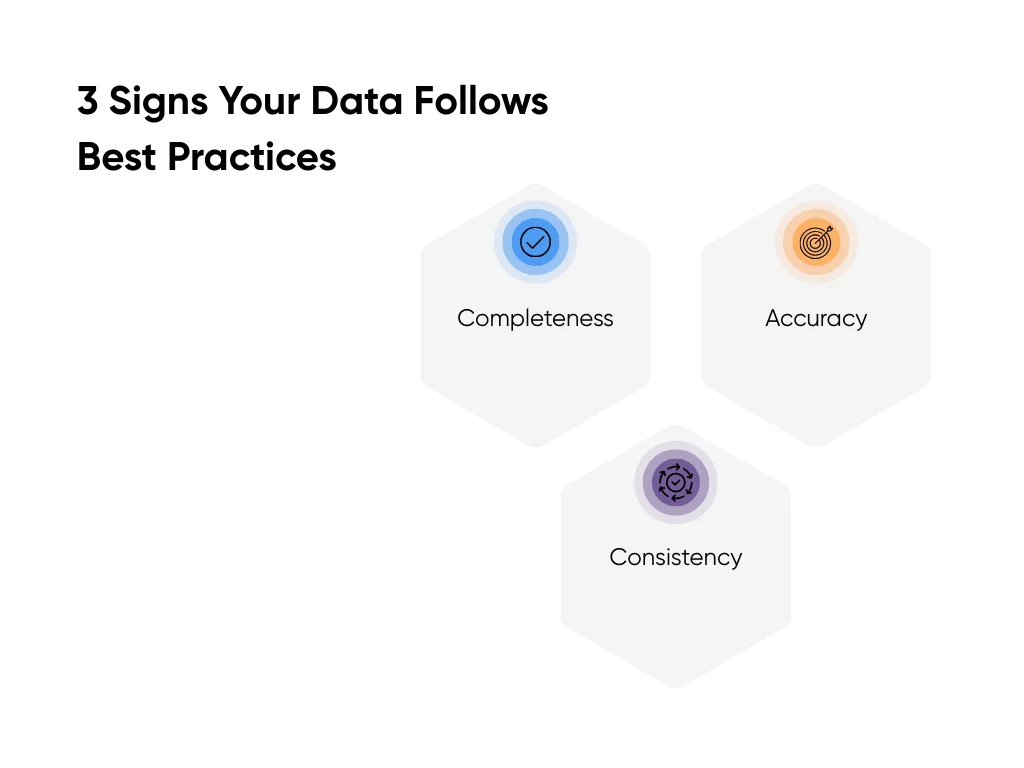
- Completeness: Core fields are filled in. Main tables, such as customer or patient records, should have more than 95% completeness for IDs, dates, and status fields.
- Accuracy: Values match what actually happened. Orders match payments. Test results match the source chart. You can check this each month with a small sample.
- Consistency: Fields use the same format across systems. One time zone rule. One country code list. One diagnosis code set. When formats drift, the model sees noise instead of patterns.
Ownership matters too. Each main data set needs a clear owner, rules for updates, and access controls. In our AI consulting work with clients, data gaps are often the top reason timelines stretch.
It helps to do a quick readiness check. List the three data sets your first AI use case needs. Score each one from 1 to 5 on completeness, accuracy, and consistency. Anything below three needs work before you move forward.
Organizational Change Readiness
AI success depends on how people use it. Strong teams show three signs:
- Clear Problem Owner: Someone in the business owns the problem. They care about the outcome, such as fewer support tickets or faster claims, and they stay close to the workflow.
- Executive Support: Your top team backs the project. They clear blockers and support business process changes. McKinsey’s work on AI transformation shows high performers treat workflow changes as core work, not a side task.
- Planned Adoption: You plan how people will use the tool. You give training, short “how to use this” guides, and ways to share feedback. You also track usage by active users, tasks completed with AI each week, and user satisfaction. If people avoid the tool, the project stalls even when the model works.
Technical Infrastructure Evaluation
Your stack also affects how fast you ship, how safe the system runs, and how far it can scale.
Start with integration. Count the systems your use case touches and how each one connects. Clear APIs or event streams help. Slow exports or manual uploads create fragile flows.
Next, check platform and security. You need a stable place to run models, manage prompts, store logs, and watch performance. You also need privacy controls and audit trails, especially in healthcare and finance.
Last, review scalability and cost. Estimate users, calls per day, and cost per call. Then ask what happens when usage doubles. McKinsey notes that top performers plan for scale early and track business metrics, not only accuracy.
When you look at data, people, and stack together, you see how ready you are. You know where you stand before you invest, and you give your next AI project a stronger chance to land in the successful 5%.
Industry-Specific AI Applications: Let’s Break Down Opportunities by Sector
AI business impact depends a lot on your industry. The same type of model will work very differently in a hospital, a bank, a factory, or a retail chain.
Here’s how AI shows up in each sector, what the tools do, and what numbers you can plug into your plan.
Healthcare
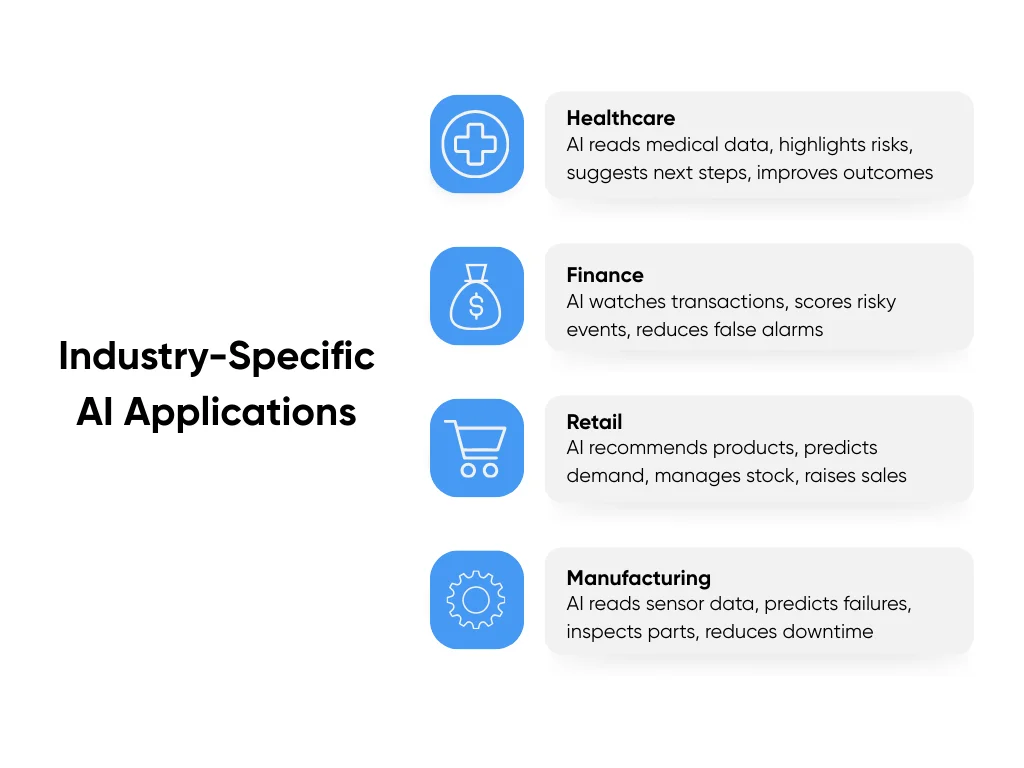
Healthcare AI tools read medical data and give teams extra help. They scan charts, lab results, images, and guidelines, then highlight risks and suggest next steps. Doctors and nurses still decide, but instead of a blank screen, they see a ranked list with reasons.
Studies linked to major public health groups show strong ranges. Teams report AI support cutting diagnostic errors by around 30–50% and improving outcomes by 20–30% when tools fit into daily workflows.
For example, in an emergency department, an AI model uses predictive analytics to watch vital signs and lab results and flag sepsis risk early. That warning gives the team extra hours to treat the patient and helps reduce ICU transfers and length of stay.
On the operations side, hospitals use AI to sort patient messages and refill requests. Nurses spend more time on complex cases and less time in inboxes.
This area is strict and regulated. You deal with data privacy rules, large EHR systems, and safety reviews. Many teams work with partners for healthcare AI development services to scope use cases and handle integration without slowing care.
Finance
In financial services, AI often acts like a real time security guard. Fraud systems watch card swipes, logins, device data, and behavior patterns, then score each event as safe or risky.
Industry stats show clear gains over older rule systems. AI fraud detection tools use predictive models on historical data to reach higher accuracy, catch more fraud, and reduce false alarms.
For example, a mid-sized bank sees a card swipe in one city and a login from another country in the same minute. The AI model flags the case, steps up checks, and slows the attacker before larger damage happens.
Implementation effort ranges from moderate to high. You need clean feeds from core systems, clear review flows, and guardrails so good customers do not face extra friction. When it works, you lower fraud losses, shorten queues for human reviewers, and protect trust with customers.
Retail
Retail AI focuses on three questions:
- What product recommendations should each shopper see?
- What price should you show at the right time?
- What stock should you hold across stores and your supply chain and inventory management systems?
Personalization engines use purchase history, browsing, and sometimes social data to pick products and content for each shopper. Reports, including coverage from Business News Daily, show retailers using AI for recommendations and demand forecasts to raise sales and keep shelves in better shape.
Take an ecommerce brand that updates its home page, search results, and email flows based on behavior. Over time, conversion rates can move from, say, 2.5% to 3%, and average order value rises. That shift turns the same traffic into more revenue.
On the operations side, AI demand tools help large retailers like Target and Walmart forecast stock and cut shortages, so fewer shoppers see empty shelves.
Manufacturing
Manufacturing AI focuses on keeping lines running and quality high. Predictive maintenance models read sensor data, usage history, and past failures to spot early warning signs. Quality systems use computer vision to inspect parts on the line.
Guides on predictive maintenance for manufacturing report unplanned downtime dropping by 20–50% and maintenance spend falling by 10–40%, with some plants reaching even higher cuts.
One factory might start with a single bottleneck machine. They stream vibration and temperature data into an AI tool that sends alerts when readings drift. The team then schedules a short service window instead of dealing with a full breakdown during a rush order.
Most of the effort sits in wiring data from older machines and building trust with maintenance crews. Once crews see the tool catch a few failures early, adoption grows quickly.
Other Industries
Across many other fields, AI supports core teams:
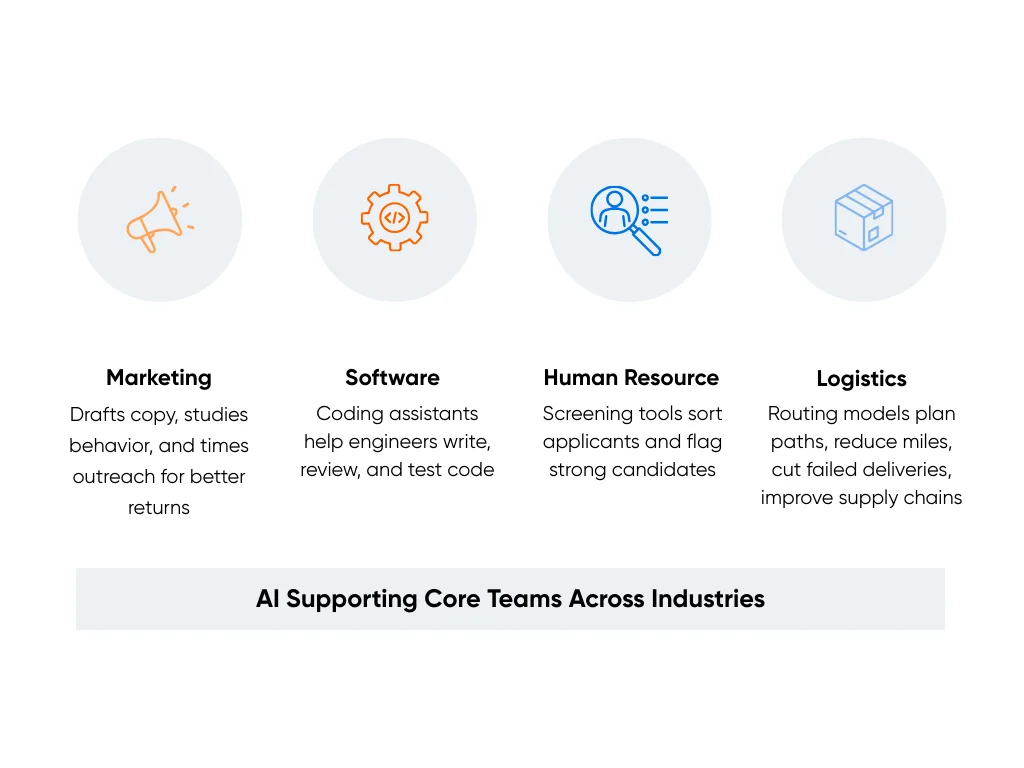
- Marketing: Drafts copy, studies customer behavior, and times outreach across channels. Harvard marketing research shows brands using AI to send more relevant messages and see better returns from the same ad spend.
- Software: Coding assistants help engineers write, review, and test code faster.
- Human Resources: Screening tools with human review help sort large applicant pools and flag strong candidates.
- Logistics: Routing models plan delivery paths, reduce miles driven, cut failed deliveries, and improve supply chain management end to end.
Patterns across all these sectors show up in our breakdown of AI adoption trends by sector, which tracks where AI helps most and where teams still feel stuck. Those patterns help you pick your first or next AI project based on your industry, not on generic advice.
How to Mitigate Risks and Protect AI Investments
AI can save time and money, but it can also leak data, make bad calls, or create public mistakes. To protect your AI budget and your brand, you need to treat AI like any other core system: plan for security, rules, and clear owners before you launch.
Think in two layers: keep the tech safe, and stay aligned with laws and customer trust.
AI Security and Data Protection
AI systems create a few new weak spots: prompts, data, and models. People can try to trick prompts, pull private data from responses, or copy models and use them elsewhere
You reduce these risks with the same basics you use in other systems, plus a few AI-focused steps:
- Encrypt sensitive data in transit and at rest: Use strong encryption for any data that moves across networks or sits in logs, training sets, and feature stores.
- Tighten access controls: Limit who can see prompts, logs, and training data. Use role-based access and short-lived keys so access doesn't spread over time.
- Lock down model endpoints: Put models behind an API gateway, add rate limits, and log every request and response for sensitive workflows.
- Watch for attacks on prompts and data: Feed AI traffic into your security tools. Flag odd spikes in use, strange prompt patterns, or repeated attempts to pull private data.
For high-risk areas like healthcare and finance, add strong review steps around anything AI suggests. People still make key decisions, and you keep clear logs when humans approve or override AI outputs.
Regulatory Compliance and Legal Risk Management
Rules around AI keep shifting, but the basics hold: be clear about how you use data, treat people fairly, and be ready to explain how a system is used when someone asks.
Before AI touches sensitive data, make sure you have these three things:
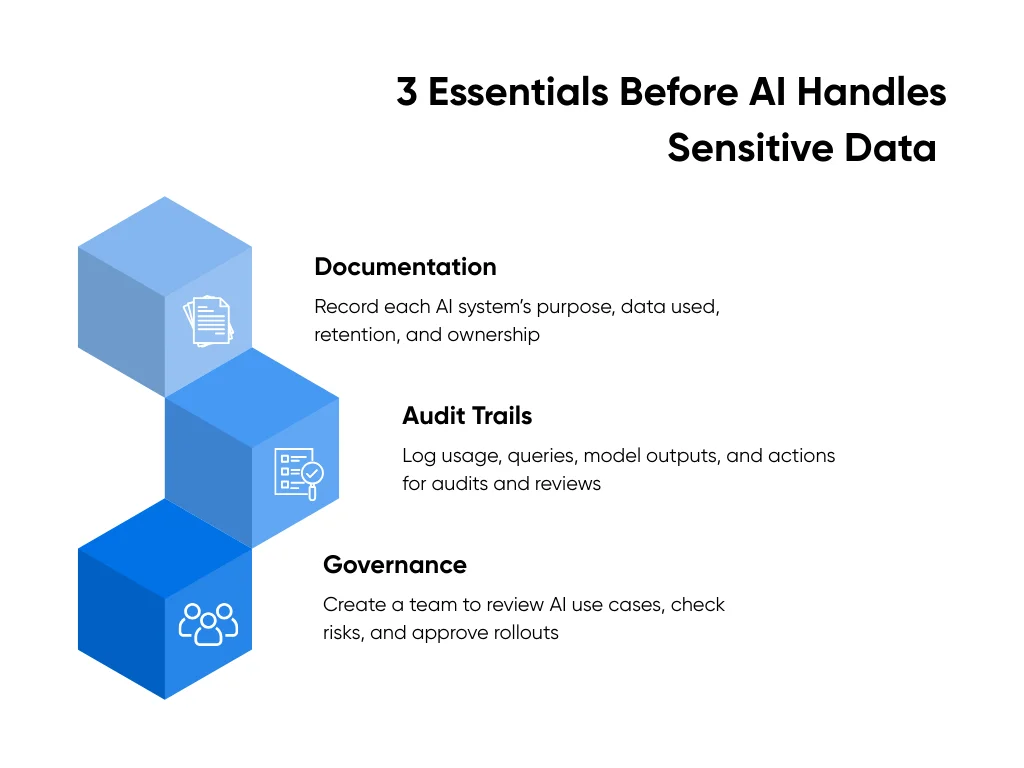
- Documentation: Write down the purpose of each AI system, what data it uses, how long it keeps that data, and who owns it.
- Audit Trails: Log who used the system, what they asked, what the model returned, and what happened next. This supports audits and incident reviews.
- Governance: Form a small group that reviews new AI use cases, checks privacy and legal risk, and approves rollouts. Include people from tech, legal, and operations.
At Aloa, we treat compliance as part of design. When we help clients plan AI projects, we include privacy checks, logging, and review steps from the first workshop, not at the end.
This protects more than your AI spend. It protects your customers, your standing with regulators, and trust inside your own team, while still giving you room to ship useful AI systems at a steady pace.
Key Takeaways
For CTOs, the gap between AI ideas and real business impact usually comes down to data and discipline, not model choice. Every AI project should tie back to numbers your company already tracks.
To keep that focus, you can:
- Pick one clear use case that links to a dollar goal, like lower support cost, higher conversion, or less fraud.
- Run a quick readiness scan on data, people, and stack using the checks in this guide.
- Write down success metrics, a time limit, and a kill switch so you know when to keep going or stop.
At Aloa, we work with technology leaders to define these metrics up front, prototype quickly, and ship AI systems that integrate with your workflow. Use our guide as a checklist when planning or reviewing AI ideas. And if you want a partner to help you move beyond planning, connect with our AI team to scope your next project.
FAQs About AI Business Impact
Why do 95% of AI pilots fail to reach production and how can we avoid this?
Most pilots fail because they start without a clear business goal, use messy data, have no real owner, and never plan past the demo. You avoid that by tying each project to a dollar target, naming one business owner, checking your data and stack before you start, and building the first version as something real teams will use.
What are the hidden costs of AI implementation that CTOs often overlook?
Hidden costs sit in three spots. Data work takes more time and money than most plans show, from cleaning and joining data to keeping pipelines stable. Change and training need budget for role-based training, workflow updates, and support after launch. Tech debt and integrations add more cost when old systems, custom code, and security needs slow you down. When you plan for these from day one, your budget feels more honest.
What specific AI applications deliver the highest ROI in different industries?
The best returns usually sit close to money and risk. In healthcare, triage tools, risk scores, and diagnostic support help teams catch issues earlier and use staff time better. In finance, fraud detection and credit scoring protect revenue. In retail, recommendations, demand forecasts, and pricing lift sales and reduce waste. In manufacturing, predictive maintenance and automated quality checks keep lines running and cut scrap.
What data quality and infrastructure requirements are necessary for successful AI implementation?
You need core tables with most key fields filled in, values that match reality when you sample them, and shared formats across systems. On the stack side, you need stable data pipelines and APIs, a secure place to run models and store logs, and monitoring for uptime, cost, and model behavior. When those basics stay strong, every AI project has a better shot.
How do I future-proof AI investments given rapid technology evolution?
You future-proof by staying flexible. Keep your stack modular so you can swap models without breaking everything. Track business outcomes and review your top AI use cases every quarter to adjust models, prompts, or vendors. If you want help designing that kind of setup, connect with Aloa, and we can map a roadmap that stays useful as tools change.