You watch your support team’s queues stack up early and stay high. Customers want quick, personal replies across every channel, but your current staffing model has reached its limit before lunch. So many leaders search “what is AI in customer communications” for relief that protects service quality and avoids higher costs.
AI now shapes how modern customer service operations run. It handles routine tasks and questions, sorts conversations, and gives your agents space to focus on problems that need human judgment. The hard part is knowing where to start. We hear this in nearly every planning call we run at Aloa. When we guide teams through our custom AI development work, the first goal is always the same: make AI feel practical, controlled, and aligned with how your team already works.
This guide follows that same approach. You'll learn:
- What AI tools handle across live chat, email, phone, and social platforms
- How routing, virtual assistants, and language tools reduce pressure on your team
- Where human support stays in front
- How to plan, test, and measure AI tools
We'll keep everything clear, direct, and focused on steps you can act on. No technical background needed.
TL;DR
- AI in customer communications uses tools that read messages, answer routine questions, and route complex issues while keeping context across channels.
- The biggest gains show up in three areas: lower cost per contact, quicker replies, and support teams that scale without constant hiring.
- Four main applications drive this: automated support, intelligent routing and personalization, advanced analytics and insights, and omnichannel integration.
- A solid rollout follows clear steps: pick focused use cases, clean and connect data, train your team, then pilot, measure, and adjust.
- Costs, timelines, and risks vary, but most teams see strong returns when they start small and expand in stages.
What is AI in Customer Communications?
Customer communications with AI uses automated tools that read messages, answer customer inquiries, and guide conversations across every channel. You use these tools to keep replies quick and consistent while taking pressure off your team.
AI in customer communications covers more than a simple chatbot. These systems read what someone writes, figure out what they want, and take the next step on chat, email, phone, or social platforms. They learn from previous interactions and customer data and behavior so replies feel specific and helpful.
Three main technologies and AI models drive this work. Conversational AI handles the back-and-forth. Natural language tools read and write human language. Machine learning improves the system as it processes more messages. Together, they form AI in custom communications that supports your daily flow.
Conversational AI and Chatbots
Conversational AI uses software that talks with customers in clear, simple language to support customer engagement in real time. Early bots stuck to rigid menus. Modern agents follow the conversation, handle multi-step tasks, and bring in a human when the topic calls for judgment. In healthcare, a chatbot can answer coverage questions, share clinic hours, collect patient details, and bring staff into the thread when symptoms or billing come up.
Natural Language Processing and Understanding
Natural language processing teaches software to understand human language. It spots intent, customer sentiment, and key details. A banking system can read a long message, identify a card lock request, pull the account number from the text, and prepare a clean draft for the agent to use.
Predictive Analytics and Routing
Predictive analytics reviews customer data and customer behavior to route each message where it belongs and prioritize support tickets. It sends complex insurance questions to specialists, moves repeat delivery issues to senior retail agents, and pushes urgent messages forward in the queue. This leads to faster handling and fewer back-and-forth transfers.
AI gives you new ways to handle volume and protect service quality. Now let’s see how this translates into savings, stronger service, and a support team that runs with less strain.
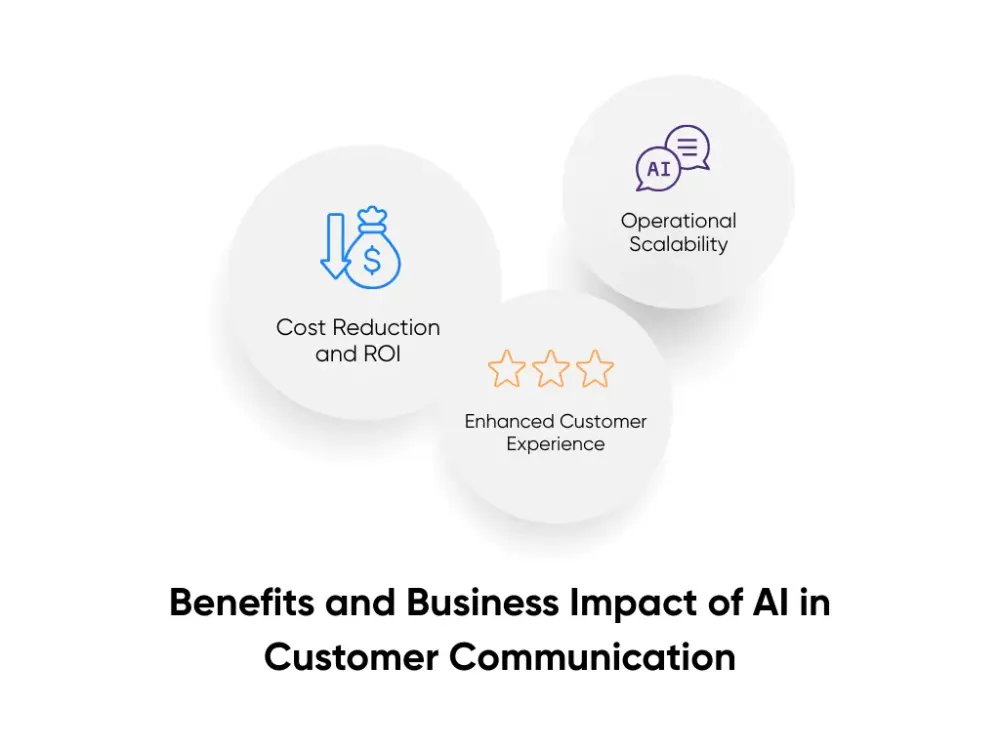
3 Benefits and Business Impact of AI in Customer Communications
AI in customer communications is not only about cool tools. You're trying to answer more customer queries, hold service quality, and keep payroll in check. AI helps by taking repeat questions off your team, replying any time of day, and letting you grow without adding new hires every quarter. Salesforce reports that 95% of leaders using AI in service already see time and cost savings. This lines up with our breakdown of AI’s benefits in customer service.
Cost Reduction and ROI
Here, you care about two numbers. What each contact costs, and how your team spends its hours. AI steps in on high-volume, low-complexity customer requests like order status, coverage checks, and appointment changes. Your customer service agents spend more time on issues that affect revenue, risk, or long-term loyalty.
Take a team handling 18,000 contacts in a month. At five minutes per contact, you use about 1,500 agent hours. With a $25 hourly rate, that month costs around $37,500. If AI resolves 30% of those contacts, you free more than 400 hours. You can then focus those hours on complex claims, high-value accounts, or outreach that keeps customers from churning.
When we do AI consulting at Aloa, we build the business case using this kind of math, not PowerPoint slides. You see the change in cost per contact and average handle time before you expand.
Enhanced Customer Experience
AI also changes how the experience feels for your customers. They want quick, helpful replies that reflect their history with you. Zendesk’s latest CX research shows that most customers now expect 24/7 support and quicker responses than they did a year ago.
In a hospital network, an assistant can confirm coverage, pull last visit notes, and share appointment options before a nurse joins. In a bank, AI can surface recent transactions, past disputes, and key account flags before an agent answers a message. Customers wait less, repeat less, and feel like your team recognises them, not just their ticket number.
Operational Scalability
The third benefit is how you handle growth. Volume goes up as your business adds products, channels, and regions. Without AI, your only lever is hiring. With AI in custom communications, software absorbs routine work across chat, email, phone, and social media, day and night.
During flu surges in healthcare or big campaigns in retail, AI handles appointment moves, order checks, and basic policy questions at a large scale. Your agents concentrate on symptoms, fraud alerts, and upset customers who need human care. When we design flows through workflow automation, this is the goal. You get the capacity to grow, without turning every spike into a staffing crisis.
4 Sets of Practical AI Applications Transforming Customer Communications
AI now shows up at every stage of your customer conversations. From the first “I need help” to follow-up messages a week later, customer communications with AI shapes how fast you reply, how personal it feels, and how much strain it puts on your team. Recent reports show that AI tools help service teams cut handling time and improve satisfaction scores at the same time, not only in tech but in healthcare, finance, and retail.
You can group most real-world AI use cases into four sets. Automated support, smart routing and personalization, deeper analytics, and true omnichannel coverage. Let’s walk through each one so you can map them to your own queues.
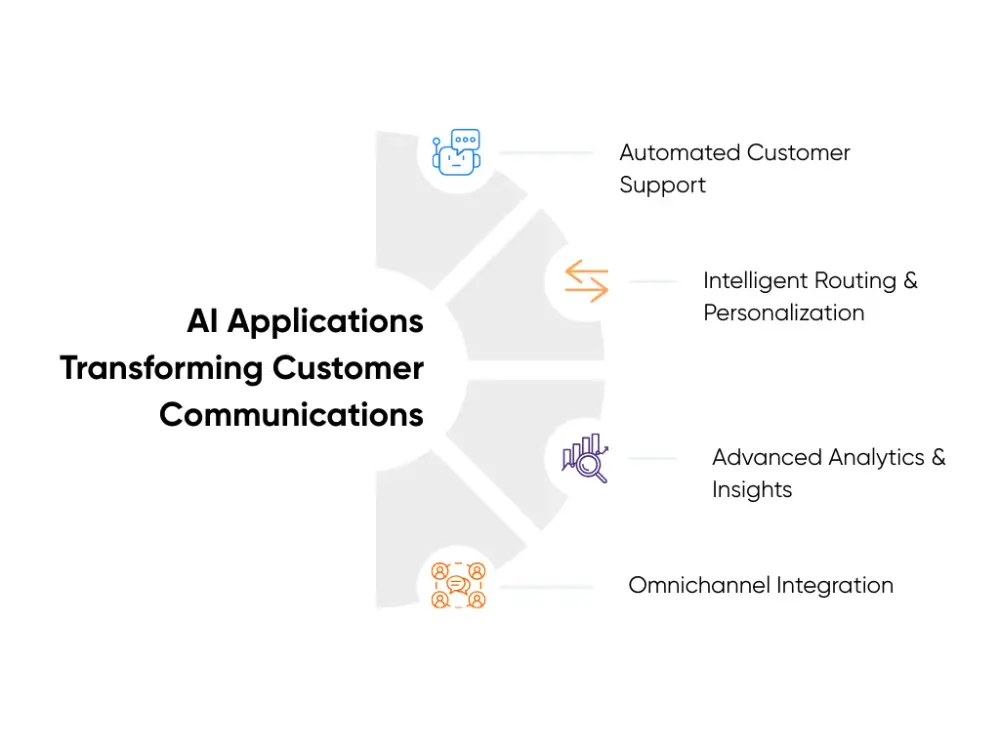
Automated Customer Support
Automated support uses AI tools to answer questions and guide people without a human starting every conversation. This includes chatbots on your site, virtual assistants in your app, and auto replies that use natural language instead of stiff templates.
In a hospital network, a virtual assistant on the patient portal can handle insurance checks, appointment changes, and prep instructions. It walks patients through each step, pulls data from your systems, and only sends a ticket to staff when the request needs human review. In ecommerce, the same pattern handles order status, returns, and “where is my package” messages, which often make up a large share of volume. Studies show AI chatbots now resolve a big portion of routine questions and can cut customer support costs by up to 30%.
When we build chatbots and AI assistants through Aloa, we design around those high-volume journeys first. That gives you deflection, shorter queues, and clear numbers on hours saved before you automate anything deeper.
Intelligent Routing and Personalization
Intelligent routing uses AI to decide who should handle each contact and how to greet that person. Instead of sending tickets to the next open agent, the system checks skills, workload, language, customer value, and past history, then makes a smart match.
Picture a banking contact center. A long-time client with a large balance messages about a card issue. Routing logic spots the value of this customer and the risk in the topic, then sends the case to a senior fraud specialist rather than a general queue. At the same time, AI draft replies pull in recent transactions and previous complaints so the agent starts with context, not a blank screen.
Platforms that use this kind of intelligent routing report shorter wait times and higher first-contact resolution, since the right person picks up the case from the start. For your team, this looks like fewer “sorry, let me transfer you” moments and more direct answers that build customer trust and deeper customer relationships.
Advanced Analytics and Insights
Advanced analytics uses AI to study your conversations and surface patterns you cannot see in raw transcripts or dashboards. The tools scan messages for sentiment, common topics, and early signs of trouble. They spot where customers feel confused, angry, or ready to leave long before churn numbers show a problem.
For example, sentiment analysis can flag a spike in negative tone around a new billing policy in your healthcare group. Predictive models can highlight customers who contact you more often, wait longer, or use strong language, so your team can offer outreach before they switch providers. Conversation analytics reveal which scripts, macros, and knowledge base articles keep satisfaction high and which ones drag scores down.
IBM’s recent work on AI in customer service notes that this type of analysis helps teams move from guessing to data-backed coaching and process changes.
Omnichannel Integration
Omnichannel integration keeps context and history intact as customers move between channels. AI pulls data from phone calls, chats, emails, and social messages into one view, then uses that view to guide each new step. The goal is simple. Customers tell their story once, and every agent and virtual assistant sees the same picture.
Think about a parent who starts a chat with a children’s hospital about a follow-up visit, then switches to a phone call on the way to work. With strong omnichannel integration, the call center sees the chat summary, the child’s last visit, and current open tickets on one screen. The agent picks up the thread instead of asking basic questions again.
Aircall and other providers describe this kind of connected communication as a key driver of quicker resolutions and stronger customer loyalty.
We take a similar view when we plan omnichannel work at Aloa. AI supports your email, chat, and phone systems, but your customer feels one relationship, not three separate support lines. That shift lowers friction for them and removes repetitive work for your agents. You can see more patterns like this in our deep dive on AI-powered customer experience improvements.
How to Implement Artificial Intelligence in Customer Communications
Rolling AI into your support operation should not feel chaotic. You want quicker replies, less repetitive tasks, and a team that feels supported instead of replaced. The way to get there is to break the rollout into clear steps that your agents, systems, and leadership can follow without stress.
Here’s a practical path leaders rely on when they want control, steady progress, and early wins:
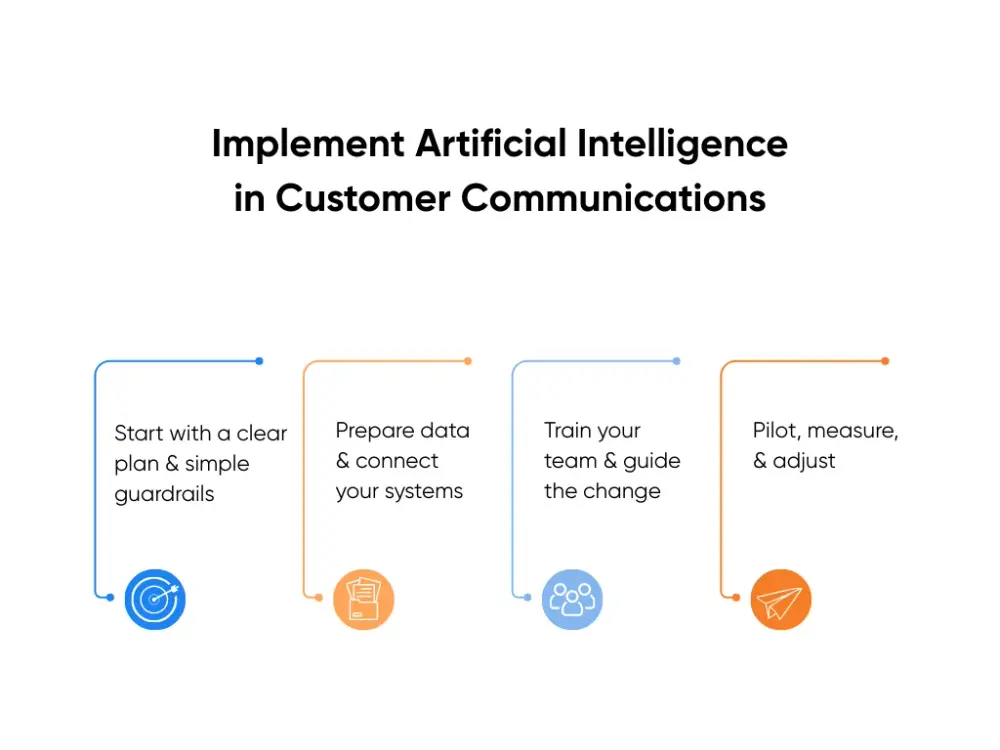
1. Start with a clear plan and simple guardrails
A good plan sets the boundaries. You decide what AI handles first, where humans stay in front, and how handoffs work. Keep it tight. Think in real scenarios, not big visions.
Most teams start with a few predictable flows. Order status, appointment changes, password resets, or basic account help. AI greets the customer, gathers the details you need, and replies when the steps are clear. Anything emotional, high-risk, or messy goes straight to an agent.
This keeps early wins low risk. Customers get quicker help on routine questions. Your agents stay focused on issues that affect revenue, trust, or safety.
2. Prepare your data and connect your systems
AI needs clean data and connected tools, along with clear data privacy rules, to work the way you expect. This step is less glamorous, but it has the biggest impact on accuracy.
Start by checking your CRM, ticketing platform, call logs, and chat history. Make sure customer names, IDs, tags, and timestamps line up across systems. Fix duplicates. Standardize fields your customer service team relies on.
Next, connect the systems that AI will read and write to. Your chat tool, email platform, and phone system should point to the same customer record. When everything is linked, the AI sees past interactions, logs new ones, and keeps context when a customer switches from chat to a call.
3. Train your team and guide the change
Your team needs to understand what AI does for them, not to them. The fastest way to build confidence is to walk through real examples. Show how AI drafts replies, pulls history, or tags the issue. Show when to accept the suggestion, when to edit, and when to step in themselves.
Make space for blunt feedback. Agents will spot gaps faster than anyone. Use their notes to adjust prompts, fix routing rules, or sharpen reply templates. When they see their feedback drive changes, adoption becomes much easier.
4. Pilot, measure, and adjust
A controlled pilot keeps risk low and builds trust across your leadership team. Pick one channel or one high-volume scenario. Set targets for deflection, handle time, accuracy, and customer satisfaction.
Run the pilot for a set window. Then review it with your agents and team leads:
- Which flows felt smooth
- Where the AI stalled or misunderstood
- When customers asked for a person earlier
- Which updates improved the quality
Use those insights to tighten the model and clean up the workflow. Once the numbers hold steady, expand to more cases or channels.
This approach gives you progress, not surprises. You keep your agents supported, leaders informed, and customers covered while AI steps into your daily operation without shaking the experience they rely on.
If you want a partner for that rollout, we support teams end-to-end through our AI and machine learning services and our chatbots and AI agents for customer support. We help you pick the right first use cases, shape the data and models, build and test the assistants, and tune them against your KPIs so AI feels like a natural part of your customer communications.
Key Takeaways
You probably spend your days tracking service quality, watching queue trends, and coaching your team. AI certainly will not fix every problem, but it can give you new levers. You can offload routine tickets, route complex cases with more control, and give agents richer context on each customer.
The key is a calm, planned rollout. Start with clear journeys, like order status or appointment changes. Connect your systems so AI sees the same picture as your agents. Involve your team, listen to their feedback, and grow step by step. That approach protects the customer experience and human touch you care about while you modernize how work flows.
If you're interested in using AI to improve customer experience and take pressure off your support team, start a conversation with us. We’ll help you turn "what is AI in customer communications" into something your dashboards, agents, and customers feel every day.
FAQs
What exactly is AI in customer communications and how does it work?
AI in customer communications uses software that can read messages, understand what customers need, and reply or route the issue to the right person. It helps with routine customer questions, gathers details, and keeps context across channels so your team does not have to start from scratch every time. It works through tools like chatbots, smart routing, and language models that learn from past conversations.
How much does it cost to implement AI in customer communications?
Costs vary based on your size, your systems, and how much you want AI to handle. Smaller teams using a basic chatbot often spend $5,000 to $30,000 to get started. That covers setup, simple training, and basic integrations. Mid-sized teams rolling out AI across several channels usually see $30,000 to $150,000 in upfront work, including deeper integrations, data prep, and team training. Larger organizations with advanced routing, analytics, and automation may invest $150,000 to $500,000+.
Most teams start to see value in 6 to 18 months through lower handling time, fewer repeat contacts, faster response times, and AI taking care of 40 to 70% of routine questions.
How long does it take to implement AI customer communication systems?
A simple chatbot for one channel can go live in 4 to 8 weeks. That includes planning, setup, training it on common questions, and basic testing. Mid-level projects that work across chat, email, and phone usually take 3 to 6 months, especially if you need CRM or ticketing integrations. Large-scale programs with predictive analytics and full omnichannel support may need 6 to 12 months because the data and training work grows. Most leaders start with a small pilot for 30 to 60 days, test it with real customers, adjust, and then expand.
You can see how this plays out across different sectors in our industry-level breakdown of AI adoption trends.
What are the biggest challenges in implementing AI customer communications?
The hardest parts tend to be messy data, old systems that do not connect well, and teams worried about losing control. AI also needs clear rules so it knows when to step back and hand the conversation to an agent. The rollout works best when you clean your data early, set clear handoff points, and involve your team in shaping how the system behaves.
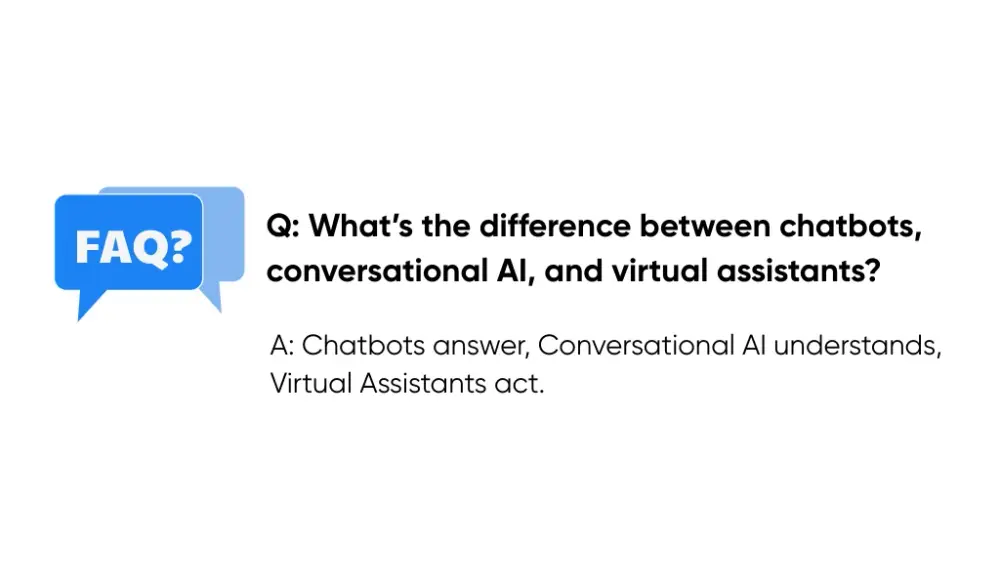
What’s the difference between chatbots, conversational AI, and virtual assistants?
A chatbot follows set steps and answers basic questions. Conversational AI understands language and can handle more complex, back-and-forth conversations. A virtual assistant combines conversational AI with actions, like pulling account details, booking appointments, or updating records.
Chatbots answer. Conversational AI understands. Virtual assistants take action.