
Many SaaS founders ship their MVP successfully. They build some initial hype, get signups in the first weeks, only to find that new users log in, explore a bit, and leave immediately.
Why is that the product works, but it doesn’t give people a strong reason to come back? The answer usually comes down to scope. When you scope a SaaS MVP, every feature you choose to build needs to interest your early adopters.
At Aloa, we help founders figure that out earlier in the process. We design and build custom AI products, starting with a proof of concept and progressing to a full MVP and a production system. The early stage focuses on testing the product idea and shaping the first version so users can get clear value right away. That matters even more in AI products, where the first working version often becomes the product your early users judge.
This guide shows how to prioritize SaaS MVP features with more confidence. You’ll learn how to map the path to user adoption, separate adoption features from growth features, set a clear time box for the first build, and validate the plan before development starts.
TL;DR
- Many MVPs fail because users don’t reach value quickly in the first session. The product works, but the experience feels incomplete.
- Start by mapping the path to adoption: the steps a new user must take to get a useful result.
- Split features into two groups: what helps users succeed right away and what helps later. Keep the first group in V1.
- Use a tight time box (often 3–6 weeks) to force clear priorities instead of building from a long feature list.
- Before building, show the flow to a few real users and fix anything that would stop them from trying it.
- After launch, watch where users hesitate or drop off, then improve that step before adding new features.
Why Most MVPs Fail at Adoption, Not at Launch
A SaaS MVP, short for minimum viable product, is the most basic version of a product that still delivers the core functionality. It includes the essential features needed for someone to try the product. But when founders scope a SaaS MVP by trimming features too aggressively, they often miss what matters most: whether the first user experience actually feels useful.
Many early SaaS products technically work when they launch. The core feature runs. The system doesn’t crash. But the first user session feels confusing or incomplete. A new user signs up, lands on a blank dashboard, and has no clear path to value.
For example, Slack’s early versions didn't launch with dozens of features. But Slack made one decision that shaped adoption: the product immediately dropped new users into a workspace where they could send messages and see conversations. The value showed up in minutes. A stripped-down version that required heavy setup before seeing messages would have slowed adoption.
Founders often cut the wrong things while trying to move fast. The product still works, but the path to value breaks. Common examples include:
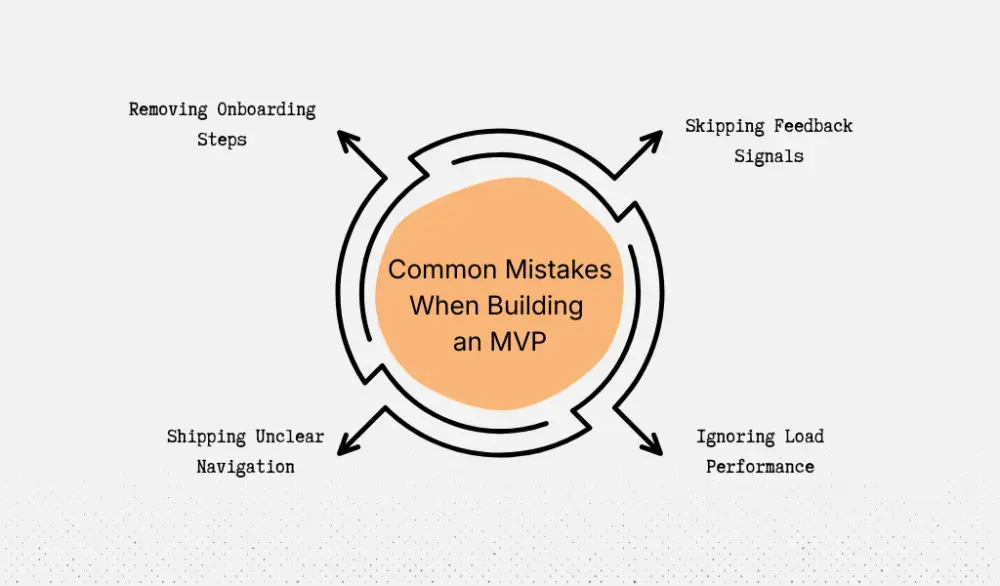
- Removing onboarding steps: New users land in the product with no guidance or sample data. They don’t know what to do next.
- Skipping feedback signals: Actions don’t show clear results. A user clicks something but doesn’t see what changed.
- Ignoring load performance: A dashboard that takes 6–8 seconds to load feels broken to someone trying the product for the first time.
- Shipping unclear navigation: The feature exists, but people can't find it without trial and error.
Look at Dropbox in its early days. The product focused on one clear action: drop a file in a folder and watch it sync across devices. The experience showed value right away. The team kept the scope tight but protected the moment where users understood the benefit.
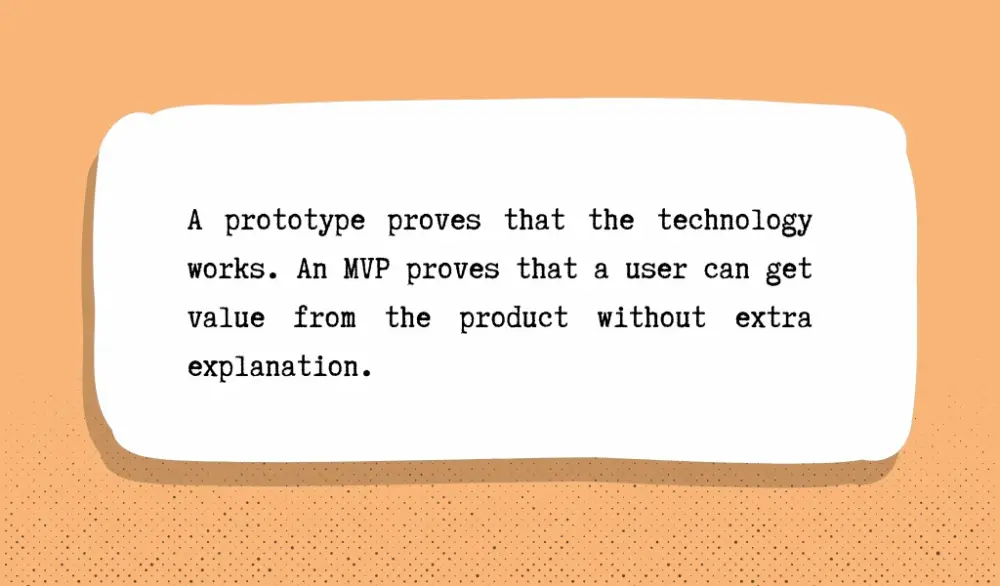
This is where many founders blur the line between a prototype and an MVP. A prototype proves that the technology works. An MVP proves that a user can get value from the product without extra explanation.
When you treat prototypes like MVPs, you end up launching something functional but not adoptable. The feature exists, but the path to value is unclear.
Adoption problems like this appear across many industries, especially as companies experiment with AI-driven tools. Many organizations now test early AI products. But adoption still depends on whether users can see value quickly in the first session, not just whether the technology works. You can see this pattern across sectors in our breakdown of AI adoption trends across industries.
That’s why scoping an MVP needs a different lens. Instead of asking only “What can we cut?”, the better question is “What must stay so the first user reaches value?”
The rest of this guide focuses on that decision.
Define Your Path to Adoption
Every SaaS product has a short sequence a new user must go through before they see the value proposition. Think of this as the path to adoption. It’s the small set of steps between signup and the moment a user thinks, “Okay, this actually helps me.”
That moment is often called the “aha moment.” It happens when the product shows its value through action.
For example, the moment happens in Dropbox when a user drops a file into a folder and sees it appear on another device. In Slack, it happens when someone sends a message and gets a reply from a teammate. One interaction proves the product works and solves a specific problem.
When you scope a SaaS MVP, you should map this path before you start cutting features. What does a brand-new user in your target audience have to do to reach the first useful result? Write the steps down in order.
For companies still getting comfortable with AI tools, imagine a SaaS product that creates AI summaries from sales calls. The path to adoption might look like this:
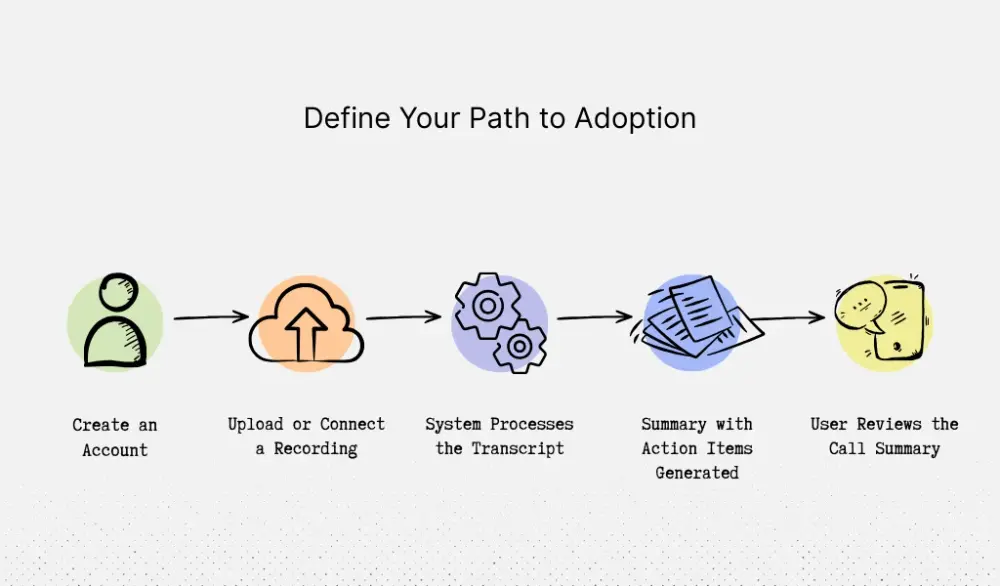
1. Create an account
2. Upload a meeting recording or connect a call recording tool
3. The system processes the transcript
4. The product generates a summary with action items
5. The user reads the summary and quickly sees what happened in the call
Step five is the aha moment. The user sees something useful that would normally take time to create manually, which is the goal of an MVP.
Now apply a simple rule to every step: If removing this step makes it harder for the user to understand, trust, or experience the value, it stays in scope.
Look again at the example. You might try to cut the upload flow to save development time. But without a way to add a meeting recording, the system cannot generate a summary. The core outcome disappears. That step stays.
You can run this same test on other parts of the experience:
- Remove onboarding guidance → new users land on a blank page and don’t know what to do.
- Remove processing feedback → the system looks frozen while the transcript runs.
- Remove the results screen → users never see the summary clearly.
Each of those pieces supports the path to value.
This is where many MVPs go off track. Product teams start with a long feature list (analytics dashboards, integrations, advanced settings) and then cut it down. That process often removes pieces that help new users reach the first result.
A better approach is to map the path to adoption first, then build only the components that support that path. Guidance from MVP development frameworks often emphasizes focusing development around the core user problem and the smallest flow that proves the product’s value.
Once the path to adoption is clear, scoping becomes simpler. Anything that helps the user reach that first useful result stays. Everything else can wait for the next release.
Separate Adoption Features From Growth Features
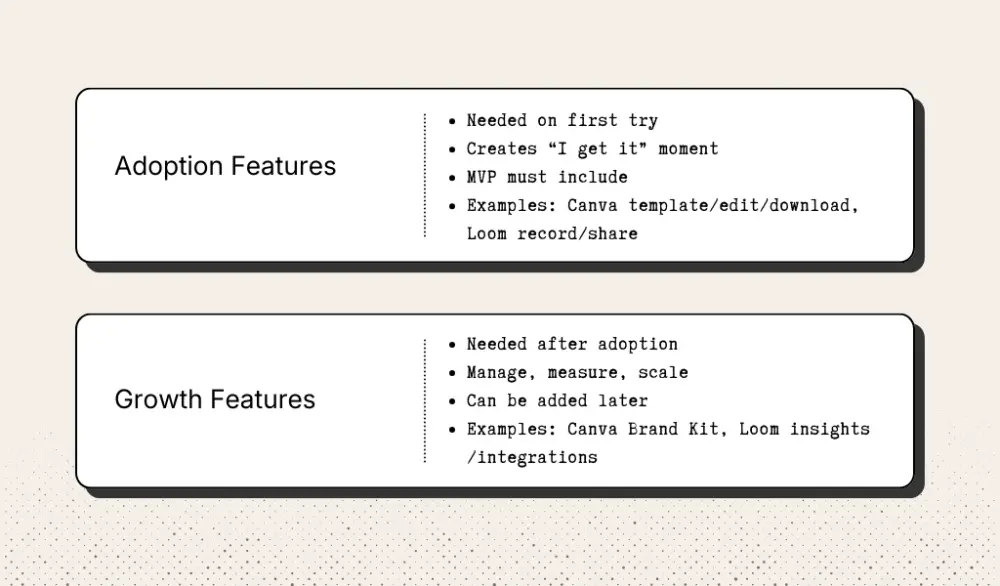
Once you map the path to adoption, the next step in MVP feature prioritization is to sort your feature list into two buckets: features a new user needs right away and features that only matter after they start using the product regularly.
That's the difference between adoption features and growth features.
An adoption feature helps a new user get the main outcome on the first try. A growth feature helps after that. It makes the product easier to share, manage, measure, or roll out across a bigger account.
Your MVP needs the first bucket.
Take Canva as an example. A new user can choose a template, change the text or images, and download the finished design. Canva’s own product pages still center templates, editing, and exporting as the core use case.
Brand Kit, on the other hand, stores brand fonts, logos, colors, and other assets so people can keep designs consistent across many projects. That's useful once a company already depends on Canva, but it's not what makes a first-time user understand the product.
Loom works the same way. The first useful result is clear: record your screen, get a shareable video, and send it. Loom describes its product around recording in a few clicks and sharing anywhere.
Features like viewer insights, privacy controls, and integrations with Slack or Google Workspace help later, after the product is already part of someone’s workflow. They support rollout and management. They don't create the first “I get it” moment.
Use that same lens on your own product roadmap. Say you're building a SaaS product for project managers to collect customer feedback. Your feature list includes a feedback form, a response inbox, tags, Jira sync, Slack alerts, an analytics dashboard, and routing rules.
Now look at the first session, not the full product vision. A product manager signs up, sends the form to five customers, and sees responses come in. That's the first useful result.
So what stays in V1? The feedback form stays, because users need a way to collect input. The response inbox stays, because users need to see what came in. Tags might stay, but only if the inbox becomes hard to scan without them.
What moves to V2? Jira sync can wait. Slack alerts can wait. Analytics can wait. Routing rules can wait. Why? Because none of those features are required for a product manager to say, “I can use this today.”
That's the test you want to run on every feature: Does this help a new user reach the main outcome in the first session? Founders often overload scope because a feature sounds important. But "important later" is not the same as "needed now."
This is where the 80/20 rule helps. In many SaaS products, about 20% of planned features create 80% of the value a new user experiences in their first session. Your job is to identify that 20%. and protect it. Good MVP scoping is about keeping the features that solve customer pain points first, then adding supporting features later.
A quick way to pressure-test your roadmap is to ask two questions for every item:
- Would a new user miss this in the first 15 minutes?
- Does removing it block the main outcome?
That usually makes the cut line clear.
Scope With Time Constraints, Not Feature Lists
After you map the path to adoption and separate adoption features from growth features, there’s one more constraint that helps you make the final cuts: time.
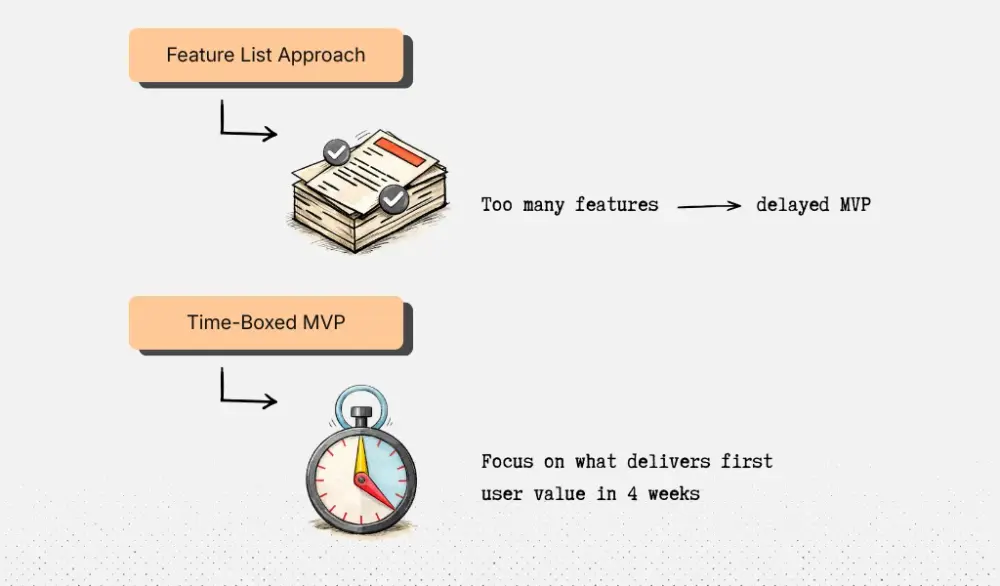
Many founders scope an MVP by writing a long feature list and estimating how long each item will take in the development process. The list grows. Estimates stack up. Suddenly, the “MVP” turns into a three-month build.
A better approach is to flip the order. Start with a fixed window, often 3–4 weeks for a first build, based on your available resources. Then decide what actually fits inside that window.
Instead of asking: “What features should our MVP include?” ask: “What can we build in four weeks that lets a new user reach the core outcome?” That constraint forces clearer decisions about resource allocation.
For example, imagine you're building a scheduling product similar to an early version of Calendly. Your brainstormed feature list might look like this:
- Connect multiple calendars
- Create booking links
- Automated reminders
- Routing rules for teams
- Group meetings
- Payment collection
- Analytics dashboard
Every item sounds reasonable. If you scope from this list, it’s easy to justify all of them.
Now apply a four-week build window and look at the user’s path to value. A first user only needs to:
1. Connect their calendar
2. Generate a booking link
3. Send the link to someone
4. Get a confirmed meeting on their calendar
That’s the main business objective for V1. Calendly’s early product was built around exactly this loop: share a scheduling link, someone picks a time, and the meeting gets booked automatically.
Inside a four-week scope, the MVP probably becomes:
- Google Calendar connection
- A simple booking page
- Basic availability settings
- Confirmation email after booking
Routing rules, payments, and analytics get pushed out. Those features matter later, but they don’t help someone book the first meeting.
Time constraints also reveal hidden complexity.
Take a product inspired by Notion, focused on collaborative documents. A feature list might include:
- Rich text editing
- Comments
- Mentions
- Templates
- Permissions
- Real-time collaboration
- Integrations
But with a four-week build window, you quickly see what actually matters. A new user must be able to:
1. Create a page
2. Write content
3. Share the page with someone
Early versions of Notion focused on simple pages built from blocks of text, images, and lists before the product expanded into the complex workspace it is today. So the MVP scope might become:
- Create a document
- Basic text editing
- Shareable link
Comments, integrations, and advanced permissions move to later releases.
That’s why time-boxed scoping is the best way to scope early builds. A feature list encourages teams to keep adding. A fixed timeline forces tradeoffs. With the deadline, the question becomes: Does this help the user reach the main outcome in their first session?
If not, it moves to the roadmap. That results in a smaller product that actually ships. And one that helps users reach the core value instead of exploring a half-finished feature set.
Validate the Scope Before You Build
Before engineering starts, spend 1–2 days running a scope validation sprint with potential users.
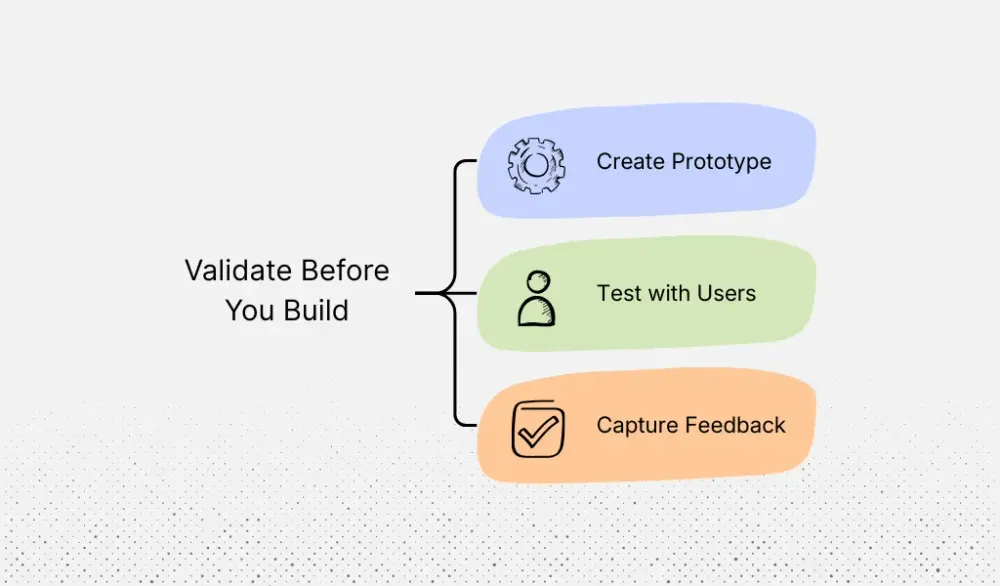
Create a simple wireframe or clickable prototype of the exact flow you plan to ship in V1. Then show it to five people who closely match your target audience. Walk them through the experience from signup to the first useful result. This quick test often reveals gaps that are easy to miss during planning but expensive to fix after development starts.
Keep the conversation focused on one thing: is this version good enough for them to try?
Ask clear questions while they go through the flow. For example: “What do you think this product helps you do?” “Would you sign up for this version as an early adopter?” “What feels missing?” “At what step would you hesitate?” These questions show whether the product makes sense and whether the core workflow feels complete.
Imagine you're building a simple invoice follow-up tool for agencies. The product connects to an inbox, identifies overdue invoices, and drafts reminder emails. When you show the prototype to five agency owners, some suggest dashboards, Slack alerts, and accounting integrations. Those ideas are useful later.
But three users say the same thing: “I need to review the email before it sends.” That feedback points to a gap in the main workflow. If users cannot check the message first, they won’t trust the tool. The review step belongs in V1.
Take another example. Suppose you're building a lightweight onboarding checklist for HR teams, similar to BambooHR. Users may suggest features like document storage or payroll integration. But if several HR managers say, “I need the new hire to confirm completed tasks,” that's a core requirement. Without confirmation, the checklist doesn't reliably show whether onboarding steps were finished.
This is the filter during scope validation. Feedback that blocks someone from signing up, completing the workflow, or trusting the outcome belongs in the MVP. Feedback that improves the product after regular use can wait for V2.
At Aloa, this step is part of how we reduce risk before product development begins. Our proof-of-concept phase focuses on validating the idea with real users, confirming technical feasibility, and shaping the first working version before committing to a full build.
Before moving into engineering, run one final scope check. A new user should be able to reach the aha moment through the planned flow. The full path from signup to value should be complete. The prototype should have been reviewed with at least five target users. The key feature set should still fit the time box defined earlier. And the team should know what the first release is meant to learn.
When those conditions are clear, the scope is ready to build.
What to Build After Launch: From MVP to Adoption
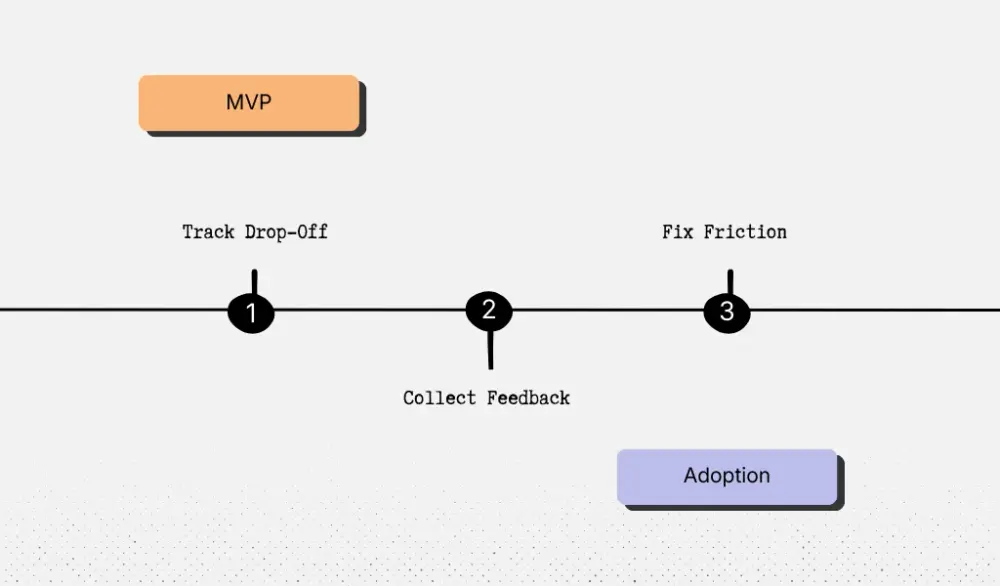
Once the MVP is live, the job changes. You're no longer deciding what might matter. You're watching what actually happens when people use the product.
Start with the core flow you scoped earlier. Look at each step: signup → first action → first result. Find the exact step where people stop.
For example, take the invoice follow-up tool. The V1 flow was:
1. Connect an inbox
2. See overdue invoices
3. Review the follow-up email
4. Send it
Now look at the data. If most users connect their inbox but never send the follow-up, that tells you where the problem is. The product works, but something in that step is blocking action.
Open session recordings or collect user feedback. You may find things like:
- The email draft sounds too harsh, so users hesitate to send it
- Editing the message takes too many clicks
- The tool lists invoices but doesn’t clearly show which one needs follow-up first
Those issues affect the core action. Fixing them should come before building anything new.
The HR onboarding checklist example works the same way. The V1 flow might be:
1. HR creates a checklist
2. A new hire receives it
3. The new hire completes tasks
4. HR sees progress
If HR teams create checklists but new hires never finish them, look at that step. Maybe reminders are weak. Maybe tasks are vague. Maybe the “mark complete” button is hard to find. Improving that experience will move adoption more than adding payroll integrations.
This is where many leaders make a costly mistake. They launch the MVP, then immediately start building features that were cut during scoping. Those items were removed before anyone used the product. Once real usage data appears, priorities often change.
Feedback from early users helps too, but treat it carefully. If users ask for a feature and you also see drop-off at the same step, that's a strong signal. If they ask for something but users are already completing the core flow, it can wait.
The goal of V2 is to remove the friction that stops people from completing the main job. When that path is smooth, adoption grows. And only then do additional features start to matter.
Key Takeaways
Most MVPs struggle because teams do not prioritize initial features based on the value users receive. When you scope a SaaS MVP well, you keep the few things that help a new user reach value and come back.
At Aloa, we work hands-on with founders and product teams to shape the right scope, build fast prototypes, and move into production with the same team. Our engineers build everything in-house and focus on custom software and AI systems designed around your workflow, not generic templates. We also offer a proof-of-concept path, direct access to senior engineers, and a clear discovery → plan → delivery process that reduces risk before a full build.
If you want builders who care about the craft, move fast, and solve the hard problems, book a call with Aloa. You’ll feel the difference the minute you talk to us.
FAQs About MVP Scoping
What’s the difference between a viable MVP and an adoptable MVP?
A viable MVP can technically do the job. An adoptable MVP makes people comfortable enough to actually use it.
Take the invoice follow-up tool. A viable version can connect to an inbox and generate a draft email for an overdue invoice. That proves the feature works. But if the user cannot quickly check the invoice details, edit the message, and feel sure they're not about to email the wrong client, they may never send it.
An adoptable MVP closes that gap. It gives the user enough clarity and control to take the action. That's the difference. One works on paper. The other works in real life.
How do you scope an MVP without cutting too much?
Start with the first useful outcome, not the feature list.
In the HR onboarding checklist example, the outcome is that a new hire gets tasks, completes them, and HR can see progress.
So the first version needs checklist creation, task delivery, task completion, and a simple progress view. That's the path. Anything outside that path, like payroll sync, document storage, or org charts, can wait.
Here’s a test that helps: if you remove a feature, can the user still complete the main job without confusion or extra help? If not, keep it in V1.
What features should a SaaS MVP include?
Only include the SaaS MVP features needed for a user to get the core result once.
For the invoice follow-up tool, that means the user can connect an inbox, spot an overdue invoice, review the message, and send it. That's enough to prove the product solves a real problem.
Dashboards, alerts, and integrations may be useful later, but they don't matter if the user has not even sent the first follow-up yet.
How long should it take to build a SaaS MVP?
A focused SaaS MVP often takes 3 to 6 weeks.
That usually means a short discovery phase, a quick prototype, and then a build of the core flow. If the timeline keeps growing, the scope is probably too big.
At Aloa, this is the stage where we help founders most: shaping the flow, prototyping fast, and building the first version with the same team. If you're getting ready to build, book a call with Aloa.
What are the biggest MVP scoping mistakes that hurt adoption?
The biggest mistake is adding more while the core flow is still weak.
Say HR teams create onboarding checklists, but new hires don’t finish them. That usually means something basic is broken. Either the tasks are unclear, reminders are weak, or the completion step is easy to miss. Adding more features won’t fix that.
Another common mistake happens right after launch. Teams go back to the cut-feature list and start building from there. But by then, real user behavior should drive the roadmap. Fix the step where users stall first. Then expand.